
Close Menu

    Subscribe to Updates

    Get the latest creative news from FooBar about art, design and business.

    What's Hot

    Social Security COLA 2027: What the 3.6% Raise Means for Your Monthly Plan

    November 6, 2026

    Best Free Budget Apps in 2026: iPhone, Android, and Web

    November 6, 2026

    Federal Pay Period Calendar for 2027: Every Pay Period and Payday

    November 6, 2026
    Facebook X (Twitter) Instagram
    Amppfy
    • Safe to Spend™ App
      • Amppfy on iPhone — one clear number with the status scale and the math under itYour number, in your pocketFree on iPhone and Android, with the same account on the web.
        • Download on the App Store
        • Get it on Google Play
        • Prefer the web? Sign up free ›
      • The app
        • OverviewOne clear number for what’s safe to spend before payday
        • Safe-to-Spend™The four-line math, always shown
        • Weekly check-inTen minutes a week keeps it honest
      • Features
        • Bills & paydaysEvery bill and payday on one calendar
        • GoalsSavings that fund themselves first
        • For couplesTwo logins, one number you both trust
        • SubscriptionsWhat you pay monthly, and what cancelling gives back
        • Calendar & heads-upsYour month at a glance, a heads-up before bills land
        • Net worth & payday nudgeThe whole picture, month by month
        • BudgetWhere the month’s money goes, month by month
      • Trust & help
        • Security & privacyJust your balances, optional two-step verification
        • Help centerSetup, the number, check-ins, FAQ
        • Open the web appSame account, any browser
    • Personal Finance
      • Money Basics
        • How to Master Money Management
        • Psychology of Money Habits
        • How to Set Financial Goals
        • Money Management for Every Life Stage
        • Beyond Budgeting: Advanced Money Skills
        • Financial Literacy
        • Money Management
        • Know Your Money
        • Cash Flow
      • Financial Wellness
        • Understand Your Money Relationship
        • Build a Healthy Money Mindset
        • 7 Money Tips for Financial Freedom
        • Take the Money Health Quiz
        • Monthly Financial Reviews
        • Money Habits
        • Money Mindset
        • Financial Goals
        • Financial Independence
      • Side Hustles & Extra Income
        • 8 Realistic Side Hustles
        • How to Make Money Online
        • Passive Income Ideas That Work
        • Passive Income 101: Ideas That Scale
        • Spot a Bad Passive Income Deal
        • Start Freelance Writing: First $1,000
        • Budgeting with Irregular Income
        • Side Hustle Ideas
        • Passive Income
        • Gig Economy
      • Major Money Decisions
        • Plan a Major Purchase Without Debt
        • Car Buying: Save, Finance, or Lease?
        • Used Car Buying & Negotiation Tips
        • What to Save For vs. Finance
        • Life Insurance 101: Coverage Needs
        • Term vs. Whole Life Insurance
        • Buying a Car
        • Major Purchase Planning
        • Home Improvement
        • Life Insurance
      • Money Tools & Calculators
        • Net Worth Calculator
        • Cost of Living Calculator
        • Compound Interest Calculator
        • Monthly Budget Calculator
        • Savings Goal Calculator
        • Emergency Fund Calculator
        • Savings Calculator
        • Do Money Management Tools Work?
        • Spend Tracking
        • Net Worth
    • Savings
      • Budgeting Tips
        • The 50/30/20 Rule Explained
        • How to Make a Monthly Budget
        • How to Budget Money in 5 Steps
        • The Envelope Method Explained
        • Best Budgeting Apps Compared
        • Common Budgeting Mistakes
        • Budgeting for Couples
        • Start a Budget
        • Budget Methods
        • 50/30/20 Budgeting
      • Ways to Save
        • Save $500 This Month
        • 14 Ways to Cut Monthly Expenses
        • How to Save Money on Groceries
        • Lower Your Utility Bills
        • Budget Swaps for Big Purchases
        • Save Money on Car Insurance
        • Cut Expenses
        • Groceries Savings
        • Smart Saving Strategies
      • Emergency Fund
        • How Much Emergency Fund to Save
        • How to Build an Emergency Fund
        • Start a Rainy Day Fund
        • Sinking Funds vs. Emergency Fund
        • Emergency Fund Essentials
        • Where to Keep Your Emergency Fund
        • Best Emergency Fund Tips
        • Emergency Savings
        • Emergency Buffer
      • Savings Goals & Plans
        • How to Create a Savings Plan
        • How to Set Savings Goals
        • Track Spending Without Spreadsheets
        • 529 College Savings on a Budget
        • Saving During a Recession
        • Budget a Debt-Free Vacation
        • Vacation Budgeting
        • Family Budgeting
        • Savings Goals
        • Recession Saving
      • Savings Tools & Planning
        • Budget Calculator
        • Savings Goal Calculator
        • Emergency Fund Calculator
        • Savings Calculator
        • Compound Interest Calculator
        • Savings Buckets
        • Sinking Funds
        • Maximize Your Savings
        • Savings Tips
        • Savvy Saver
    • Debt
      • Get Out of Debt
        • Debt Snowball vs. Avalanche
        • Pay Off Credit Card Debt Fast
        • Beginner’s Credit Card Payoff Plan
        • Build a Debt Payoff Calendar
        • Use Windfalls to Crush Debt
        • Debt Free Journey
        • Debt Payoff
        • Credit Card Debt
      • Student & Auto Loans
        • Student Loans 101
        • Get Out of Student Loan Debt
        • Income-Driven Repayment Plans
        • Best Student Loan Repayment Option
        • Auto Loans: Shop & Save on Interest
        • Pay Off Your Auto Loan Early
        • Student Loans
        • Auto Loans
        • Auto Loan Debt
      • Debt Consolidation
        • Debt Consolidation Pros & Cons
        • Is Consolidating Debt Right for You?
        • Balance Transfers to Pay Off Debt
        • HELOC to Pay Off Credit Cards
        • 401(k) Rollover to Pay Down Debt
        • How to Refinance a Personal Loan
        • Before You Take a Personal Loan
        • Personal Loans
        • Personal Loan Refinance
      • Managing Debt
        • Navigating Medical Debt
        • Budgeting with a High-Interest Loan
        • Build a Debt-Repayment Fund
        • Debt Payoff for Single Parents
        • Save for a Wedding Without Debt
        • Medical Debt
        • Single Parent Debt
        • Personal Loan Debt
      • Debt Relief & Protection
        • When Bankruptcy Is an Option
        • Avoid Predatory Lenders & Scams
        • Negotiate with Creditors: Scripts
        • Budgeting Around Wage Garnishment
        • Debt Relief
        • Bankruptcy
        • Creditor Negotiation
        • Predatory Lenders
        • Wage Garnishment
    • Credit
      • Credit Scores
        • Credit Score 101
        • Check & Improve Your Credit Score
        • Credit Utilization: A Simple Fix
        • Check Your Credit Score Free
        • Rebuild Credit After a Setback
        • How Credit Scores Are Calculated
        • What Credit Scores Mean
        • Credit Health
      • Credit Reports
        • Read & Dispute Your Credit Report
        • Dispute Template That Works
        • How Long Negative Marks Last
        • Remove Negative Items
        • What to Expect as Items Age Off
        • Understanding Credit Utilization
        • Credit Basics
        • Checking Your Credit Score
      • Building Credit
        • Best Starter Credit Cards
        • Secured vs. Unsecured Cards
        • Secured Cards & Credit-Builder Loans
        • Build Credit as a Gig Worker
        • Boost Your Score Before a Mortgage
        • Borrow Now vs. Wait
        • Build Credit
        • Credit Cards for Beginners
        • Credit for Gig Workers
      • Credit Cards
        • Best Rewards Credit Cards
        • Credit Card Hacks: Intro APRs
        • Balance Transfers Explained
        • Earn Rewards Without Debt
        • Responsible Card Use & Rewards Tips
        • Lost or Stolen Card: What to Do
        • Credit Card Rewards
        • Balance Transfer Cards
      • Credit Protection & Safety
        • Identity Theft Checklist
        • Truth About Credit Freezes
        • How to Freeze & Thaw Your Credit
        • Credit Monitoring vs. Freezes
        • Credit Protection
        • Credit Freeze
        • Fraud Awareness
        • Financial Safety
    • Investing
      • Start Investing
        • Investing 101: Beginner’s Guide
        • Start Investing with $100
        • Start with $50/Month
        • Scared of the Market? Start Here
        • Open a Brokerage Account
        • Invest While Paying Down Debt
        • How to Start Investing
        • Start with Little Money
        • Fear of Investing
      • Investing Strategy
        • Roth IRA vs. Traditional IRA
        • Dollar-Cost Averaging Explained
        • DCA vs. Lump-Sum Investing
        • 5 Simple Starter Portfolios
        • Asset Allocation Beyond 60/40
        • How to Rebalance Your Portfolio
        • Diversify Your Portfolio
        • Investing Mistakes to Avoid
        • Investment Strategies
        • Diversification
      • Stocks
        • How the Stock Market Works
        • How to Make Money in Stocks
        • How to Read Stock Charts
        • Analyze Stocks in 5 Steps
        • P/E Ratio for Beginners
        • Bullish vs. Bearish Explained
        • How Stock Trading Works
        • Stock Market Basics
        • Stock Analysis
        • Stock Trading Strategies
      • Funds & Wealth Building
        • Beginner’s Guide to Index Funds
        • Best S&P 500 Index Funds
        • Mutual Funds vs. ETFs
        • How to Invest in ETFs
        • Dividend Investing for Beginners
        • Build a Dividend Income Stream
        • Maximize Your 401(k) Match
        • Build a Retirement Portfolio
        • Index Funds
        • Dividend Investing
      • Brokerages & Platforms
        • Vanguard vs. Fidelity
        • Fidelity vs. Schwab
        • Robinhood vs. E*Trade
        • Robo-Advisors vs. Human Advisors
        • Robo-Advisor or DIY Investing?
        • How Brokerage Fees Affect Returns
        • Manage Multiple Brokerage Accounts
        • Brokerages
        • Investment Platforms
        • Robo Advisors
    • Home
      • Home Buying
        • First-Time Homebuyer Checklist
        • How Much Down Payment You Need
        • How Much Home Can You Afford?
        • Renting vs. Buying
        • True Costs of Homeownership
        • Qualify as a First-Time Buyer
        • Buying a Fixer-Upper
        • First-Time Home Buyer
        • Home Affordability
      • Mortgage
        • First-Time Buyer’s Mortgage Guide
        • Fixed vs. Adjustable Mortgage
        • How to Refinance a Mortgage
        • Mortgage Payoff Strategies
        • Winning in a High-Rate Market
        • Mortgage Amortization Calculator
        • Down Payment Assistance Programs
        • Mastering Refinance Rate Locks
        • Mortgage Rates
        • Mortgage Refinance
        • Debt-to-Income Calculator
      • Real Estate Investing
        • Real Estate Crowdfunding Platforms
        • Rental Property Cash Flow
        • REITs for Passive Income
        • REITs vs. Direct Ownership
        • Fix-and-Flip Opportunities
        • Airbnb & Short-Term Rental ROI
        • Buying a Multi-Family Property
        • 1031 Exchange to Defer Taxes
        • Real Estate Investing
        • Rental Property
      • Home Insurance
        • Homeowners Insurance Guide
        • Compare Home Insurance Quotes
        • Best Home Insurance Companies
        • Choose Your Deductible
        • Renters vs. Homeowners Insurance
        • File a Property Insurance Claim
        • Home Insurance Coverage Basics
        • Home Insurance Rates
        • Home Insurance Claims
      • Home Equity & Ownership
        • Smart Ways to Use Home Equity
        • Save for a Down Payment
        • Down Payment Strategies
        • Estimate Property Appreciation
        • Home Equity
        • HELOC Payoff Strategy
        • Home Down Payment
        • Home Ownership
        • Home Renovation
    • Bank
      • Banking Basics
        • Open Your First Bank Account
        • Online Banks vs. Traditional Banks
        • How to Avoid Bank Fees
        • How to Switch Banks
        • Read Your Bank Statement
        • Second-Chance Checking Accounts
        • Get Better Rates from Your Bank
        • Banking Basics
        • How to Choose a Bank
        • Compare Banks
      • Checking Accounts
        • Best Checking Accounts
        • Choose the Right Checking Account
        • Overdraft Protection Guide
        • Stop Paying Overdraft Fees
        • The True Cost of Checking Fees
        • Mobile Check Deposits
        • How Long Checks Take to Clear
        • Checking Accounts
        • Best Checking Account
      • Savings Accounts & CDs
        • High-Yield Savings Explained
        • Best High-Yield Savings Account
        • Savings Accounts vs. CDs
        • What Is a CD?
        • Money Market vs. Savings Account
        • HYSA vs. Treasury Bills
        • How Savings Interest Is Calculated
        • Savings Account Minimum Balances
        • Savings Account
      • Bank Smarter
        • Top Banks for High-APY Savings
        • How Much Cash in Each Account
        • How Many Savings Accounts to Have
        • Managing Multiple Bank Accounts
        • Where to Put Your Money
        • When to Save vs. When to Invest
        • Savings Account Fees to Avoid
        • Banking Tips
        • Digital Banking
      • Banking Safety & Security
        • Set Up Bank Account Alerts
        • Avoid Check Scams
        • Missing Debit Card: Next Steps
        • When to Stop a Check Payment
        • Bank Fees
        • Debit Cards
        • Joint Bank Accounts
        • Banking How-To Guides
    • Sign In
    • Sign Up
    Amppfy
    Home » Banking » What Time Does Venmo Direct Deposit Hit? Early Pay, Wednesdays, and Late Deposits
    Banking

    What Time Does Venmo Direct Deposit Hit? Early Pay, Wednesdays, and Late Deposits

    Learn why your Venmo deposit may land Wednesday, what early really means, and what to check when payday passes empty.
    Thomas T.By Thomas T.October 17, 2026Updated:November 5, 20268 Mins Read
    Facebook Twitter LinkedIn Email Copy Link
    What Time Does Venmo Direct Deposit Hit? Early Pay, Wednesdays, and Late Deposits
    Share
    Facebook Twitter LinkedIn Email Copy Link

    Payday is Friday, but you’ve got a bill pulling on Thursday. So you open Venmo on Wednesday morning, then again at lunch, then once more before bed. Is the money coming early, on time, or late?

    This guide answers that with what Venmo actually publishes. Nothing invented, no guessed times. You’ll learn what “early” really means in practice and why Wednesday deposits happen for some people. You’ll also see what to do when payday passes with nothing in your balance.

    One thing to settle up front: Venmo is not a bank. Your direct deposit routes through a partner bank, and that changes how timing works. Once you see the chain of hands your paycheck passes through, the waiting gets a lot calmer.

    Amppfy app icon

    Amppfy

    Free on iPhone, Android, and the web

    Know what’s safe to spend before payday

    Your balances, bills, and payday. Ten minutes to one clear number, with the math shown under it. Learn more ›

    Download on the App Store Get it on Google Play

    Prefer the web? Sign up free ›

    Free  ·  No credit card  ·  Just your balances

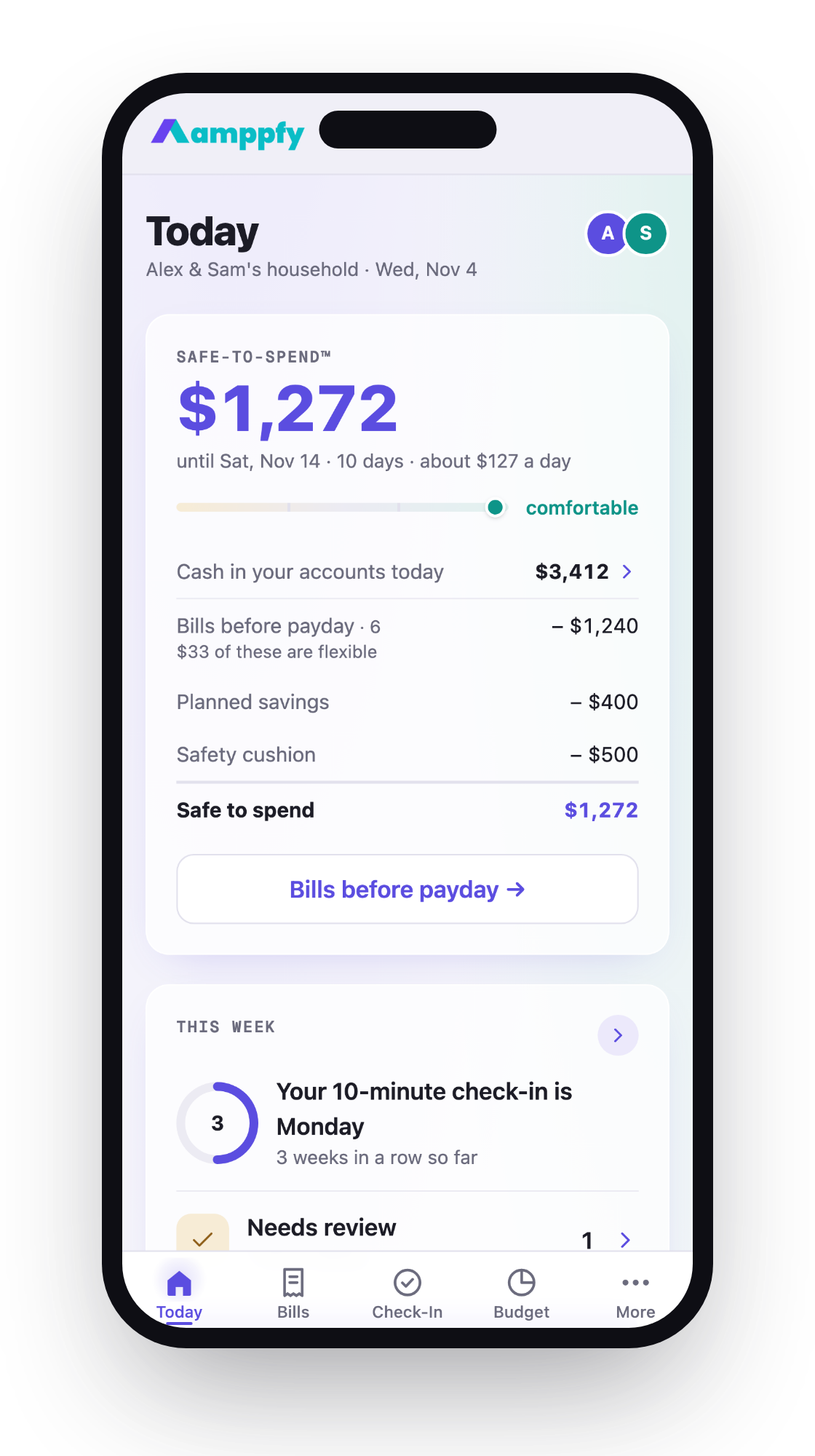
    Amppfy on an iPhone showing the Safe-to-Spend™ number with the status scale and the math under it

    What time Venmo posts direct deposits

    Here’s the plain answer to what time Venmo direct deposit hits: Venmo doesn’t publish one. As of October 2026, the Venmo Direct Deposit FAQ says funds are posted “as soon as we receive notice from your employer.” There’s no time of day listed, so any specific hour you see quoted elsewhere isn’t from Venmo.

    “Early” works the same way. Venmo doesn’t hold your pay and release it at a set hour. It posts the money when your employer’s payroll provider sends notice of the incoming payment. If that notice arrives two days before payday, you may see the deposit two days early. If it arrives on payday, that’s when you’ll see it.

    Think of it like a package tracker. Venmo can’t hand you the box until the truck shows up. The truck’s schedule belongs to your employer and their payroll provider.

    The payment itself almost always travels over ACH. It’s an ordinary, batch-based system, and batches move on business days.

    For posting times at other banks and apps, see this bank-by-bank guide to direct deposit timing.

    Does Venmo pay early? The policy as published

    Yes, it can. Venmo’s direct deposit page says you can “get paid up to two days early” and that this comes “without any additional fees” (as of October 2026). The word to notice is “up to.”

    The help center explains the condition. “Certain employers and payroll providers may send funds 1-2 days in advance of payday,” per the Direct Deposit FAQ as of October 2026. If your employer’s payroll provider doesn’t send early, you won’t get paid early. Venmo can’t speed up a file it hasn’t received.

    The same marketing page notes that transactions are reviewed, which may cause delays (as of October 2026). So early pay is a possibility, not a guarantee, and a review can push a deposit later.

    Why Wednesday shows up so often

    Many people paid on Friday see money on Wednesday. Here’s the logic. A Friday payroll file often reaches the receiving institution on Wednesday, because payroll providers commonly send files ahead of the settlement date. Venmo posts when it gets notice, so a Wednesday arrival can mean a Wednesday deposit.

    This is a pattern in how payroll works, not a Venmo promise. If your employer sends the file Thursday, Wednesday stays empty.

    Weekends, holidays, and the first deposit from a new employer

    ACH runs on business days. When payday lands on a Saturday, Sunday, or federal holiday, the timing depends on when your employer schedules the payroll file. Some send it before the weekend, while others settle on the next business day. Venmo doesn’t publish a weekend or holiday rule of its own (as of October 2026), so your HR or payroll team is the best source for your schedule.

    New setups need patience. Venmo’s Direct Deposit FAQ says it may take up to two pay cycles for direct deposit to take effect (as of October 2026). If you’re paid biweekly, that can mean about a month. In the meantime, your pay may still go to your old account.

    A few setup details help:

    • Bank name on the form: If your employer’s form asks for a bank name, use The Bancorp Bank N.A. That’s Venmo’s partner bank for direct deposit, per the help center as of October 2026.
    • Routing and account numbers: Copy them from the direct deposit section of the Venmo app, not from memory.
    • Keep the old account open: Leave it active until the first Venmo deposit actually lands.

    Why a deposit shows as pending

    “Pending” usually means your payment has been announced but hasn’t fully settled. At a typical bank, a deposit can show as pending once the payroll file arrives. It becomes available on or after the settlement date.

    Banks now face a firmer deadline here. As of September 18, 2026, Nacha Operating Rules require receiving banks to make non-Same Day ACH credits available by 9:00 a.m. local time on the settlement date[1]. That rule covers the settlement date itself. Early pay happens before settlement, so it’s governed by the provider’s own policy instead.

    Two more lines from the same FAQ matter here. Direct Deposit requires completed identity verification, and Venmo says it decides eligibility at its sole discretion (as of October 2026). Until that step is done, there is nothing to post.

    For Venmo, the published line is still the one from the FAQ: funds post when Venmo receives notice from your employer (as of October 2026). Venmo doesn’t publish a separate pending-to-available window. If you see a deposit you can’t use yet, the review mentioned on the marketing page is one possible reason.

    The practical move is to treat money as spendable only when your available balance shows it. A pending line is a promise, not cash. For more on reading that status, see what a pending direct deposit means and when you can spend it.

    What to do if payday passed and nothing landed

    Take a breath. Most missing deposits come down to a setup or timing issue, not lost money. Work through it in order:

    1. Contact your employer first. This is Venmo’s own instruction in the Direct Deposit FAQ, as of October 2026. Ask payroll when they sent the file and where they sent it.
    2. Check the account details on file. Ask HR to read back the routing and account numbers they have. One wrong digit sends the payment somewhere else, or back to them.
    3. Confirm the cycle. If you set up Venmo recently, you may still be inside the two-pay-cycle window. Check your old account, because the pay may have landed there.
    4. Look for a holiday. A Monday holiday can push settlement by a business day.
    5. Then reach out to Venmo. If your employer confirms the payment went to the right numbers on time, contact Venmo support with the date and amount.

    While you wait, check which bills hit before the money shows up. If one is due tomorrow, call the biller or move its date. A five-minute call usually beats a late fee.

    The deposit landed. What is actually safe to spend?

    Say $2,400 just posted, and your balance now reads $2,750. That number feels like permission, but it isn’t the full picture. Bills due before your next payday are already spoken for.

    Here’s how the math works, line by line:

    Line What it is Example
    Available cash What your balance actually shows as usable $2,750
    Minus bills before next payday Rent, phone, car insurance due in the next two weeks -$1,620
    Minus planned savings What you’re moving to goals this paycheck -$300
    Minus a cushion A buffer you choose for surprises -$200
    Safe to spend What’s truly free until payday $630

    So $2,750 becomes $630. That’s not bad news. It’s the honest number, and you can spend all $630 without second-guessing.

    You can do this arithmetic on paper each payday. Or let Amppfy, a free iPhone, Android, and web app, do it. You type in your balances and bills, and it shows one Safe-to-Spend™ number with those four lines printed underneath. A 10-minute weekly check-in keeps it current. Try it with this paycheck: ten minutes, one number.

    FAQ

    What time does Venmo direct deposit hit on payday?

    Venmo doesn’t publish a time. As of October 2026, its help center says funds post as soon as Venmo receives notice from your employer. Your payroll provider’s schedule decides the timing.

    Why did my Venmo deposit arrive on Wednesday when I’m paid Friday?

    Your employer’s payroll file likely reached the receiving institution on Wednesday, and Venmo posts when it gets notice. That’s how payroll timing works, not a guaranteed Venmo feature.

    Does Venmo charge for early direct deposit?

    No. As of October 2026, Venmo’s direct deposit page says early pay comes “without any additional fees.” Early arrival still depends on when your employer sends funds.

    What bank name do I put on my direct deposit form for Venmo?

    Use The Bancorp Bank N.A., Venmo’s partner bank for direct deposit, as of October 2026. Copy the routing and account numbers from the Venmo app.

    When the deposit lands, remember the balance isn’t the answer. Bills before the next payday come out first, then savings, then your cushion. What’s left is yours to spend calmly.


    1. nacha.org

    Amppfy app icon

    Amppfy

    Free on iPhone, Android, and the web

    Know what’s safe to spend before payday

    Your balances, bills, and payday. Ten minutes to one clear number, with the math shown under it. Learn more ›

    Download on the App Store Get it on Google Play

    Prefer the web? Sign up free ›

    Free  ·  No credit card  ·  Just your balances

    Amppfy on an iPhone showing the Safe-to-Spend™ number with the status scale and the math under it
    Banking Basics Banking How-To Guides Banking Tips Checking Account Digital Banking
    Share. Facebook Twitter LinkedIn Email Copy Link
    Previous ArticleDiscretionary Income Per Paycheck: How to Find Your Spendable Amount
    Next Article What Time Does PayPal Direct Deposit Hit? Up to Two Days Early, Explained
    Thomas T.

    Thomas is a Personal Finance Writer and Financial Content Strategist with over 10 years of experience helping individuals make smarter financial decisions. He specializes in topics such as budgeting, debt management, saving strategies, and financial behavior, translating complex financial concepts into clear, actionable guidance. His work focuses on empowering readers to build sustainable financial habits and confidently navigate their financial lives, combining data-driven insights with practical, real-world advice.

    More Like This

    How to Open a Joint Bank Account Online (Without a Branch Visit)

    By Thomas T.October 19, 2026

    Regions Joint Account: Opening One Together or Adding a Partner

    By Thomas T.October 19, 2026

    TD Bank Joint Account: How to Open One or Add a Partner

    By Thomas T.October 19, 2026
    Amppfy app icon

    Amppfy

    Free on iPhone, Android, and the web

    Know what’s safe to spend before payday

    Your balances, bills, and payday. Ten minutes to one clear number.

    Download on the App Store Get it on Google Play

    Prefer the web? Sign up free ›

    Amppfy dashboard on an iPhone showing the Safe to Spend number with the math under it
    Helpful Resources

    How to Open a Joint Bank Account Online (Without a Branch Visit)

    October 19, 2026

    Regions Joint Account: Opening One Together or Adding a Partner

    October 19, 2026

    TD Bank Joint Account: How to Open One or Add a Partner

    October 19, 2026

    What Time Does Citizens Direct Deposit Hit? Early Pay and Posting Times

    October 19, 2026

    Financial Clarity. Everyday Confidence.

    Facebook X (Twitter) YouTube TikTok
    Calculators

    Emergency Fund Calculator

    Compound Interest Calculator

    Interest Rate Calculator

    Net Worth Calculator

    Mortgage Calculator

    How Much Home Can I Afford

    Debt-to-Income Ratio Calculator

    Cost of Living Calculator

    Savings Calculator

    Savings Goal Calculator

    Monthly Budget Calculator

    Latest Resources

    Social Security COLA 2027: What the 3.6% Raise Means for Your Monthly Plan

    November 6, 2026

    Best Free Budget Apps in 2026: iPhone, Android, and Web

    November 6, 2026

    Federal Pay Period Calendar for 2027: Every Pay Period and Payday

    November 6, 2026

    Money Manager Expense & Budget App: Price, Ads, and Simpler Alternatives in 2026

    November 6, 2026
    About & Legal

    About Amppfy

    Documentation

    Advertise with Amppfy

    Editorial Policy

    EULA

    Terms of Use

    Acceptable Use Policy

    Privacy Policy

    Cookie Policy

    Disclaimer

    Do Not Sell or Share My Personal Information

    Acceptable Use Policy

    Disclaimer: Amppfy is committed to keeping its information transparent, accurate, and up-to-date. The information on Amppfy is provided for educational and informational purposes only and should NOT be considered financial, investment, tax, or legal advice. You should consult a qualified financial professional before making any financial decisions. This information may differ from what you find on the specific product or service provider’s website. All information, content, software, tools, products, or services on Amppfy are presented without warranty or guarantee. Please review the specific provider’s terms and conditions when evaluating products or services. By accessing Amppfy or using our AI generator tools, you acknowledge that you have read, understood, and agreed to our EULA, Terms of Use, Acceptable Use Policy, Privacy Policy, Cookie Policy, and Disclaimer. Amppfy.com uses cookies. For more information, visit Amppfy’s Cookie Policy. Amppfy may be compensated through third-party advertisers and affiliates. For more information, visit Amppfy’s Disclaimer.

    Copyright© 2026 Amppfy | All Rights Reserved

    Type above and press Enter to search. Press Esc to cancel.

    Advertiser Disclosure: Products may include affiliate links related to financial products or services. We may earn a commission at no additional cost to you. Our content remains independent and focused on helping you make informed financial decisions.
    Fact Checked
    Financial Disclaimer

    This content is for informational and educational purposes only and should not be considered financial advice. Personal finance decisions—including budgeting, saving, investing, credit, mortgages, taxes, and debt management—depend on your individual circumstances. Always consult a qualified financial professional before making financial decisions.

    Editorial Standards and Content Integrity

    Our editorial process ensures accuracy, clarity, and trust across all personal finance topics, including budgeting, saving, investing, and debt management. Content is created using credible sources such as government agencies, academic research, and established financial institutions, and may incorporate insights from industry experts when relevant. Each article is reviewed for accuracy, timeliness, and relevance before publication and updated as needed to reflect changes in financial guidelines and best practices, with the goal of providing clear, evidence-based information to help readers make informed financial decisions.

    Learn more about our editorial policy and guideline.
    Amppfy app icon

    Amppfy

    Free on iPhone, Android, and the web

    Know what’s safe to spend before payday

    Get the app on iPhone or Android and enter your balances, bills, and payday. About ten minutes to one clear number: what’s safe to spend before payday.Your balances, bills, and payday. Ten minutes to one clear number. Learn more ›

    Download on the App Store Get it on Google Play
    Scan with your phone to get the app

    Free  ·  No credit card  ·  Just your balances

    Prefer the web? Sign up free ›

    Amppfy app icon

    Amppfy

    Free on iPhone, Android, and the web

    Know what’s safe to spend before payday

    Enter your balances, bills, and payday once. About ten minutes to one clear number, with the math shown under it.

    Download on the App Store Get it on Google Play
    Scan with your phone to get the app

    Prefer the web? Sign up free ›

    Free  ·  No credit card  ·  Just your balances