How can we help?
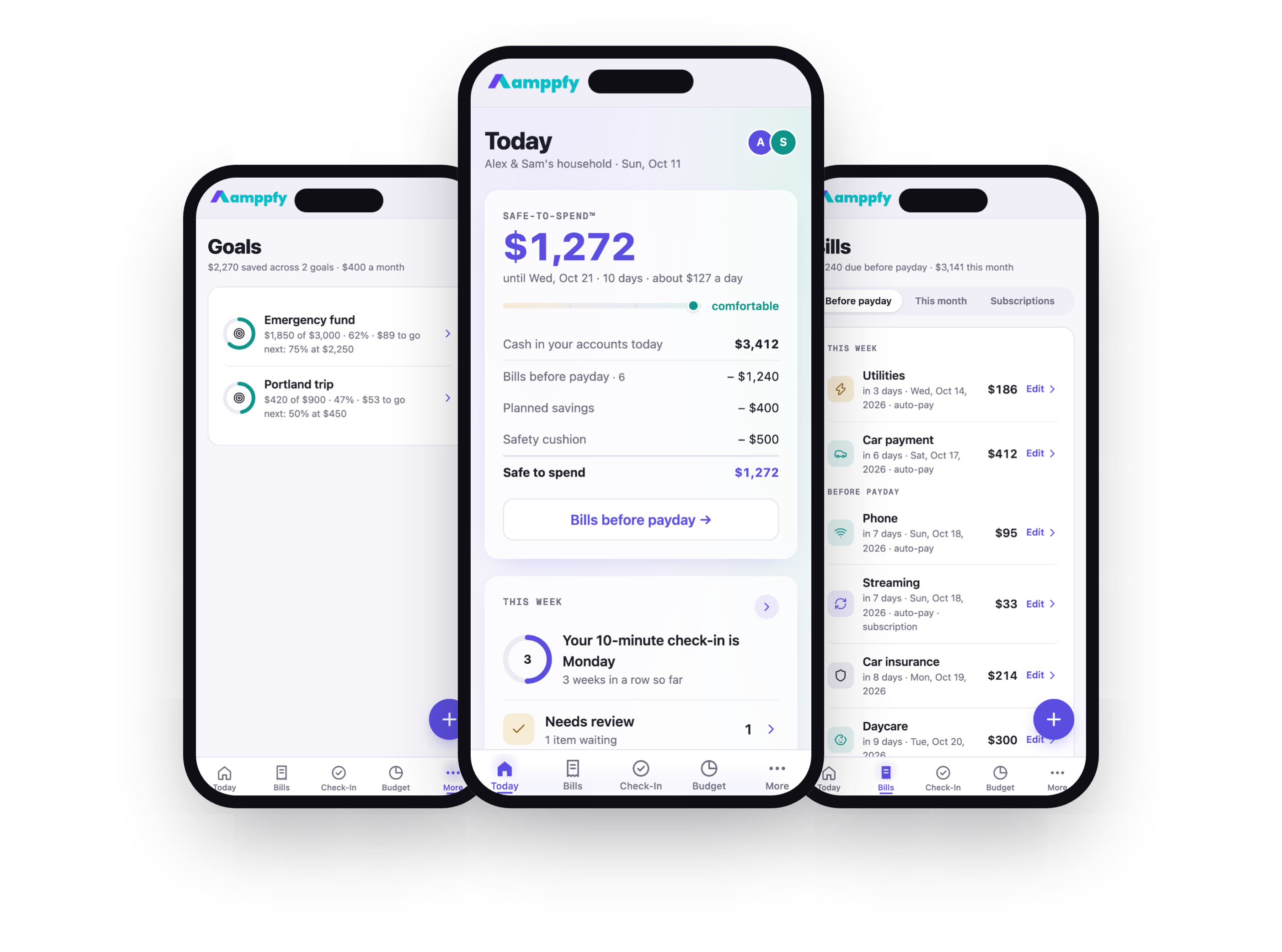
Everything about your one clear number — on your iPhone and on the web.
- Same account on iPhone and the web
- The math shown under every number
- Just your balances
I’m using
Install, sign in with Apple, and keep your number on your Home Screen.
The web appSame account, same number, in any browser at app.amppfy.com.
New here? Three steps
About ten minutes from sign-up to your first Safe-to-Spend™ number — on your iPhone or on the web.
Apple, Google, or one email address and a six-digit code. No credit card, just your balances.
Start02Set up your householdYour cash, your payday, bills before payday, and your cushion, in six short screens with a running receipt.
Walk through it03Do your first check-inThe ten-minute weekly ritual that keeps the number honest.
Learn the ritualBrowse by topic
 Get started
Create your account and see your first number in about ten minutes.
Start here → The iPhone app
Install it, sign in, and use Amppfy on your phone and the web together.
Set up the app → Your Safe-to-Spend™ number
What the number means, the four-line receipt, the status scale, and why it moves.
Understand the number → The weekly check-in
The ten-minute ritual that keeps your number honest.
Learn the ritual → Bills & income
Bills, due dates, statuses, and every paycheck on one calendar.
Manage bills & income → Goals
GoalsSavings that fund themselves first, like bills.
Set up goals →Budget, calendar & net worthWhere the month's money goes, the full month grid, and what you own minus what you owe.
See the picture → Household & partners
Invite a partner with a link or QR code, choose what's shared, handle heads-ups together.
Share your household → Account & security
Sign-in options, two-step verification, and your account settings.
Manage your account → FAQ
FAQQuick answers to the questions people ask most.
Read the FAQ →Popular right now
- Get the iPhone app and sign in
- The status scale: comfortable, tight, or dips into cushion
- Budget: where this month’s money goes
- Why did my number change?
- Using the iPhone app and the web together
- Invite your partner with a link or QR code
- Set up two-step verification
- Change a bill this time
- iPhone app troubleshooting
- Paydays and income schedules
- Delete your account and data
Your number, in your pocket
Get Amppfy on your iPhone — the same account and the same number as the web, always with you. Sign in with Apple, Google, or email.

 Scan with your iPhone to get the app
Prefer the web? Sign up free ›