

✓Free on iPhone and the web

    Your Bills and Paydays, Finally in One Place

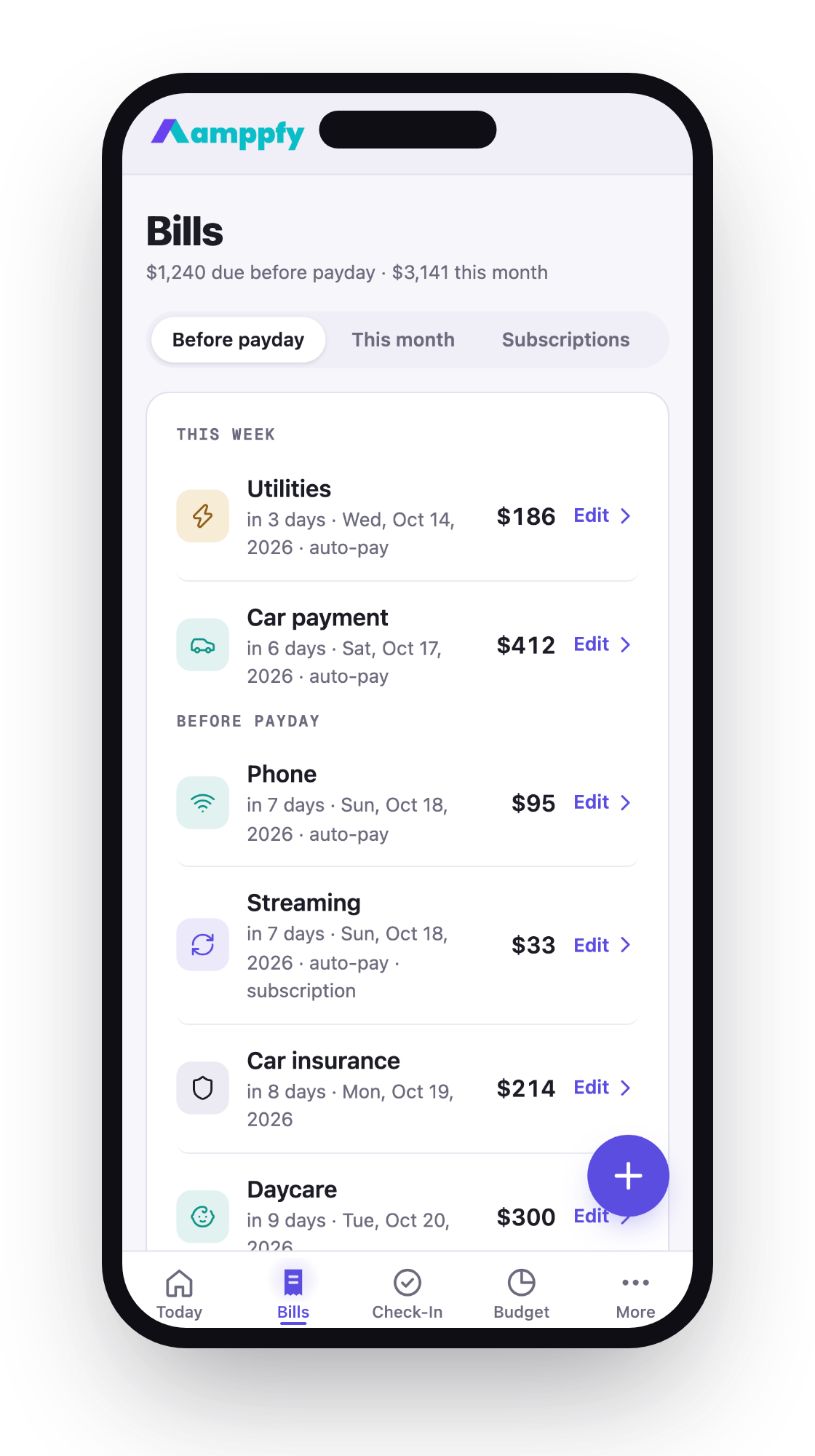
    Every bill gets an amount, a full due date and a group, in one list sorted the way you think: before payday, this month, subscriptions. Every paycheck lands on the same calendar. Only the bills due before your next payday count against your number.

    Amppfy’s bill calendar puts every bill and every paycheck on one calendar and counts only the bills due before your next payday against your Safe-to-Spend™ number.

    Download Amppfy on the App Store
    QR code: scan with your iPhone to get Amppfy on the App StoreScan with your iPhone to get the app

    Free  ·  No credit card  ·  Just your balances

    Prefer the web? Sign up free ›
    • No credit card
    • Just your balances
    • Ten minutes a week

    Only What’s Due Before Payday Counts

    Bills opens on Before payday, with the total due at the top, and keeps the ones that come after under This month and All, so your number matches the week you’re actually in. Paid or confirmed bills get a teal tick.

    Amppfy iPhone app, the Bills screen with the Before payday, This month and Subscriptions tabs and Edit on each bill row

    See Your Balance All the Way to Payday

    Now to payday shows your balance after each bill lands, including the lowest point it will touch. If that reaches into your cushion, you find out days early — with time to move a due date.

    Every Paycheck, One Calendar

    Weekly, every two weeks, twice a month, monthly, irregular — each income keeps its own schedule, and Amppfy works out which payday comes next. Income shows the monthly total and the next household payday. One income or several, it all works the same way.

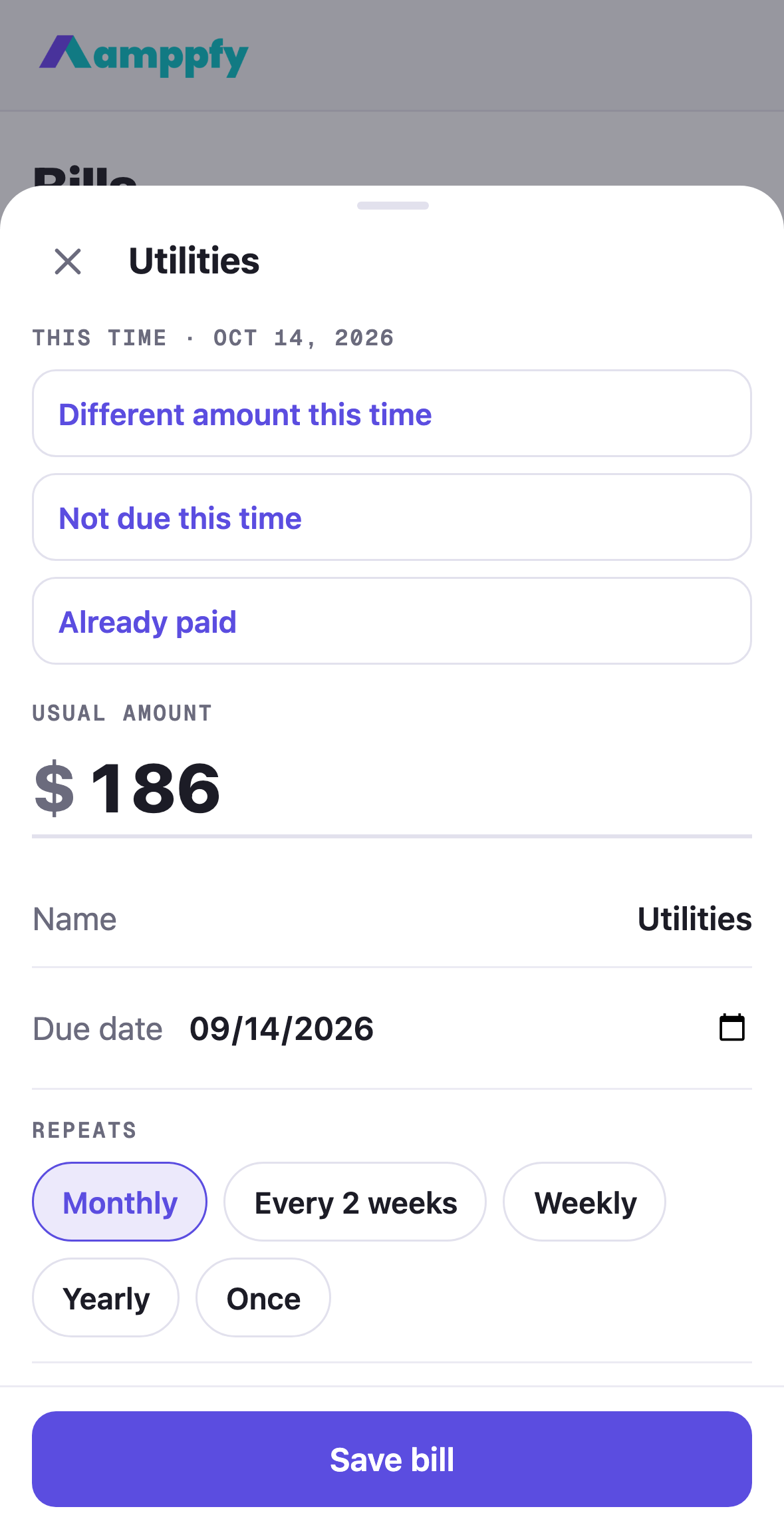
    Amppfy iPhone app, the one bill sheet: Different amount this time, Not due this time, Already paid, and the usual amount

    One Sheet for Every Bill

    Adding or changing a bill is the same sheet everywhere: the amount first, then the name, the due date, how often, what it’s paid from, and the group. Editing adds three quick choices for this time only — a different amount, not due this time, already paid — and the usual amount stays for next time.

    Download Amppfy on the App Store

    Free  ·  No credit card  ·  Just your balances

    Prefer the web? Sign up free ›
    Good to Know

    The number

    How Is the Number Calculated?

    Your available cash, minus bills due before your next payday, minus the savings your goals set aside, minus your safety cushion. The math is shown on every screen, line by line, so you can check it.
    The number

    My Income Is Irregular. Does This Still Work?

    Enter the paychecks you’re reasonably sure about and leave out the ones you aren’t. Amppfy calculates from what’s confirmed, so the number stays conservative on purpose. When the extra income lands, you enter it and the number moves up.
    Manual entry

    Do I Have to Link My Bank?

    No. Amppfy runs on the balances you type in — about 30 seconds per account at the weekly check-in.

    Know What’s Safe to Spend Before Payday

    The most common bills are pre-listed — fill in yours and skip the rest.

    Download Amppfy on the App Store
    QR code: scan with your iPhone to get Amppfy on the App StoreScan with your iPhone to get the app

    Free  ·  No credit card  ·  Just your balances

    Prefer the web? Sign up free ›
