

✓Free on iPhone and the web

    Easy to Trust

    Amppfy runs on the balances you enter — nothing more than what you’d say out loud. Your login is protected with optional two-step verification, and you choose exactly what anyone in your household can see.

    Download Amppfy on the App Store
    QR code: scan with your iPhone to get Amppfy on the App StoreScan with your iPhone to get the app

    Free  ·  No credit card  ·  Just your balances

    Prefer the web? Sign up free ›
    • No credit card
    • Just your balances
    • Ten minutes a week

    Start with Just Your Balances

    You type balances in yourself — about 30 seconds each. No account numbers, no routing numbers — and Amppfy has no way to move your money.

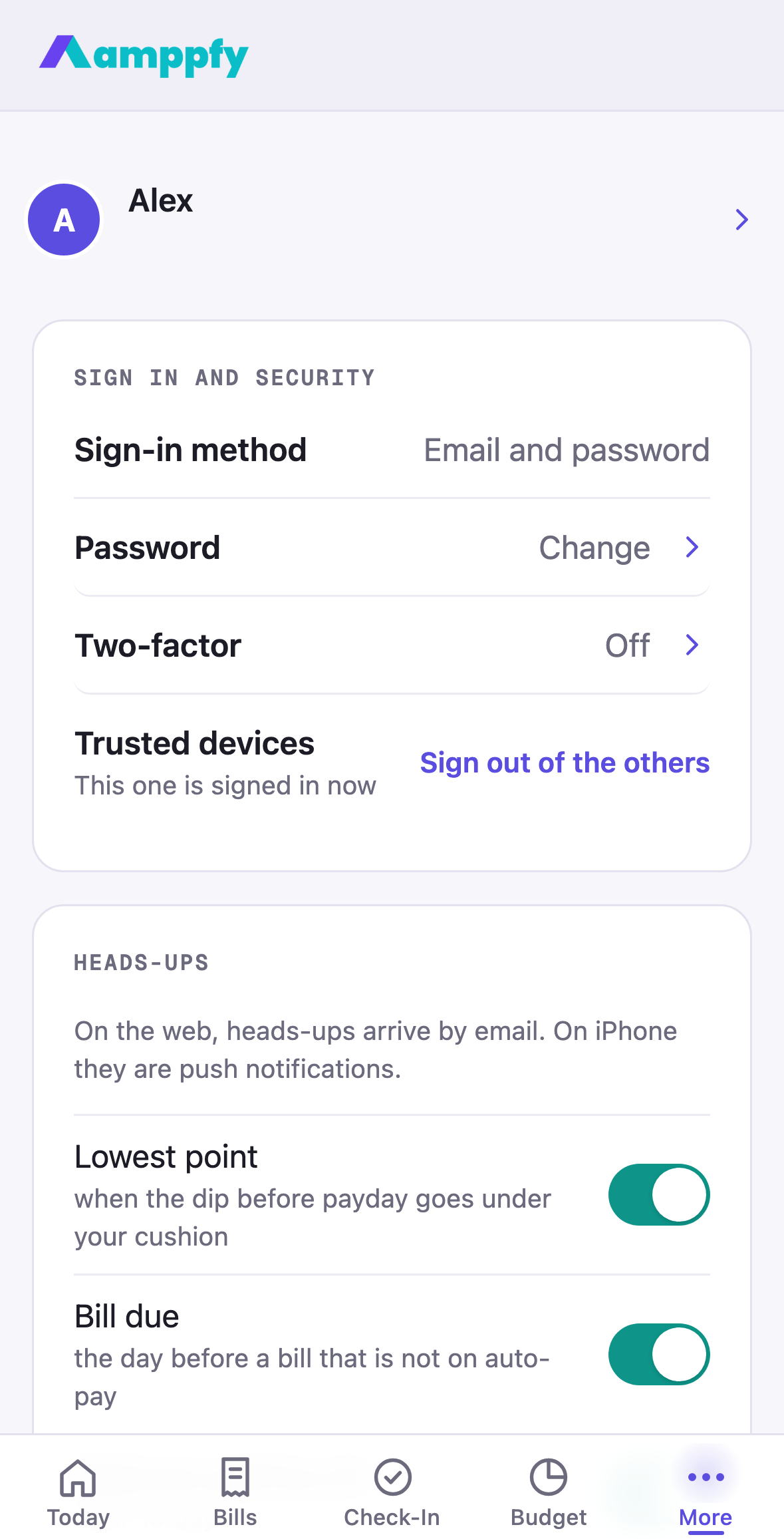
    Amppfy iPhone app, the Account screen: Sign-in method, Password, Two-factor, Trusted devices and the Heads-ups switches

    Your Login, Protected Your Way

    Sign in with one address and a six-digit code, or with Apple or Google. Add two-step verification with email codes or an authenticator app — both free — and sign out of every other device from the Trusted devices row. It all lives under Account, as plain rows.

    You Choose What’s Shared

    Invite a partner with a link or a QR code and they see the accounts and bills you mark as shared — anything private stays private, on their phone and on the web.

    Download Amppfy on the App Store

    Free  ·  No credit card  ·  Just your balances

    Prefer the web? Sign up free ›

    TWO LOGINS  ·  ONE NUMBER

    A
    S

    Alex & Sam

    $1,272

    the same number, on both screens

    SHARED ✓PRIVATE STAYS PRIVATE

    You choose what’s shared.

    Good to Know

    Privacy

    Is My Information Safe?

    Your login supports optional two-step verification, Amppfy runs on the balances you enter, and every screen only shows what you put in yourself.
    Free

    What Do I Need to Get Started?

    An email address and about five minutes: your balances, your bills, and your next payday. No credit card — the app is free on iPhone and the web.
    Privacy

    How Does Signing in Work?

    Type your email address and tap Continue. New to Amppfy? A six-digit code arrives by email to confirm the address, and you’re in. Already have an account? You get the password screen. Sign in with Apple or Google works the same way, on your iPhone and on the web.
    Manual entry

    Do I Have to Link My Bank?

    No. Amppfy runs on the balances you type in — about 30 seconds per account at the weekly check-in.

    Know What’s Safe to Spend Before Payday

    No credit card, two-step verification if you want it, and the same account on your iPhone and the web.

    Download Amppfy on the App Store
    QR code: scan with your iPhone to get Amppfy on the App StoreScan with your iPhone to get the app

    Free  ·  No credit card  ·  Just your balances

    Prefer the web? Sign up free ›