
Close Menu

    Subscribe to Updates

    Get the latest creative news from FooBar about art, design and business.

    What's Hot

    Social Security COLA 2027: What the 3.6% Raise Means for Your Monthly Plan

    November 6, 2026

    Best Free Budget Apps in 2026: iPhone, Android, and Web

    November 6, 2026

    Federal Pay Period Calendar for 2027: Every Pay Period and Payday

    November 6, 2026
    Facebook X (Twitter) Instagram
    Amppfy
    • Safe to Spend™ App
      • Amppfy on iPhone — one clear number with the status scale and the math under itYour number, in your pocketFree on iPhone and Android, with the same account on the web.
        • Download on the App Store
        • Get it on Google Play
        • Prefer the web? Sign up free ›
      • The app
        • OverviewOne clear number for what’s safe to spend before payday
        • Safe-to-Spend™The four-line math, always shown
        • Weekly check-inTen minutes a week keeps it honest
      • Features
        • Bills & paydaysEvery bill and payday on one calendar
        • GoalsSavings that fund themselves first
        • For couplesTwo logins, one number you both trust
        • SubscriptionsWhat you pay monthly, and what cancelling gives back
        • Calendar & heads-upsYour month at a glance, a heads-up before bills land
        • Net worth & payday nudgeThe whole picture, month by month
        • BudgetWhere the month’s money goes, month by month
      • Trust & help
        • Security & privacyJust your balances, optional two-step verification
        • Help centerSetup, the number, check-ins, FAQ
        • Open the web appSame account, any browser
    • Budget & Save
      • Budget & SaveOne number for what’s safe to spend before paydayBudgeting that starts from your balances, not a spreadsheet.Explore Budget & Save ›95 guides · 482 articles
      • Budgeting
        • Budgeting basics
        • Start a budget
        • Monthly budget
        • Budget methods
        • 50/30/20 budgeting
        • Zero-based budgeting
        • Budgeting mistakes
        • Budgeting tips
        • Budgeting tools
        • Couples budgeting
        • Family budgeting
        • Vacation budgeting
        • How to budget and save money
        • Common Budgeting Mistakes and How to Fix Them
        • 5 Steps to Stop Living Paycheck to Paycheck
        • Are You Living Paycheck to Paycheck?
        • How to Build a Simple Monthly Budget You’ll
        • Best Budgeting Apps Compared
        • Cut Recurring Costs
        • How to Track Every Dollar
        • 5 Easy Budgeting Apps You Need to Try
        • How to Cut Household Expenses Without Feeling
        • Budget Repair for Ages 18–28 with $30–50k Income
        • Beginner’s Guide to Creating a Monthly Budget
      • Saving
        • Savings
        • Savings goals
        • Savings plan
        • Savings buckets
        • Sinking funds
        • Cut expenses
        • Groceries savings
        • Smart saving strategies
        • Saving in a recession
        • Savings tips
        • Savvy saver
        • Maximize your savings
        • Debt-to-Income Ratio Calculator
        • Savings Calculator
        • Savings Goal Calculator to Help You Master Your
        • Monthly 50/30/20 Budget Calculator to Maximize
        • When to Use a High-Yield Savings Account vs
        • 14 Simple Ways to Cut Monthly Expenses
        • How to Set Up Savings Buckets in 20 Minutes
        • How to Create a Savings Plan
        • How to Build a 6-Month Savings Plan for Financial
        • How to Set Realistic Savings Goals and Hit Them
        • The 52-Week Savings Challenge
        • How to Maximize Savings
      • Emergency fund
        • Emergency fund
        • How much to save
        • Where to keep it
        • Rainy day fund
        • Emergency savings
        • Emergency buffer
        • Best emergency fund tips
        • Emergency Fund Calculator
        • Building a Rainy Day Fund
        • How to Calculate Your Emergency Fund
        • Sinking Funds vs. Emergency Fund
        • 5 Best High-Yield Savings Accounts for Emergency
        • Emergency Funds
        • Why an Emergency Fund Is Non-Negotiable
        • Why an Emergency Fund Is Crucial for Financial
        • Millions Can’t Cover an Emergency Expense. Here’s
        • 5 High-Liquidity Places to Park Your First $1,000
        • Saving Strategies for Emergency Funds and Retirement
        • Short-Term Savings Goals vs Emergency Fund
        • Emergency Fund Explained
        • Emergency Fund vs. Investing
        • Emergency Fund Guide
        • How Much Emergency Fund Do You Need?
        • Build Your Emergency Fund Fast
      • Money habits
        • Money management
        • Money management basics
        • Money habits
        • Money mindset
        • Money matters
        • Monthly financial reviews
        • Spend tracking
        • Smart spending
        • Cash flow
        • Net worth
        • Know your money
        • Financial literacy
        • Net Worth Calculator
        • How to Calculate Your True Debt-to-Income Ratio
        • What a Simple 7-Question Money Quiz Reveals About
        • Do Personal Money Management Tools Work?
        • The 3 Key Personal Finance Metrics Every Household
        • How to Build a Simple Monthly Financial Review Habit
        • Beginner’s Guide to Tracking Spending
        • Building a Savings Habit
        • What Is Financial Literacy?
        • Are Financial Advisor Fees Negotiable?
        • Psychology of Money Management
        • Should You Skip That Charitable Donation at the
      • Financial planning
        • Financial planning
        • Financial goals
        • Financial wellness
        • Financial freedom
        • Financial independence
        • Financial resilience
        • Financial self-assessment
        • Finance
        • Finance tips
        • Compound interest
        • Long-term wealth
        • Wealth building
        • Life-stage financial planning
        • Compound Interest Calculator
        • The Cashflow Calendar
        • What to Expect When Meeting with a Financial Advisor
        • How to Map Short, Medium, and Long Financial Goals
        • Financial Independence Roadmap
        • 50/30/20 Budget Rule
        • Personal Finance Mastery
        • How to Start a Budget
        • 5 Proven Saving Strategies to Reach Your Financial
        • Steps to Build Financial Resilience for Life Events
        • The Ultimate Guide to Financial Literacy
      • Income
        • Side hustles
        • Side hustle ideas
        • Side income
        • Extra income
        • Using extra income
        • Passive income
        • Gig economy
        • Gig work
        • Gig earnings
        • Freelance finance
        • Irregular income
        • Online income
        • Renting out assets
        • Selling unused items
        • Small business ideas
        • How to make money online
        • Salary
        • Selling Handmade Crafts Online
        • 10 Side Hustles You Can Start this Weekend
        • How to Start Freelance Writing
        • Budgeting for Irregular Income
        • Short-Term Income Boosters
        • Explore the Lucrative World of Delivery Driving
        • Building Your Credit as a Gig Worker
      • Family & life events
        • Family finance
        • Family costs
        • Family financial education
        • Teen money skills
        • New immigrant finance
        • Recovery after job loss
        • Healthcare costs
        • Healthcare savings
        • Cost of living
        • How to Rebuild Savings After a Job Loss
        • 529 Plans 101
        • How to Teach Financial Literacy to Teenagers
        • Real Cost of Raising Two Kids
        • Family Budgeting
        • Family of Four Budget
        • Winter Break Childcare
        • Thanksgiving Hosting on a Budget
        • Gifts for Kids on a Tight Pay Cycle
        • The Small Holiday Costs That Add Up
        • Holiday Gift Budget for Couples
        • Gift Cards After the Holidays
        • Holiday Returns and Refunds
        • Holiday Spending on a Pay Schedule
        • When Your Payday Moves Early
      • Big purchases & cars
        • Major money decisions
        • Major purchase planning
        • Major purchases
        • Buying a car
        • Buying a used car
        • Car buying
        • Moving expenses
        • How to Plan for a Major Purchase Without Going into
        • What to Check When Buying a Used Car
        • A Beginner’s Guide to Car Buying
        • Insurance in a Household Budget
        • Transportation Budget
        • First Paycheck, First Lease
        • Moving Without Draining Your Account
        • How Much Should You Keep for Car Repairs?
        • Saving for a Car Down Payment on a Paycheck Schedule
        • Moving In Together
        • Car Insurance Due in One Lump?
        • Should Your Car Count Toward Net Worth?
      • Money & the economy
        • The economy
        • Economic trends
        • Jobs report
        • U.S. financial system basics
        • Personal finance news
        • Free Interest Rate Calculator
        • Managing Your Savings During a Recession
        • Emergency Fund for a Recession
        • How to Navigate US Financial Systems as a New
        • How to Manage Your Savings During a Recession
        • Social Security COLA
        • Gig Economy Playbook
    • Debt & Credit
      • Debt & CreditPay it down, then make your score work for youPayoff plans that fit a pay cycle, and the credit moves that stick.Explore Debt & Credit ›36 guides · 109 articles
      • Pay off debt
        • Debt payoff
        • Debt-free journey
        • Credit card debt
        • Debt consolidation
        • HELOC payoff strategy
        • Debt as a single parent
        • Debt-Snowball vs. Debt-Avalanche
        • The Pros and Cons of Debt Consolidation
        • Debt Snowball vs Avalanche
        • Consolidating Debt
        • Saving for a Wedding Without Going Into Debt
        • Emergency Buffer While Paying Down Debt
        • How to Build a Realistic 6-Month Debt Payoff
        • Rolling Over a 401 to Pay Down Debt Without
        • Payoff Strategies for Single Parents with Multiple
        • How to Use Extra Cash to Crush Debt Fast
      • Loans
        • Student loans
        • Auto loans
        • Auto loan debt
        • Personal loans
        • Personal loan debt
        • Personal loan refinance
        • Refinancing a personal loan
        • Medical debt
        • How to Refinance a Personal Loan
        • Can You Refinance a Personal Loan?
        • What to Know Before Taking Out a Personal Loan
        • How to Deal With Personal Loan Debt
        • 5 Tips for Paying Off Your Auto Loan Early
        • Best Personal Loans
        • When to Refinance a Personal Loan
        • Student Loan Repayment Options
        • Medical Debt in America
        • Medical Debt Explained
        • Student Loans 101
        • Dealing With Student Loans
        • Auto Loans Explained
        • Budgeting with a High-Interest Personal Loan
        • Fast and Simple Auto Financing
        • Creating a Debt-Repayment Fund for Unexpected Loans
      • Credit score
        • Credit score
        • What credit scores mean
        • How credit scores are calculated
        • Checking your credit score
        • Improve your credit score
        • Build credit
        • Credit health
        • Credit reports
        • Credit basics
        • Credit for gig workers
        • How to Remove Negative Items from Your Credit Report
        • How to Build Credit
        • Understanding Credit Utilization
        • What Is Credit?
        • How to Build Credit From Scratch at Any Age and
        • How to Start or Rebuild Credit
        • Credit Utilization
        • How Long Do Negative Marks Stay on Your Credit
        • How to Read Your Credit Report and Dispute Errors
        • How to Check and Improve Your Credit Score
        • How Long Negative Items Stay on Your Credit Report
        • Credit Score 101
        • Dispute a Credit Report Item
        • Medical Bills on Your Credit Report
      • Credit cards
        • Credit cards
        • Credit cards for beginners
        • Credit card rewards
        • Balance transfer cards
        • Best Credit Cards to Build or Rebuild Credit and
        • Balance Transfers Explained
        • Best Starter Credit Cards for Building Credit
        • What to Do If Your Credit Card is Lost or Stolen
        • How to Pay Off Credit Card Debt Fast
        • How to Pick the Best Rewards Credit Card for
        • Best Practices for Responsible Credit Card Use
        • Using a Balance Transfer Credit Card to Pay Off
        • 10 Ways to Pay Off Credit Card Debt
        • Using a HELOC to Pay Off High-Interest Credit Card
        • Credit Card Hacks
        • Beginner’s Plan to Pay Off Credit Card Debt Fast
        • Financial Advice for Single Parents
        • How to Use Credit Cards Safely to Earn Rewards
        • Secured Credit Cards and Credit-Builder Loans
        • Credit Card Basics
        • Secured vs. Unsecured Credit Cards
        • AmEx and Fanatics to Partner on New Credit Card
        • American Express Gold Card Unveils New and Updated
        • 5 Things to Know About the Robinhood Platinum Card
      • Relief & protection
        • Debt relief
        • Bankruptcy
        • Negotiating with creditors
        • Predatory lenders
        • Wage garnishment
        • Credit freeze
        • Credit protection
        • Fraud awareness
        • Truth About Credit Freezes and When to Use One
        • How to Freeze and Unfreeze Your Credit with All 3
        • How to Negotiate with Creditors
        • Credit Freeze Guide
        • How to Avoid Predatory Lenders and Spot Scams
        • Personal Loan Debt Relief Options
        • How to Freeze and Thaw Your Credit Report
        • How to Freeze and Unfreeze Your Credit
        • When Bankruptcy Might be an Option
        • Budgeting Around Wage Garnishment
        • Identity Theft Checklist
        • Monitoring vs Freezes
    • Invest & Retire
      • Invest & RetireStart small, stay boring, retire on timeIndex funds, brokerages and retirement accounts without the jargon.Explore Invest & Retire ›54 guides · 168 articles
      • Start investing
        • Investing
        • How to start investing
        • Start investing with little money
        • Start investing with $100
        • Fear of investing
        • Brokerage setup
        • Investing risk
        • Investments
        • Investment Calculator
        • Why the Price-to-Earnings Ratio Matters
        • How to Start Investing with Little Money
        • Best Apps for Beginner Investors
        • Dollar-Cost Averaging Investing Strategy
        • Investing for Beginners
        • How to Build a Diversified Investment Portfolio
        • Investing Basics for Beginners
        • I’m 25. Here’s How I Got Started Investing
        • How to Start Investing While Paying Down Debt
        • How to Start Investing and Build Your Financial
        • How to Start Investing and Build Wealth
        • How to Start Investing if You’re Scared of the
      • Strategy
        • Investing strategy
        • Investment strategies
        • Your investing portfolio
        • Diversification
        • Diversifying your investments
        • Investing mistakes
        • Investing tips
        • Investment tips
        • Best investing tips
        • Risk management
        • Understanding Custodial Accounts
        • Recession-Proof Your Portfolio
        • How to Rebalance Your Portfolio
        • When to Use Dollar-Cost Averaging vs Lump Sum
        • 5 Simple Portfolios for New Investors
        • Diversification Strategies
        • Top 11 Investments to Consider
        • Asset Allocation for the Mid-Career Investor
        • How to Understand Investment Risk and Protect Your
        • 5 Smart Diversification Strategies to Spread Your
        • Behavioral Mistakes New Investors Make
        • Set-It-And-Forget It
        • Investing Mistakes New Investors Make and How to
        • Diversification Tips for High-Income Earners with
      • Stocks
        • Stock market
        • Stock market basics
        • How to start investing in stocks
        • Stock analysis
        • Stock trading
        • Stock trading strategies
        • S&P 500
        • Options trading
        • Margin trading
        • Short selling
        • How to Make Money in Stocks
        • How to Short a Stock in 5 Easy Steps
        • Bullish vs. Bearish
        • Top 8 Investment Account Options for Children
        • How to Read Stock Charts
        • How the Stock Market Works
        • Investing 101
        • How Stock Trading Works
        • Finding the Best Stocks to Weather Inflation
        • How to Start Investing in Stocks with Little Money
        • Beginner’s Guide to Analyzing Stocks in 5 Steps
        • How to Protect Your Investments in a Stock Market
        • Identify Recession-Resistant Stocks to Outperform
        • Margin Trading Explained
      • Funds & assets
        • Index funds
        • Index funds for beginners
        • Best S&P 500 index funds
        • ETFs
        • Dividend investing
        • Bonds
        • Bond investing
        • Crypto
        • Investment types
        • The 7 Best S&P 500 Index Funds
        • Index Funds vs. Actively Managed Funds
        • Beginner’s Guide to Index Funds
        • Choosing the Best S&P 500 Index Fund for Your
        • Mutual Funds vs. ETFs
        • The Best Low-Cost ETFs for Beginners to Buy Right
        • How to Start Investing in ETFs
        • Index Funds vs. ETFs
        • 7 Best Index Funds Beyond the S&P 500
        • How to Invest in Index Funds
        • Dividend Investing for Beginners
        • How Index Funds Track the S&P 500 Index
        • How to Start Investing in S&P 500 Index Funds
        • How Bond Index Funds Provide Stability and Income
        • Common Beginner Mistakes When Investing in ETFs
      • Platforms
        • Brokerages
        • Investment platforms
        • Stock brokerage platforms
        • Robo-advisors
        • Fidelity
        • Fidelity Go Review
        • Choosing between Vanguard and Fidelity for
        • Robinhood vs. E*TRADE
        • How to Manage Multiple Brokerage Accounts
        • Opening a Brokerage Account and Its Benefits
        • Fidelity vs. Schwab
        • Manage Multiple Brokerage Accounts
        • Robo-Advisors vs. Human Advisors
        • How Brokerage Fees and Commissions Affect Your
        • Robo-Advisors vs. Traditional Brokers
        • Maximizing Returns
        • Robo-Advisors vs DIY Investing
        • How to Choose the Best Brokerage Account for
      • Retirement
        • Retirement
        • Retirement planning
        • Retirement planning basics
        • Retirement saving
        • Retirement accounts
        • Retirement income
        • 401(k)
        • IRA
        • Social Security
        • Estate planning
        • Estate basics
        • Wealth transfer
        • Roth IRA vs. Traditional IRA
        • Target-Date Funds Explained and When to Use Them
        • Tax-Advantaged Accounts
        • How to Build a Simple, Low-Stress Retirement
        • Social Security Basics
        • How to Maximize Employer 401 Match
        • How to Choose the Right ETF for Your Goals
        • Stock Investing for Major Life Goals
        • Long-Term Care for Retirement
        • 401 Basics
        • Are You Making These Retirement Mistakes?
        • Retirement Planning Essentials
    • Home & Insurance
      • Home & InsuranceBuy, borrow and insure the biggest thing you ownFrom the first down payment to the policy that protects it.Explore Home & Insurance ›39 guides · 114 articles
      • Buying
        • Home buying
        • First-time home buyer
        • Home affordability
        • Home down payment
        • Down payment strategies
        • How Much House Can I Afford?
        • Buying a Fixer-Upper House?
        • What First-Time Home Buyers Need to Know About
        • Renting vs. Buying
        • How Much Home Can You Afford?
        • How to Save for a Home Down Payment Without
        • How Much Down Payment Do You Really Need to Buy a
        • Why Every First Time Home Buyer Should Attend a
        • Is Renting Better Than Buying?
        • Unlocking Down-Payment Assistance
        • Best Down Payment Strategies for First-Time Home
        • Understanding First-Time Home Buyer Loans and
        • 9 Steps to Successfully Buy a House
        • First-Time Home Buyers Top 21 Checklist
        • Saving for a Down Payment to Buy a House
        • From Pre‑Approval to Closing a New Home
      • Mortgage
        • Mortgage
        • Mortgage basics
        • Mortgage types
        • Adjustable-rate mortgages
        • Mortgage rates
        • Mortgage application
        • Mortgage payment
        • Mortgage payoff strategies
        • Mortgage refinance
        • Mortgage tips
        • How to Calculate the Debt-to-Income Ratio for a
        • Mortgage Amortization Calculator
        • How to Refinance a Mortgage with Low Credit
        • Refinance Your Mortgage
        • Free Mortgage Calculator To Estimate Your Monthly
        • First-Time Homebuyer Checklist
        • Fixed vs. Adjustable Mortgage
        • Leveraging Credit Score Improvements Before
        • Navigating Rising Mortgage Rates
        • Refinance, Rate Locks and More
        • Credit Scores to Closing Costs
        • The Mortgage Playbook
        • Understanding ARM Mortgage Outlook Homebuyers
        • Understanding Mortgages
      • Owning
        • Home ownership
        • Owning a home
        • Home equity
        • Home improvement
        • Home renovation
        • How to Cover the Cost of Emergency Home Fixes in 8
        • Hidden Costs of Home Ownership
      • Real estate
        • Real estate
        • Real estate investing
        • Getting started in real estate
        • Rental property
        • REITs
        • Evaluating Short-Term Rental Return on Investment
        • Investing in Real Estate Owned Properties
        • Analyzing Real Estate Investment Trusts for Passive
        • Calculating Rental Property Cash Flow Accurately
        • Building a Real Estate Investment Analysis
        • Evaluating a Multi-Family Real Estate Property
        • Evaluating Real Estate Crowdfunding Platforms
        • Estimating Real Estate Property Appreciation for
        • Starting a House Hacking Strategy
        • How to Use Real Estate Wholesaling Strategy for
        • Evaluating Fix-and-Flip Real Estate Opportunities
        • Using Leverage Wisely in Real Estate
        • Structuring a Real Estate Portfolio for Tax
        • Using a 1031 Exchange to Defer Capital Gains Taxes
        • Using Real Estate Syndications to Access Larger
      • Insurance
        • Home insurance
        • Best home insurance
        • Coverage basics
        • Home insurance deductibles
        • Home insurance rates
        • Home insurance claims
        • Policy add-ons
        • Home insurance tips
        • Best home insurance companies
        • How to choose a policy
        • Compare home insurance quotes
        • Instant home insurance quotes
        • Car insurance
        • Life insurance
        • Top 6 Home Insurance Companies
        • Understanding Your Home Insurance Deductible
        • Compare Home and Insurance Quotes
        • Get Your Free Home Insurance Policy Quotes Today
        • The Ultimate Guide to Homeowners Insurance
        • How to Get the Best Home Insurance Policy Quotes
        • Home Insurance Premiums Explained
        • How to Compare Term vs. Whole Life Insurance for
        • Instant Insurance Quotes for Your Home
        • How to Estimate True Homeownership Costs
    • Taxes
      • TaxesKnow what lowers your bill before April doesDeductions, credits and the forms behind them, in the order you meet them.Explore Taxes ›25 guides · 53 articles
      • Filing
        • How to file taxes
        • Tax filing basics
        • Your tax bill
        • Tax refunds
        • Adjusted gross income
        • Adjusted Gross Income Explained
        • Tax Prep Checklist
        • Free File Tax Program Remains Woefully Underused
        • How to File a Tax Extension Online
        • Tax Refund Loan
        • Georgia State Income Tax
        • 6 Smart Ways to Cut Taxes in Retirement and Keep
        • Handling Back Taxes
      • Deductions & credits
        • Deductions
        • Tax deductions, itemized
        • Tax credits
        • Deductions vs credits
        • Saver’s credit
        • Claiming Moving Expense Deductions
        • Understanding Tax Credits vs. Deductions
        • Tax Filing for Beginners
        • How to Lower Your Tax Bill
        • Tax Deductions 101
        • Tax Credit vs. Tax Deduction
        • Earned Income Tax Credit
        • Sales Tax Deduction
        • Mortgage Interest Tax Deduction
        • Itemized Deductions
        • Popular Tax Credits Explained
        • Popular Tax Deductions and Tax Breaks
        • Qualifying for and Claiming the Saver’s Credit
      • Family
        • Child tax planning
        • Child tax credit
        • Child care credit
        • Dependent care credit
        • Maximizing the Child and Dependent Care Credit
        • The Child Tax Credit
        • Child Tax Credit Explained
        • Child and Dependent Care Credit Explained
      • Situations
        • Freelance taxes
        • Gig work taxes
        • Investment taxes
        • Capital gains taxes
        • Retirement taxes
        • HSA
        • Health savings accounts
        • How to File Taxes if You’re Freelancing
        • Capital Gains Tax Rates
        • Understanding Capital Gains Taxes
        • Contributing to HSA
        • How Side-Gig Income Affects Your Taxes
        • Saver’s Credit Explained
        • Tax Strategies for Side Hustles and Gig Working
        • What to Consider Before Moving to a State With No
        • Massachusetts State Income Tax
        • How to Use Health Savings Accounts to Lower Your
      • Planning
        • Tax planning & strategies
        • Tax strategy
        • Tax savings
        • Tax tips
        • Tax Mistakes that Trigger Audits
        • Tax-Advantaged Accounts for Education
        • Wealth Transfer
        • What to Know About Changing Your Tax Withholding
        • How to Choose the Right Tax Software for Your Tax
        • Tax Basics for New Investors
        • How Federal Tax Brackets and Rates Work
        • California State Income Tax Guide
        • Colorado State Income Tax
        • What Is a Marginal Tax Rate?
        • Illinois State Income Tax
        • Year-End Tax Checklist
    • Banking
      • Start hereBanking, without the fees you forgot you payChecking, savings and CDs, explained the way you’d tell a friend.Explore Banking ›14 guides · 215 articles
      • Basics
        • Banking basics
        • Open your first account
        • How to choose a bank
        • Compare banks
        • Bank fees
        • Best Online Bank Accounts
        • How to Open Your First Bank Account
        • Wire Transfer Fees
        • Returned Deposit Fees Explained
        • Open a Bank Account Online
        • Chase Banking
        • How to Avoid Bank Fees
        • Online Bank vs. Brick-and-Mortar
        • Online vs. Traditional Banking
        • Truist Banking Review
        • Switching Banks?
        • Chase vs. Wells Fargo vs. Capital One
        • Credit One Banking
        • Can a Bank Reopen a Closed Account?
        • How to Read Your Bank Statement Like a Pro
        • Can Someone Steal Money With Your Routing Number?
        • How to Setup a Personal Bank Account Online in 5
        • PNC Banking
        • Regions Banking
      • Checking & debit
        • Checking accounts
        • Best checking accounts
        • Debit cards
        • Best Checking Accounts with No Monthly Fees
        • Best Checking Accounts for High-Interest Earnings
        • Understanding the Time It Takes for a Check to Clear
        • Beginner’s Guide to Overdraft Protection
        • How to Mobile Deposit Checks for Beginners
        • Best Checking Accounts with Overdraft Protection
        • Maximizing Rewards
        • When to Stop a Check Payment and the Fees Involved
        • Second Chance Checking vs. Regular Accounts
        • Where to Buy Cheap and Affordable Personal Checks
        • Best Checking Accounts for Joint Accounts
        • How to Choose the Right Checking Account for Your
        • Cashing Checks at Any Bank
        • Best Checking Accounts with Excellent Mobile
        • Two Checking Accounts at One Bank
        • How Much Cash Should You Keep in Each Checking and
        • Begin Anew With Second Chance Checking in the U.S
        • Switching Checking Accounts
        • Overdraft Fees
        • Online vs. Traditional Banks
        • Missing Debit Card?
      • Savings & CDs
        • Savings accounts
        • CD Calculator
        • Understanding the Basics of Savings Account Minimum
        • Money Market Account vs. Savings Account
        • Savings Accounts vs. CDs
        • 5 Common Savings Account Fees You Should Avoid
        • High-Yield vs. Traditional Savings
        • How to Choose the Best High-Yield Savings Account
        • Learn How to Open a Savings Account in Simple Steps
        • Emergency Fund Essentials
        • Maximizing Interest
        • How to Calculate Interest Earnings in Your Savings
        • High-Yield Savings Accounts Explained
        • Determining the Right Number of Savings Accounts
        • How to Use a Money Market Account vs. a Savings
        • Savings Account Hacks for Travel Goals
        • When to Save and When to Invest
        • What is a CD and When It Makes Sense for Your
        • From CDs to Treasurys, What Happens to Yields When
        • CD and HELOC Fees
        • PNC High-Yield Savings Account Interest Rate
        • How I Chased Savings Rates at the Same Bank
        • Bread Savings CD Rates
      • Deposits & joint accounts
        • Joint bank accounts
        • Chase Joint Bank Accounts Review
        • Discover Joint Bank Accounts Review
        • How to Set Up Direct Deposit in Minutes
        • Bank of America Joint Accounts
        • Capital One Joint Bank Accounts
        • Beginner’s Guide to Early Direct Deposit with Banks
        • Wells Fargo Joint Bank Accounts
        • When to Open a Joint Bank Account
        • How to Open a Joint Bank Account Online
        • Regions Joint Account
        • TD Bank Joint Account
        • What Time Does Citizens Direct Deposit Hit?
        • What Time Does Netspend Direct Deposit Hit?
        • How to Set Up Direct Deposit With Chase
        • How to Set Up Direct Deposit on Cash App
        • How to Set Up Direct Deposit for Social Security
        • How to Set Up Direct Deposit Without an Employer
        • How Long Does Direct Deposit Take to Set Up?
        • How to Set Up Direct Deposit
        • How to Set Up Chime Direct Deposit, With or Without
        • Truist Joint Account
        • What Time Does Truist Direct Deposit Hit?
        • Wells Fargo Joint Account
      • Smarter & safer
        • Digital banking
        • Financial safety
        • Banking how-to guides
        • Banking tips
        • Best Ways for Managing Multiple Bank Accounts
        • Stay Safe from Check Scams
        • How to Set Up Bank Account Alerts and Why They
        • How Many Savings Accounts Should You Have?
        • 5 Steps to Cancel a Lost Check Quickly and Easily
        • Cashier’s Check vs. Personal Check
        • Writing a Check From a Closed Account
        • Fake Check Scams Explained
        • How Many Checking Accounts Should You Have?
        • How to Build a Relationship with Your Bank for
        • Check Washing Scams
        • Bank Bonuses Funded My Christmas Shopping This Year
        • If the CFPB Can’t Help You, Here’s How You Can Help
        • How to Secure Your Digital Banking and Finances
    • Sign In
    • Sign Up
    Amppfy
    Home » Banking » How to Log In to Your US Bank Account: A Simple Guide for All Major Platforms
    Banking

    How to Log In to Your US Bank Account: A Simple Guide for All Major Platforms

    Thomas T.By Thomas T.March 22, 2026Updated:March 22, 202614 Mins Read
    Facebook Twitter LinkedIn Email Copy Link
    How to Log In to Your US Bank Account: A Simple Guide for All Major Platforms
    Share
    Facebook Twitter LinkedIn Email Copy Link

    Locking yourself out of your bank account ranks somewhere between "phone dying at 2%" and "forgetting your wallet at a restaurant" on the modern inconvenience scale. The frustration compounds when you're trying to pay a bill, check a suspicious charge, or transfer money before a deadline. I've walked countless people through the process of accessing their US Bank accounts across different devices, and the good news is this: once you understand how the system works, logging in becomes second nature regardless of which platform you're using.

    US Bank serves millions of customers through multiple access points, including desktop browsers, mobile apps, and even voice-activated systems. Each platform has its quirks, security requirements, and occasional hiccups. Whether you're a first-time user setting up online banking or someone who just upgraded to a new phone and can't remember their credentials, this guide covers the practical steps for getting into your account without the runaround. The goal here isn't just helping you log in today but equipping you with the knowledge to handle whatever login challenges come your way.

    Getting Started with US Bank Online Banking

    Before you can access your account from anywhere, you need to complete the initial enrollment process. This one-time setup creates the foundation for all your future logins, so getting it right matters.

    Amppfy app icon

    Amppfy

    Free on iPhone, Android, and the web

    Know what’s safe to spend before payday

    Your balances, bills, and payday. Ten minutes to one clear number, with the math shown under it. Learn more ›

    Download on the App Store Get it on Google Play

    Prefer the web? Sign up free ›

    Free  ·  No credit card  ·  Just your balances

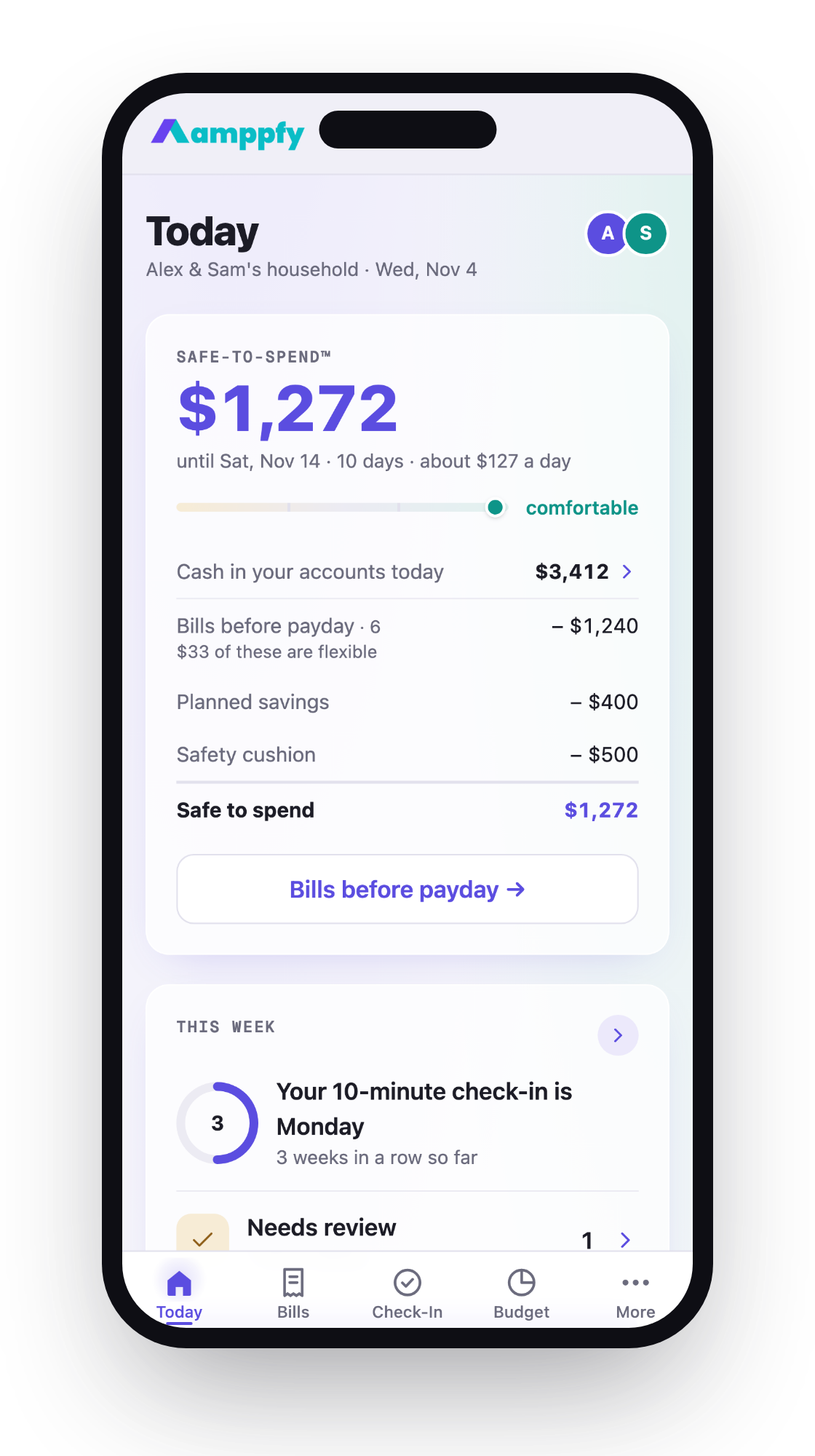
    Amppfy on an iPhone showing the Safe-to-Spend™ number with the status scale and the math under it

    First-Time Enrollment Requirements

    New users need three pieces of information to enroll: your US Bank debit or credit card number, the PIN associated with that card, and either your Social Security number or Individual Taxpayer Identification Number. You'll also need access to the email address or phone number on file with your account for verification purposes.

    The enrollment process takes about five minutes on a good day. Head to usbank.com and click the "Enroll" button near the login fields. The system walks you through identity verification, which typically involves answering security questions based on your credit history or personal records. These questions can feel oddly specific, asking about previous addresses or loan amounts, but they're designed to confirm you're actually you.

    During enrollment, you'll create both a username and password. Your username needs to be between 8 and 20 characters and can include letters, numbers, and select special characters. Avoid using your full name, email address, or account number as your username since these are easier for bad actors to guess. The system will reject common patterns and previously compromised credentials.

    Locating Your Personal or Business Login Credentials

    Personal and business accounts use separate login portals, which trips up some customers. Personal accounts access through the main usbank.com site, while business accounts go through a dedicated business banking portal. Using the wrong portal returns an error even with correct credentials.

    If you've already enrolled but can't remember your username, the recovery process is straightforward. Click "Forgot username?" on the login page, then verify your identity using your card number and personal information. The system displays your username on screen after successful verification, though it won't email it for security reasons.

    Business account holders have additional complexity. Company administrators control user access levels, so if you're an employee trying to access a business account, your company's designated administrator may need to provision your credentials or reset your access. This centralized control helps businesses maintain security but can slow down the recovery process.

    Accessing Your Account via Desktop Browser

    Desktop access remains the most feature-rich way to manage your US Bank account. The full website offers tools and options that don't always translate to mobile interfaces.

    Step-by-Step Login Instructions

    Open your preferred browser and type usbank.com directly into the address bar. Avoid clicking links from emails or search results when possible since phishing sites often mimic the legitimate login page. Look for the padlock icon in your browser's address bar and verify the URL shows "https://www.usbank.com" before entering any credentials.

    Enter your username in the first field, then your password. If you've enabled "Remember this device," you might skip some verification steps on subsequent logins. New devices or browsers always trigger additional authentication, typically a one-time code sent via text message, phone call, or the US Bank mobile app.

    The login page occasionally displays maintenance notices or security alerts. Pay attention to these since they can explain unexpected behavior. Scheduled maintenance usually happens during overnight hours and affects specific features rather than blocking access entirely.

    After successful authentication, the system may prompt you to review and update your security settings. These prompts aren't random annoyances but responses to detected changes, like a new browser or IP address. Taking 30 seconds to confirm your contact information keeps your account secure and ensures you can receive important alerts.

    Navigating the Online Dashboard Features

    The dashboard displays your account balances immediately after login, with checking, savings, credit cards, and loans organized in separate tiles. Click any tile to see recent transactions, pending items, and available balances. The "pending" distinction matters since these transactions haven't fully processed and might still change.

    The top navigation bar provides access to transfers, bill pay, account services, and customer support. Transfers between your own US Bank accounts process instantly during business hours. External transfers to accounts at other banks take one to three business days depending on the method selected.

    Bill pay functionality lets you schedule one-time or recurring payments to virtually any company or individual. The system stores payee information after your first payment, making subsequent payments faster. For payees enrolled in electronic billing, you can view statements directly within your US Bank dashboard without logging into separate accounts.

    The "Account Services" section houses the administrative functions: ordering checks, disputing transactions, updating contact information, and managing alerts. Setting up balance alerts and large transaction notifications takes two minutes and provides an early warning system for unauthorized activity. Given that the FBI received over 880,000 cybercrime complaints with more than $12.5 billion in losses in 2023, these alerts aren't optional extras but essential protections.

    Using the US Bank Mobile App on iOS and Android

    Mobile banking has become the primary access method for most customers. The US Bank app delivers most desktop features in a more convenient package, with some mobile-exclusive capabilities.

    Downloading and Authenticating Your Device

    Search "US Bank" in the Apple App Store or Google Play Store. The official app shows "U.S. Bank" as the developer, and has millions of downloads with a rating typically above four stars. Fake banking apps occasionally appear in app stores, so verify the developer name before downloading.

    First-time app users who already have online banking credentials can log in immediately. The app prompts you to register your device, which involves receiving and entering a verification code. This device registration enables future logins without repeated verification codes, though the app may periodically re-verify for security.

    Users without existing online banking credentials can enroll directly through the app. The process mirrors desktop enrollment: card number, PIN, and identity verification. Mobile enrollment sometimes offers additional verification options like taking a photo of your ID or using your phone's camera to scan your card.

    Push notifications represent a key advantage of mobile banking. The app can alert you to transactions in real-time, upcoming bill due dates, and security events. Mobile push notifications are the most common authentication method, with 68% of use across financial services, largely because they're both secure and convenient.

    Biometric Login: Setting Up Face ID and Touch ID

    After your initial password login, the app prompts you to enable biometric authentication. On iPhones with Face ID, this means using facial recognition for future logins. Older iPhones and most Android devices use fingerprint recognition instead.

    Enabling biometrics doesn't remove password protection but adds a faster alternative. You can still use your password if biometrics fail or if you prefer. The app stores a secure token on your device rather than your actual fingerprint or facial data, meaning a compromised phone doesn't expose your biometric information.

    To enable biometrics after initial setup, open the app settings menu (usually a gear icon), select "Security," then toggle on Face ID, Touch ID, or Fingerprint depending on your device. The app walks you through confirming your password one final time before activating the feature.

    Biometric login works best when your phone's sensors are clean and unobstructed. Fingerprint sensors struggle with wet or dirty fingers, while Face ID can fail with certain sunglasses or in very low light. These aren't bugs but limitations of the underlying technology. Keep your password handy for situations where biometrics don't cooperate.

    Troubleshooting Common Login Issues

    Even with correct credentials, various factors can block account access. Understanding the most common issues helps you resolve them faster.

    Resetting a Forgotten Username or Password

    Password resets happen through the "Forgot password?" link on the login page. After entering your username, the system sends a verification code to your registered phone number or email. Enter the code, create a new password, and you're back in business. New passwords can't match your previous several passwords, and the system enforces complexity requirements.

    Username recovery works similarly but requires your card information instead of your username. The system displays your username on screen after verification rather than sending it electronically. If you've forgotten both your username and password, recover the username first, then reset the password.

    Repeated failed login attempts trigger a temporary lockout, typically 30 minutes. This security measure prevents brute-force attacks but can frustrate legitimate users who mistype their credentials. If you're locked out, wait the specified time before trying again. Calling customer service can sometimes expedite the unlock, but representatives need to verify your identity first.

    Account lockouts lasting longer than a few hours usually indicate a security concern. The bank may have detected suspicious activity or received a fraud report. These situations require a phone call to customer service, where you'll verify your identity and potentially answer questions about recent account activity.

    Resolving Multi-Factor Authentication Failures

    Multi-factor authentication (MFA) adds security by requiring something you know (password) plus something you have (phone or email access). When MFA fails, the issue usually involves the delivery method rather than the authentication system itself.

    Text message codes sometimes arrive delayed, especially during high-traffic periods or when your phone has weak signal. Wait two to three minutes before requesting a new code since multiple simultaneous requests can cause further delays. If texts consistently fail, switch to voice call verification or the mobile app's push notification option.

    Email verification codes can land in spam folders, particularly if you use aggressive filtering. Check your spam and promotions folders before requesting a new code. Adding US Bank's sending domains to your safe sender list prevents future filtering issues.

    The mobile app offers the most reliable MFA method through push notifications. When you attempt to log in on desktop, the app displays a prompt asking you to approve or deny the login attempt. This method doesn't depend on cellular service or email delivery, making it faster and more reliable. Bank impersonation was the most-reported text message scam, accounting for $330 million in consumer losses in 2022, so using app-based authentication instead of SMS adds meaningful protection.

    Security Best Practices for Your US Bank Profile

    Logging in securely goes beyond just having the right credentials. Your habits and settings determine how vulnerable your account remains to unauthorized access.

    Safe Browsing Habits and Phishing Prevention

    Phishing attacks have grown sophisticated enough to fool experienced internet users. Modern phishing emails replicate US Bank's branding perfectly, and fake websites can look identical to the real login page. The FTC reported over 1 million cases of identity theft in 2023, with many originating from phishing schemes.

    Never click login links in emails, even if they appear legitimate. Instead, type usbank.com directly into your browser or use a saved bookmark. This simple habit eliminates the risk of landing on a convincing fake site. If you receive an email about account issues, log in through the official site to check rather than clicking the email's links.

    Public Wi-Fi networks pose particular risks for banking. Coffee shop and hotel networks can be monitored by malicious actors, potentially capturing your credentials as you type them. If you must access your account on public Wi-Fi, use a VPN to encrypt your connection. Better yet, switch to your phone's cellular data for banking activities.

    Password managers solve multiple security problems simultaneously. They generate strong, unique passwords for every site, remember them so you don't have to, and auto-fill only on legitimate websites. Maria-Kristina Hayden, CEO and founder of OUTFOXM, recommends creating strong passwords with a combination of uppercase and lowercase letters, numbers, and special characters, suggesting at least 15 characters for optimal security.

    Updating Your Contact Information for Alerts

    Outdated contact information creates both security risks and access problems. If you change phone numbers without updating your bank profile, you'll lose the ability to receive verification codes. If you change email addresses, you'll miss important account alerts.

    Update your contact information through the Account Services section of online banking or the mobile app's settings. Changes to phone numbers and email addresses typically require verification through your existing contact methods, ensuring that someone who gains temporary access can't redirect your communications.

    Enable comprehensive alerts for your account. At minimum, set up notifications for transactions above a certain threshold, new device logins, and password changes. These alerts provide early warning if someone gains unauthorized access, giving you time to respond before significant damage occurs.

    Review your registered devices periodically. Both the website and mobile app show which devices have been authorized to access your account. Remove any devices you no longer use or don't recognize. This housekeeping prevents old phones or computers from becoming security liabilities.

    Industry estimates indicate 70% of new account onboarding processes will incorporate automated e-KYC solutions in 2025, meaning banks are investing heavily in identity verification technology. Your role is keeping your information current so these systems can protect you effectively.

    Frequently Asked Questions

    What should I do if my account gets locked after too many failed login attempts?

    Wait 30 minutes before trying again since the lockout is temporary and automatic. If you're still locked out after waiting, call US Bank customer service at the number on the back of your debit card. Representatives can verify your identity and unlock your account manually. Avoid continuing to attempt login during the lockout period since this can extend the wait time.

    Can I use the same login credentials for both personal and business US Bank accounts?

    No, personal and business accounts maintain separate credentials and use different login portals. Even if you're the sole owner of both accounts, you'll need distinct usernames and passwords for each. This separation protects business assets from personal account compromises and vice versa. You can, however, link accounts within each portal to view them on a single dashboard.

    How do I log in if I don't have access to my phone for verification codes?

    During the verification step, look for alternative options like email verification or voice call to a landline. If none of your registered contact methods are accessible, you'll need to call customer service to verify your identity through other means. This situation highlights why keeping backup contact methods current matters. Consider adding both a mobile number and email address to your profile.

    Is it safe to save my login information in my browser?

    Browser password saving offers convenience but comes with risks. If someone gains access to your unlocked computer, they can access your saved passwords. A dedicated password manager provides better security than browser storage since it requires its own master password and often includes additional protections like breach monitoring. If you do save passwords in your browser, ensure your computer itself is protected with a strong login password or biometric lock.

    Making Login Second Nature

    Getting into your US Bank account shouldn't require a troubleshooting guide every time. The key is completing your initial setup correctly, enabling biometric login on your mobile devices, and keeping your contact information current. These three steps eliminate most login friction.

    When issues do arise, they usually fall into predictable categories: forgotten credentials, device authentication problems, or security lockouts. Each has a clear resolution path that doesn't require waiting on hold for hours. The self-service recovery options handle the vast majority of situations.

    Your banking security ultimately depends on habits more than technology. Using unique passwords, avoiding phishing attempts, and monitoring your accounts regularly protect you far better than any single security feature. Treat your login credentials like your house keys: necessary for access, dangerous if lost, and worth a few seconds of extra care to protect.


    Amppfy app icon

    Amppfy

    Free on iPhone, Android, and the web

    Know what’s safe to spend before payday

    Your balances, bills, and payday. Ten minutes to one clear number, with the math shown under it. Learn more ›

    Download on the App Store Get it on Google Play

    Prefer the web? Sign up free ›

    Free  ·  No credit card  ·  Just your balances

    Amppfy on an iPhone showing the Safe-to-Spend™ number with the status scale and the math under it
    Affiliate Banking Basics
    Share. Facebook Twitter LinkedIn Email Copy Link
    Previous ArticleHow to Choose the Best Core Banking Solution for Your Business in 2026
    Next Article Chase vs. Wells Fargo vs. Capital One: Which Banking Experience is Best for You in 2026?
    Thomas T.

    Thomas is a Personal Finance Writer and Financial Content Strategist with over 10 years of experience helping individuals make smarter financial decisions. He specializes in topics such as budgeting, debt management, saving strategies, and financial behavior, translating complex financial concepts into clear, actionable guidance. His work focuses on empowering readers to build sustainable financial habits and confidently navigate their financial lives, combining data-driven insights with practical, real-world advice.

    More Like This

    How to Open a Joint Bank Account Online (Without a Branch Visit)

    By Thomas T.October 19, 2026

    Regions Joint Account: Opening One Together or Adding a Partner

    By Thomas T.October 19, 2026

    TD Bank Joint Account: How to Open One or Add a Partner

    By Thomas T.October 19, 2026
    Amppfy app icon

    Amppfy

    Free on iPhone, Android, and the web

    Know what’s safe to spend before payday

    Your balances, bills, and payday. Ten minutes to one clear number.

    Download on the App Store Get it on Google Play

    Prefer the web? Sign up free ›

    Amppfy dashboard on an iPhone showing the Safe to Spend number with the math under it
    Helpful Resources

    How to Open a Joint Bank Account Online (Without a Branch Visit)

    October 19, 2026

    Regions Joint Account: Opening One Together or Adding a Partner

    October 19, 2026

    TD Bank Joint Account: How to Open One or Add a Partner

    October 19, 2026

    What Time Does Citizens Direct Deposit Hit? Early Pay and Posting Times

    October 19, 2026

    Financial Clarity. Everyday Confidence.

    Facebook X (Twitter) YouTube TikTok
    Calculators

    Emergency Fund Calculator

    Compound Interest Calculator

    Interest Rate Calculator

    Net Worth Calculator

    Mortgage Calculator

    How Much Home Can I Afford

    Debt-to-Income Ratio Calculator

    Cost of Living Calculator

    Savings Calculator

    Savings Goal Calculator

    Monthly Budget Calculator

    Latest Resources

    Social Security COLA 2027: What the 3.6% Raise Means for Your Monthly Plan

    November 6, 2026

    Best Free Budget Apps in 2026: iPhone, Android, and Web

    November 6, 2026

    Federal Pay Period Calendar for 2027: Every Pay Period and Payday

    November 6, 2026

    Money Manager Expense & Budget App: Price, Ads, and Simpler Alternatives in 2026

    November 6, 2026
    About & Legal

    About Amppfy

    Documentation

    Advertise with Amppfy

    Editorial Policy

    EULA

    Terms of Use

    Acceptable Use Policy

    Privacy Policy

    Cookie Policy

    Disclaimer

    Do Not Sell or Share My Personal Information

    Acceptable Use Policy

    Disclaimer: Amppfy is committed to keeping its information transparent, accurate, and up-to-date. The information on Amppfy is provided for educational and informational purposes only and should NOT be considered financial, investment, tax, or legal advice. You should consult a qualified financial professional before making any financial decisions. This information may differ from what you find on the specific product or service provider’s website. All information, content, software, tools, products, or services on Amppfy are presented without warranty or guarantee. Please review the specific provider’s terms and conditions when evaluating products or services. By accessing Amppfy or using our AI generator tools, you acknowledge that you have read, understood, and agreed to our EULA, Terms of Use, Acceptable Use Policy, Privacy Policy, Cookie Policy, and Disclaimer. Amppfy.com uses cookies. For more information, visit Amppfy’s Cookie Policy. Amppfy may be compensated through third-party advertisers and affiliates. For more information, visit Amppfy’s Disclaimer.

    Copyright© 2026 Amppfy | All Rights Reserved

    Type above and press Enter to search. Press Esc to cancel.

    Advertiser Disclosure: Products may include affiliate links related to financial products or services. We may earn a commission at no additional cost to you. Our content remains independent and focused on helping you make informed financial decisions.
    Fact Checked
    Financial Disclaimer

    This content is for informational and educational purposes only and should not be considered financial advice. Personal finance decisions—including budgeting, saving, investing, credit, mortgages, taxes, and debt management—depend on your individual circumstances. Always consult a qualified financial professional before making financial decisions.

    Editorial Standards and Content Integrity

    Our editorial process ensures accuracy, clarity, and trust across all personal finance topics, including budgeting, saving, investing, and debt management. Content is created using credible sources such as government agencies, academic research, and established financial institutions, and may incorporate insights from industry experts when relevant. Each article is reviewed for accuracy, timeliness, and relevance before publication and updated as needed to reflect changes in financial guidelines and best practices, with the goal of providing clear, evidence-based information to help readers make informed financial decisions.

    Learn more about our editorial policy and guideline.
    Amppfy app icon

    Amppfy

    Free on iPhone, Android, and the web

    Know what’s safe to spend before payday

    Get the app on iPhone or Android and enter your balances, bills, and payday. About ten minutes to one clear number: what’s safe to spend before payday.Your balances, bills, and payday. Ten minutes to one clear number. Learn more ›

    Download on the App Store Get it on Google Play
    Scan with your phone to get the app

    Free  ·  No credit card  ·  Just your balances

    Prefer the web? Sign up free ›

    Amppfy app icon

    Amppfy

    Free on iPhone, Android, and the web

    Know what’s safe to spend before payday

    Enter your balances, bills, and payday once. About ten minutes to one clear number, with the math shown under it.

    Download on the App Store Get it on Google Play
    Scan with your phone to get the app

    Prefer the web? Sign up free ›

    Free  ·  No credit card  ·  Just your balances