Both Goodbudget and YNAB use the envelope method to help you plan your money before you spend it. They share that core idea, but they differ on almost everything else: how you enter transactions, what you pay, and how much time you spend each week. If you’ve been comparing Goodbudget vs. YNAB, this breakdown covers the real differences so you can pick the one that fits your life, not just your philosophy.
The short answer
Goodbudget is a digital envelope system with a free tier, manual entry or file import (bank sync on Premium), and budgets you can share across household devices. YNAB is a full zero-based budgeting app with optional bank import, built-in reports, and more to learn up front. Both work. They just ask different things of you.
Here’s a quick side-by-side:
| Feature | Goodbudget | YNAB |
|---|---|---|
| Method | Envelope budgeting | Zero-based (assign every dollar) |
| Bank sync | Premium only (US banks); file import on free | Yes, optional (select US, Canadian, UK, and EU banks) |
| Free plan | Yes (10 + 10 envelopes, 1 account, 2 devices) | No (34-day trial only) |
| Paid plan | Premium: $10/month or $80/year | $14.99/month or $109/year |
| Platforms | Web, iOS, Android | Web, iOS, Android |
| Couple sharing | Sync and share a budget across devices (2 free, 5 on Premium) | YNAB Together: up to six people on one subscription |
| Reports | Envelope and spending history | Reports incl. net worth and age of money |
If you want free and simple, Goodbudget’s free plan covers it. If you want bank import and built-in reports without paying for a higher tier, YNAB’s one plan includes them. The rest of this article explains the trade-offs.
Envelopes vs. assigning every dollar
The envelope method is old. You divide cash into labeled envelopes: rent, groceries, gas. When an envelope is empty, you stop spending in that category. Both apps digitize this idea, but they do it differently.
How Goodbudget handles envelopes
Goodbudget stays close to the original concept. You create envelopes, fill them from your income, and log spending against each one. The free plan gives you 20 envelopes (10 regular plus 10 more), one account, and two devices[1] with one year of history. That can be enough for a household to run a basic budget.
The app doesn’t try to account for every dollar you own. You fill the envelopes you care about and leave the rest alone. This makes it lighter to maintain, but it also means you might lose track of money that sits outside your envelopes.
How YNAB handles the same idea
YNAB takes the envelope concept further. Every dollar in your accounts gets a job. Open the app, see your available balance, and assign it: rent, groceries, car insurance, vacation. Nothing sits unassigned.
This “assign every dollar” approach gives you a more complete picture of your money. It also takes more effort up front. You need to categorize everything, reconcile accounts, and learn how YNAB handles credit cards. It takes time to learn, and the payoff is a budget that accounts for every dollar you have.
Which approach fits you?
If you want a quick system that covers your main spending categories, Goodbudget’s simpler envelopes work well. If you want total visibility into where every dollar goes, YNAB’s method is more thorough. Neither is wrong. They just match different levels of engagement.
Manual entry vs. bank sync
This is one of the biggest practical differences between the two apps.
Goodbudget’s free plan is manual: you log transactions by hand (open the app, pick an envelope, type the amount) or upload a QFX, OFX, or CSV file from your bank. Goodbudget Premium adds automatic bank sync for US banks. Some people like manual entry because it forces awareness. You feel each purchase. Others find it tedious after a few weeks and quietly stop.
YNAB offers manual entry, file-based import, and direct import from select US, Canadian, UK, and EU banks. You can type transactions in yourself, pull them automatically from your bank, or do both. Bank sync catches what you forget. Manual entry keeps you mindful. The combination covers most people well.
There’s a catch with bank sync, though. Connections break. Your bank changes something, and suddenly transactions stop importing for a week. How reliable a connection is still varies by bank.
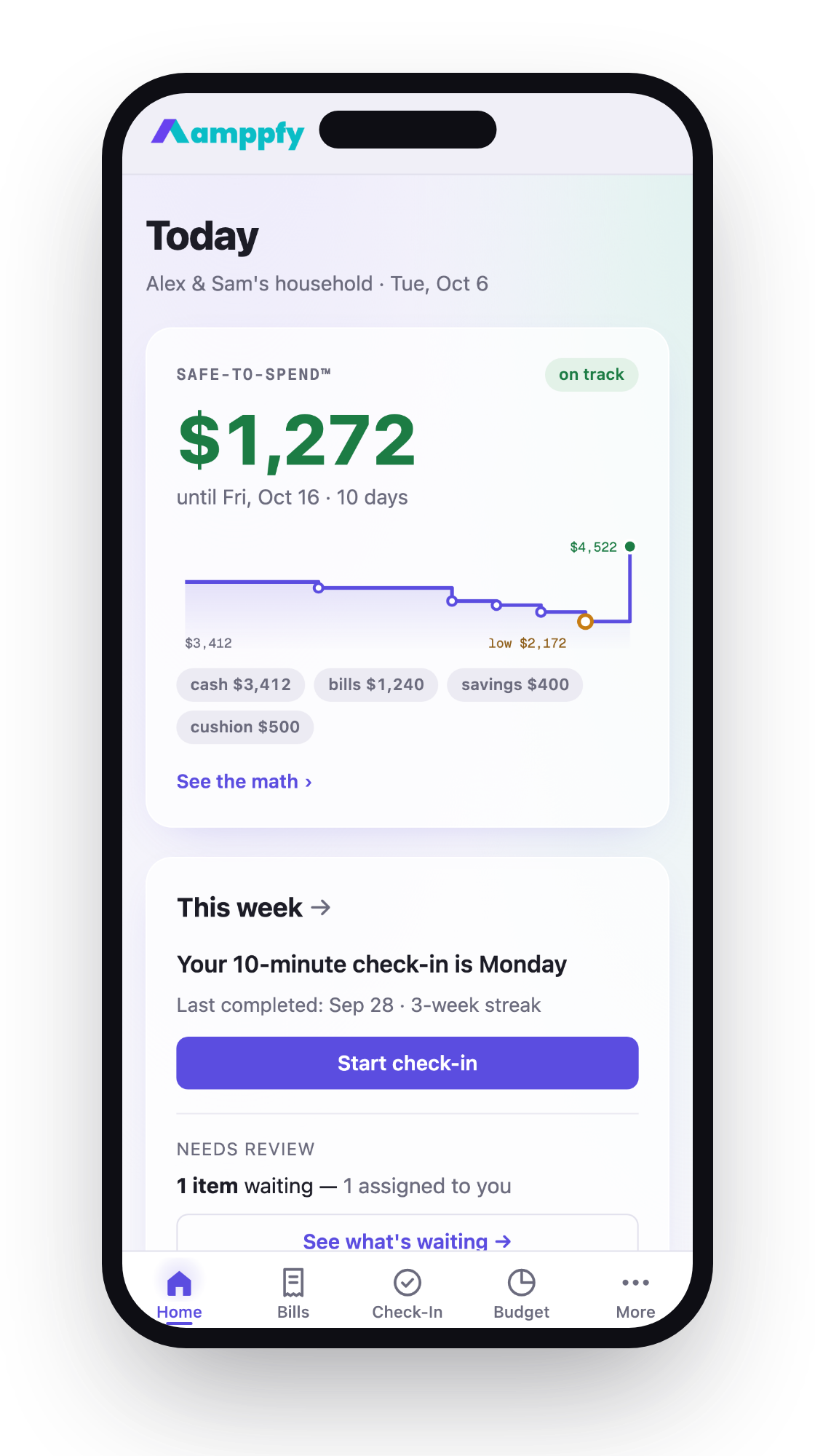
If broken sync frustrates you, manual entry starts looking better. And if manual entry across a full zero-based budget sounds like too much work, you might prefer a lighter approach: just enter your balances and let the app do the math. Amppfy works this way. You type in balances yourself, about 30 seconds per account, and it shows one Safe-to-Spend™ number: your cash minus bills due before payday, minus savings, minus a cushion. No transaction logging. No bank login.
Pricing and plans
Money matters when you’re picking a budgeting app. Here’s what each one costs as of October 2026.
Goodbudget pricing
- Free plan: 20 envelopes, 1 account, 2 devices, 1 year of history. No expiration date.
- Premium plan: Costs $10/month or $80/year[2]. Automatic bank sync (US banks), unlimited envelopes and accounts, 5 devices, 7 years of history, and email support. Debt tracking is included on both plans.
The free tier is usable on its own. A couple sharing two devices can run their household budget without paying anything. That’s not common among budgeting apps.
YNAB pricing
- No free plan. A 34-day free trial is available, no credit card required when you sign up directly.
- Paid plan: $109/year or $14.99/month[3], plus tax where applicable. All features included, and YNAB Together lets up to six people share one subscription.
If you pay monthly, that’s nearly $180 a year.
Cost comparison table
| Plan | Monthly cost | Annual cost |
|---|---|---|
| Goodbudget Free | $0 | $0 |
| Goodbudget Premium (annual) | ~$6.67 | $80 |
| Goodbudget Premium (monthly) | $10 | $120 |
| YNAB (annual) | ~$9.08 | $109 |
| YNAB (monthly) | $14.99 | ~$180 |
If budget is tight (and if you’re reading this, you care about where your money goes), Goodbudget’s free plan or its $80/year Premium plan costs less than YNAB.
Who each one is best for
Choosing between Goodbudget and YNAB comes down to three things: how much time you want to spend, how much control you need, and what you’re willing to pay.
Goodbudget fits you if:
- You want a free budgeting app with no time limit
- You and a partner want to share a budget from separate phones
- You prefer manual entry and don’t mind logging transactions
- You like simplicity over comprehensive financial tracking
- You budget a few key categories and don’t need to assign every dollar
YNAB fits you if:
- You want full zero-based budgeting with every dollar assigned
- You want bank import to catch transactions you’d otherwise miss, without paying for a higher tier
- You want built-in reports, including net worth and age of money
- You’re willing to invest time learning the system (and the YNAB “rules”)
- You don’t mind paying $109/year
- You want up to six people on one budget with YNAB Together
What if neither feels right?
Some people try both and quit both. Logging every transaction by hand gets old for some people, and a full zero-based budget can feel like a second job. If what you really want is one clear number that tells you what’s safe to spend before payday, without categorizing every purchase, Amppfy does exactly that. It’s free on iPhone and the web, and you can invite a partner by email: each of you gets your own login, shared accounts and bills show for both, and anything you keep private stays private. The math is always visible, for example: $3,412 cash − $1,240 bills − $400 savings − $500 cushion = $1,272 Safe-to-Spend™.
Frequently asked questions
Can I use Goodbudget and YNAB together?
You can, but it’s usually redundant. They solve the same problem in different ways. A more common approach is to try one for a full month, then switch if it doesn’t stick. Give yourself at least 30 days before deciding.
Does YNAB work for couples?
Yes. YNAB Together lets up to six people share one subscription. Goodbudget lets you sync and share a budget across household devices: two on the free plan, five on Premium. Either works for a couple; check how each handles separate logins before you both sign up.
Is Goodbudget’s free plan actually enough?
For many households, yes. Twenty envelopes cover the basics: rent, groceries, gas, dining out, subscriptions, and several more. You hit the wall if you want more than one account, more than two devices, more than a year of history, or automatic bank sync. Premium removes those limits for $80/year.
What happens if I stop paying for YNAB?
Once your subscription period ends, you lose access to your plan until you resubscribe, so export anything you want to keep before it lapses. Goodbudget’s free plan doesn’t have this risk since there’s no payment to lapse.
Picking the right tool for your household
The Goodbudget vs. YNAB decision isn’t about which app is objectively better. It’s about which one you’ll actually use week after week. Goodbudget offers a free option, simple envelopes, and budgets shared across devices. YNAB offers a full zero-based method, bank import, YNAB Together, and built-in reports at a higher price.
If you want something even simpler, just your Safe-to-Spend™ number with the math shown, no categories, no transaction logging, try Amppfy free on iPhone or the web. Enter your balances, bills, and payday once (about ten minutes), and a quick weekly check-in keeps the number current.