
The calendar
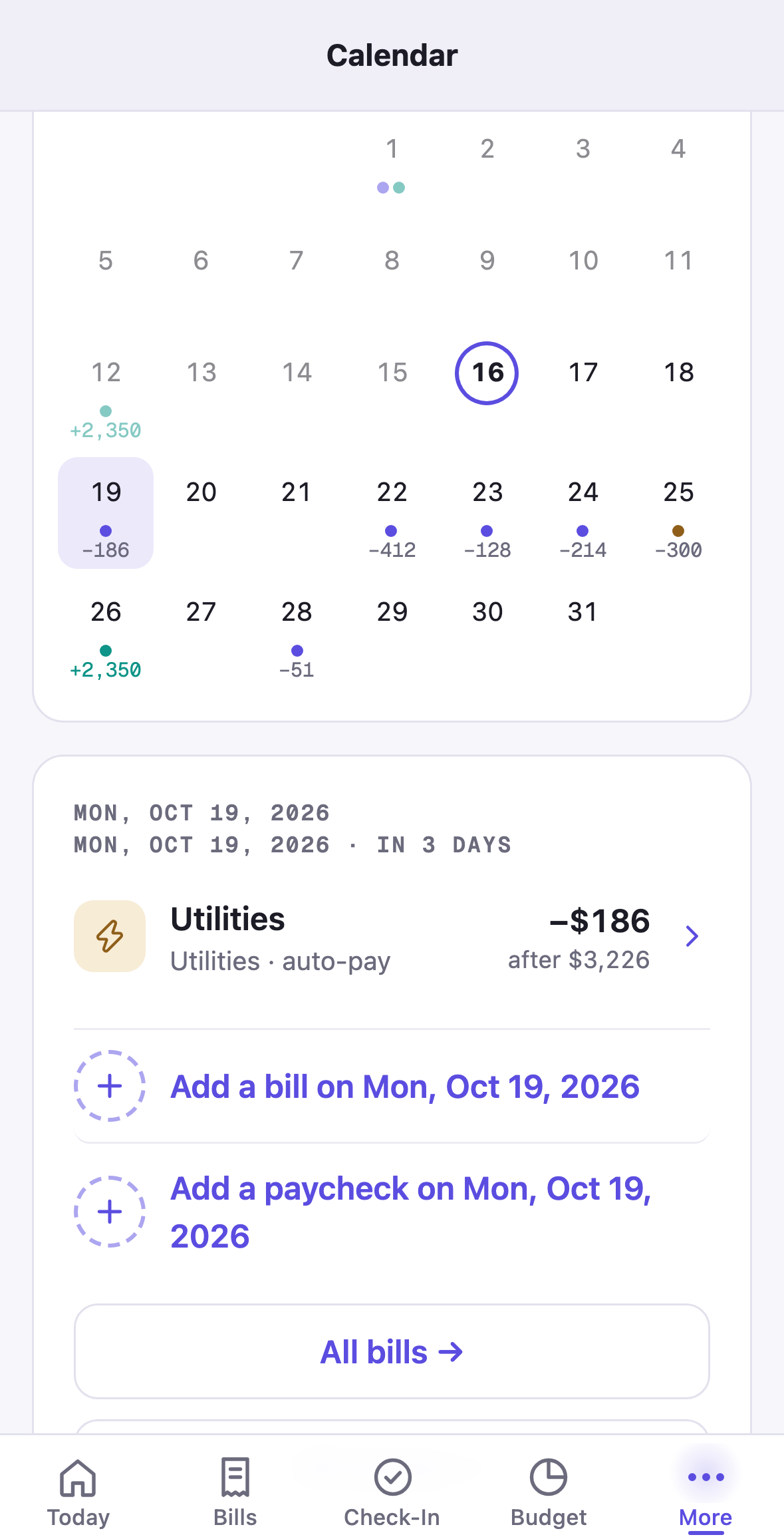
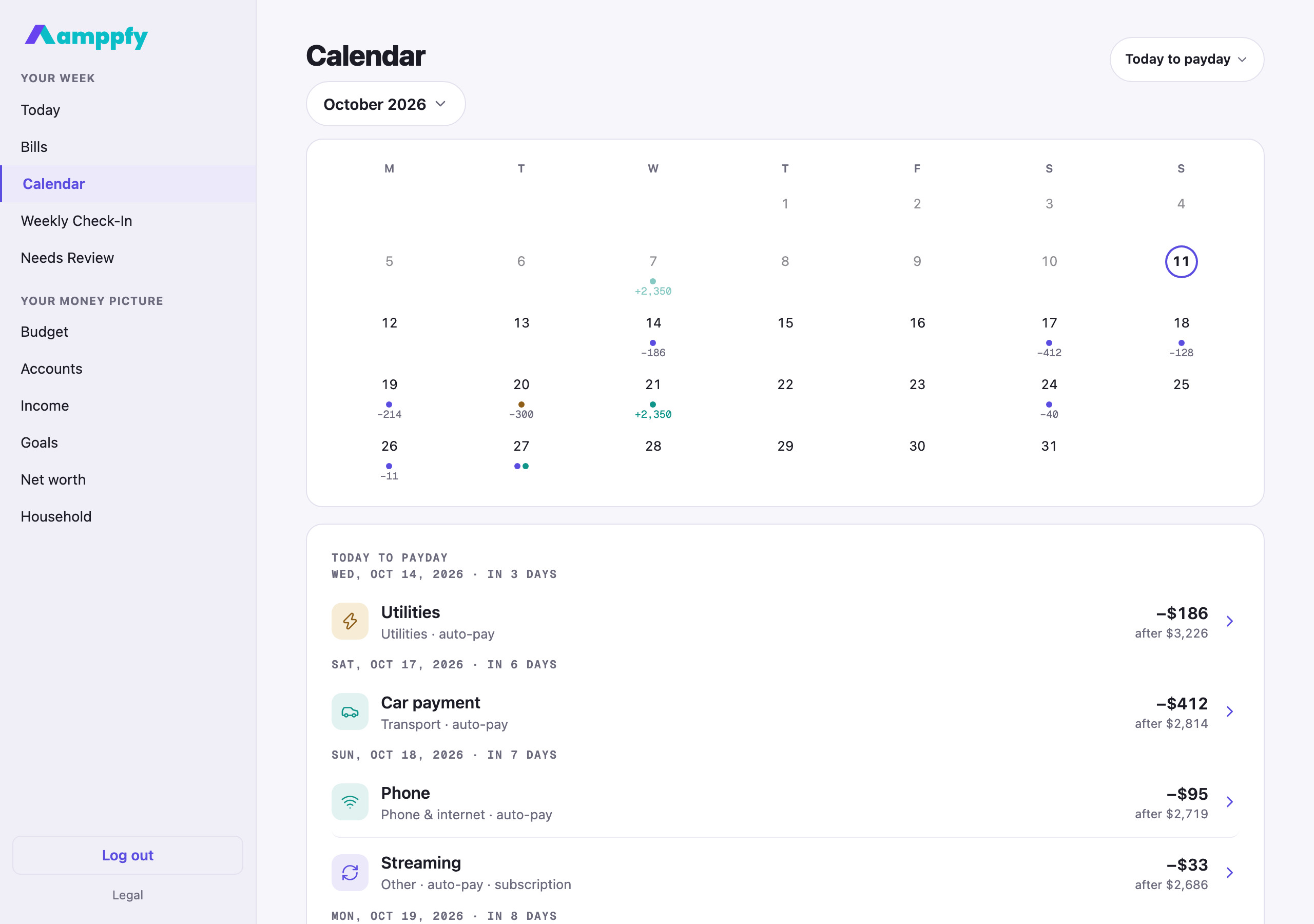
The calendar shows the month the way the math sees it: every bill on its projected date, every paycheck on its schedule, and the day your cash dips lowest before payday.
Where to find it
Section titled “Where to find it”- iPhone: More → Calendar.
- Web: Calendar in the sidebar, under Your week.
Reading the grid
Section titled “Reading the grid”The month name is a pill; tap it to pick another month, or swipe the grid left or right on your phone. Weeks start on Monday, today is outlined, and days already past are dimmed. Each day carries small dots and, when there is room, the day’s net amount in small type:
| Mark | Meaning |
|---|---|
| Purple dot | A bill lands that day |
| Teal dot | A payday |
| Amber dot | The lowest point: the bill that takes your cash lowest before payday |
| Small amount | The day’s total, teal with a plus for a payday, grey with a minus for bills |
Bills appear on the dates Amppfy projects from their anchors, so a monthly bill shows up on the same day each month without anyone updating it. See Bills roll forward on their own. An occurrence you marked not due this time is left off; one marked paid stays, with a tick.
The list under the grid
Section titled “The list under the grid”Under the grid, the whole window is listed by day. The window pill beside the title chooses it: Today to payday, This month, or Next 30 days. Each day is headed Thu, Oct 8, 2026 · in 1 day, with payday or lowest point added where they apply, and each row is the bill or paycheck with its icon, its group, auto-pay or subscription where set, the amount, and your balance after it: the same running balance as Now to payday on Today.
Tap a day on the grid and the list narrows to that day; tap it again to clear. Tap a bill row and its sheet opens on that date, with the three quick actions for this occurrence: see Change a bill this time.
Adding on a day
Section titled “Adding on a day”Under the list, + Add a bill on Tue, Oct 14, 2026 and + Add a paycheck on Tue, Oct 14, 2026 open the sheet with that date already set (with no day tapped, they read + Add a bill and + Add a paycheck and use today). All bills → and All income → take you to the full lists; the calendar updates the moment you save.