
Heads-ups (notifications)
A heads-up is a short note that something in your money picture is worth a look, never an alarm. They arrive as push notifications on iPhone and by email when there is no iPhone to push to.
The five kinds
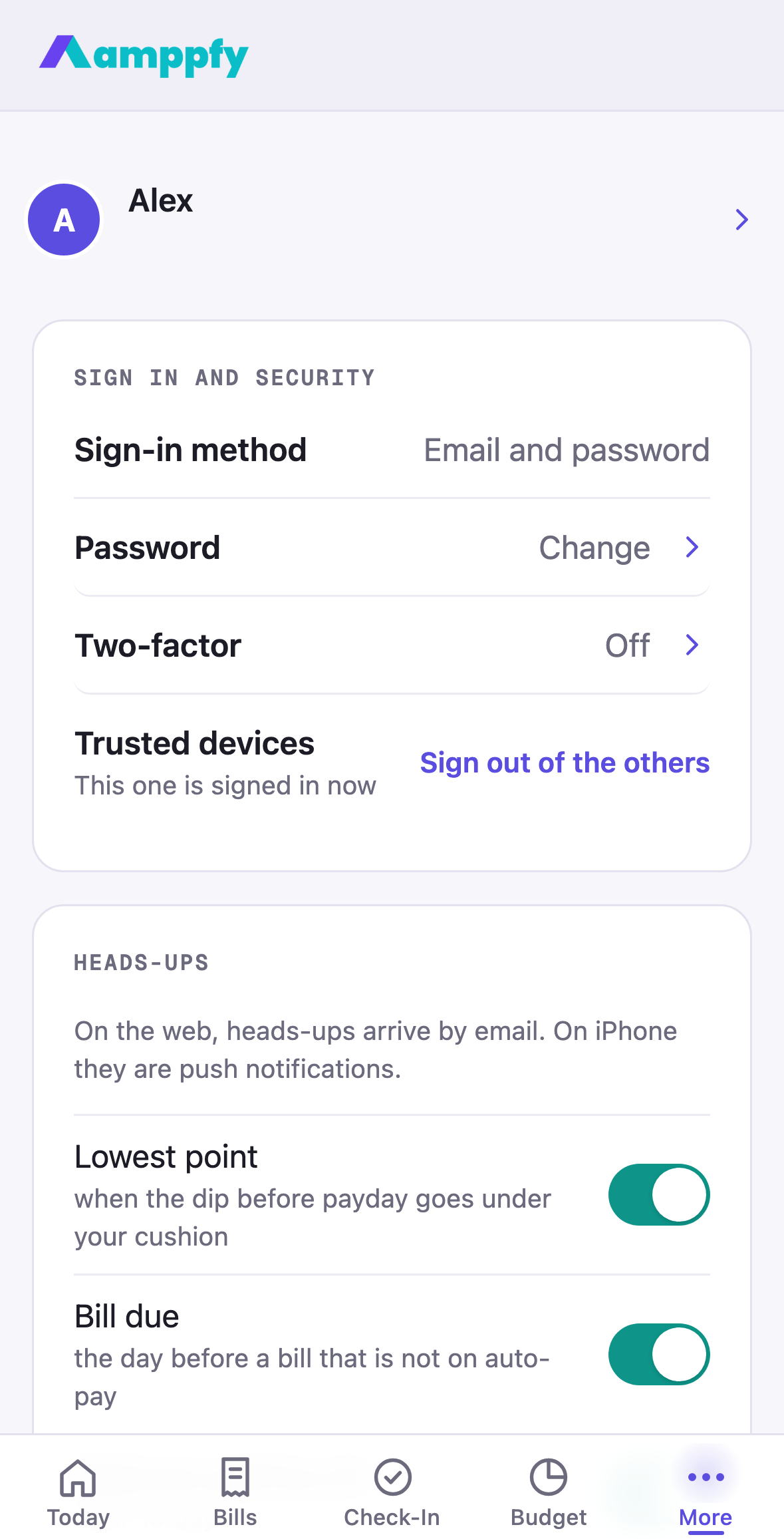
Section titled “The five kinds”Each one has its own switch under Account → Heads-ups, with the condition written under it:
| Switch | When it arrives |
|---|---|
| Lowest point | When the dip before payday goes under your cushion. Once per payday, with the date and the amount, so there is time to move a due date. |
| Bill due | The day before a bill that is not on auto-pay. Auto-pay bills take care of themselves. |
| Balances getting old | After 10 days without an update. A one-minute update keeps the number honest. |
| Check-in day | At your household’s check-in time, until the week is closed. |
| Partner finished the check-in | Right when it happens, with the fresh Safe-to-Spend™ number. |
Every heads-up carries the actual numbers, and tapping it opens the screen where you would act. Each one is sent once; nothing repeats.
Quiet hours and the daily cap
Section titled “Quiet hours and the daily cap”- Nothing is sent between 9pm and 7am in your local time.
- At most two scheduled heads-ups arrive on any day. The partner check-in note is the exception, since it is about something that just happened.
- Send around sets the time of day the scheduled ones arrive, 8am unless you change it. The check-in reminder uses your household’s check-in time instead.
Turn them on
Section titled “Turn them on”On iPhone, once your household has a bill or a paycheck entered, a card on Today offers to turn on heads-ups with Turn on and Not now. Turn on asks iOS for notification permission; that is all. You can always do it later from More → Account → Heads-ups, where a Turn on button sits at the top of the group while push is off.
If you said no to iOS earlier, that line explains where to fix it: Settings → Notifications → Amppfy.
Email when push is off
Section titled “Email when push is off”Email me when push is off sends the same heads-ups by email when there is no iPhone to push to: if you use Amppfy only on the web, or you have turned push off on your phone. It is on by default, so a web-only household gets heads-ups too, from the moment it has a bill or paycheck entered. Each email links straight to the screen in the app.
Turn them off
Section titled “Turn them off”Open Account → Heads-ups and switch off the kinds you do not want; each one is separate. To stop push on your iPhone entirely, turn Amppfy off under Settings → Notifications; to stop the emails as well, switch off Email me when push is off.
Related
Section titled “Related”- The status scale: what dips into cushion means
- Do your first check-in
- Use the iPhone app and the web together