
Add and manage bills
Bills are the second line of your Safe-to-Spend™ math: only the ones due before your next payday count against the number.
The Bills screen
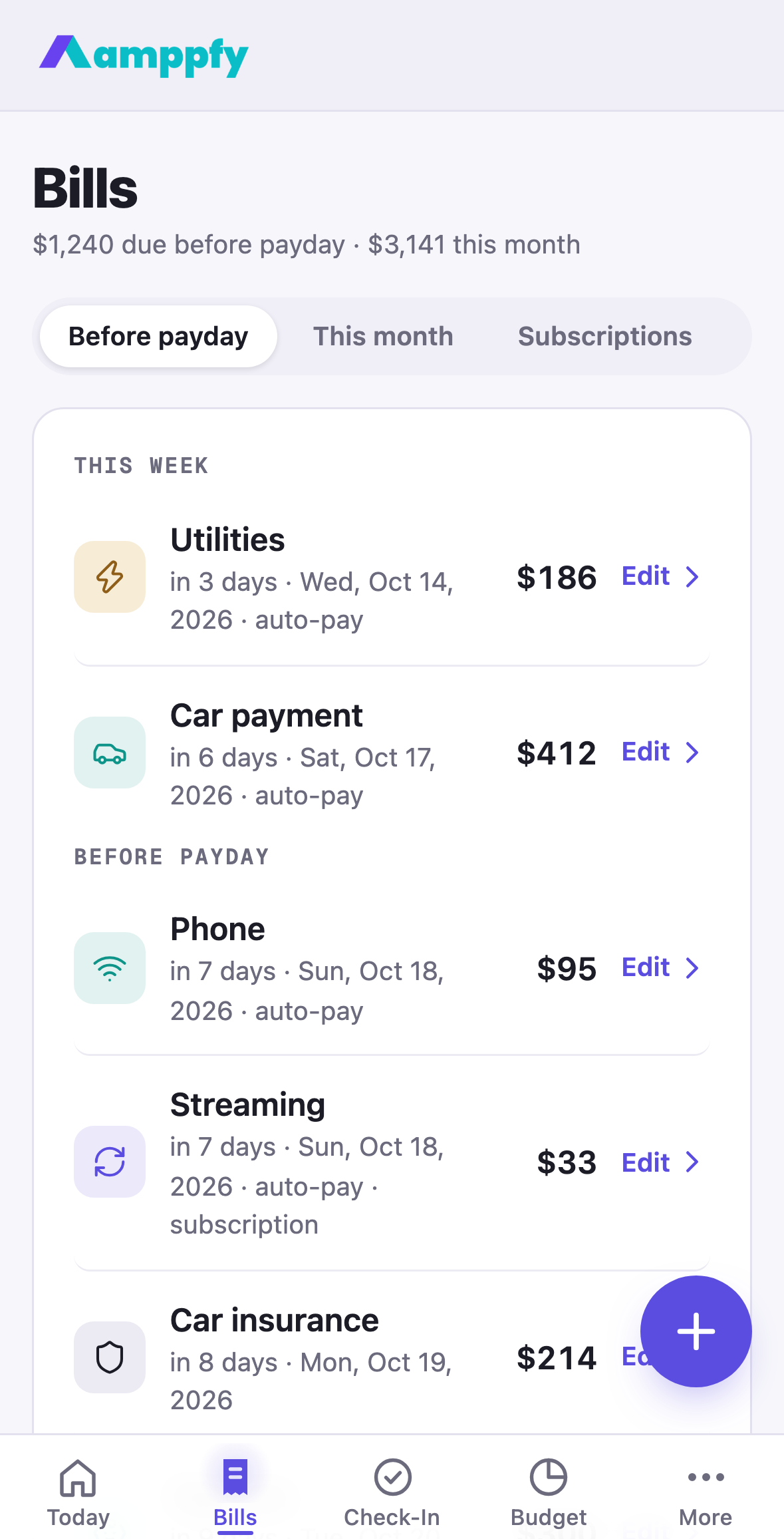
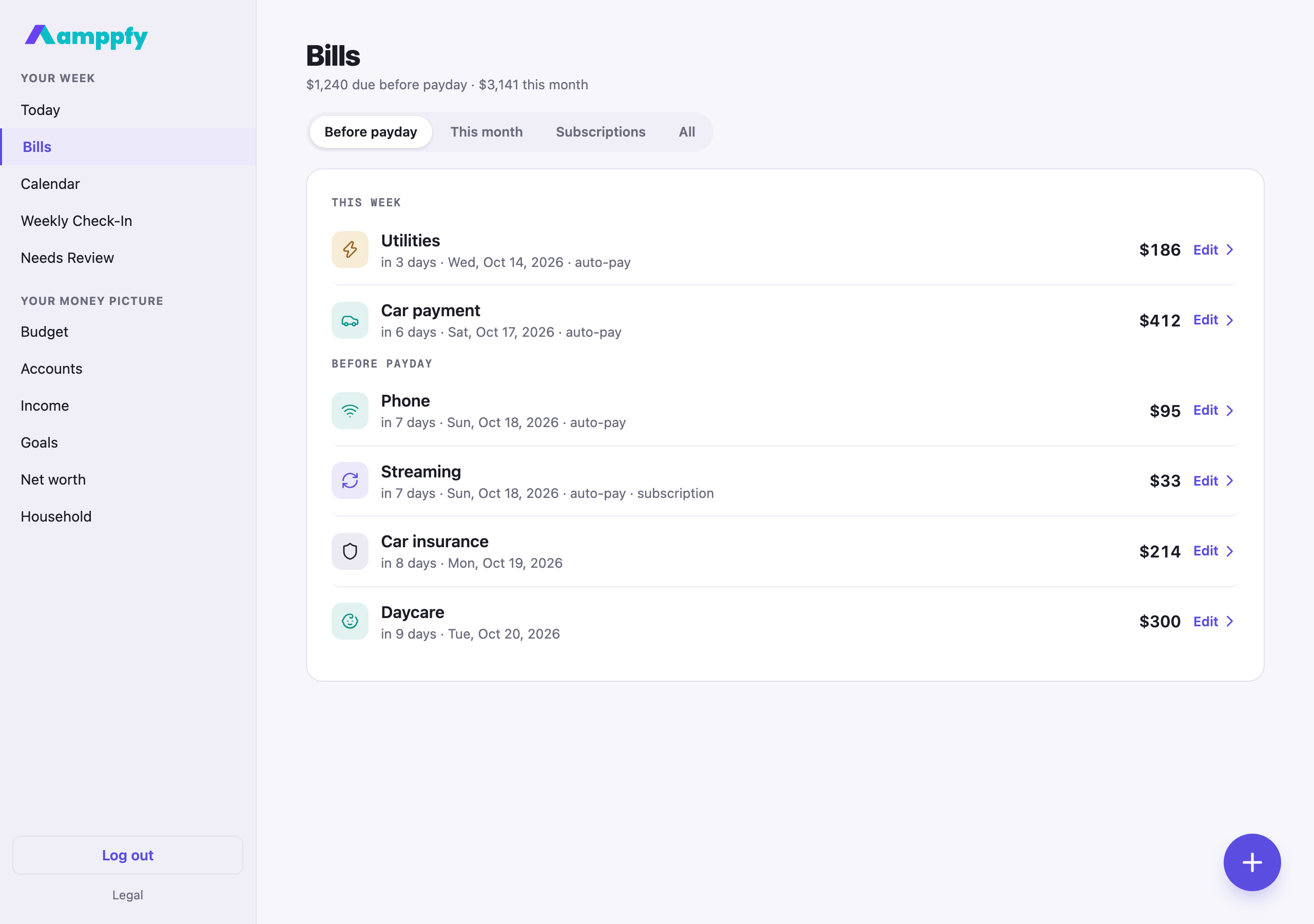
Section titled “The Bills screen”The title line says what matters: $1,240 due before payday · $3,057 this month. Under it, four tabs:
| Tab | What it lists |
|---|---|
| Before payday (the default) | Every occurrence due before your next paycheck, the ones the number subtracts |
| This month | Every occurrence through the end of the month |
| Subscriptions | The bills you marked as subscriptions, with their monthly total |
| All | Every bill once, by its next date |
Before payday and This month group the rows by time: This week, Before payday, Later this month, Later. Each row is the bill’s group icon, its name, in 2 days · Fri, Oct 9, 2026 · auto-pay, the amount, and Edit ›, because tapping a row opens its sheet. A paid occurrence shows a teal tick; one with a different amount this time carries a changed chip.
Add a bill
Section titled “Add a bill”- On Bills, tap the round + button (bottom right).
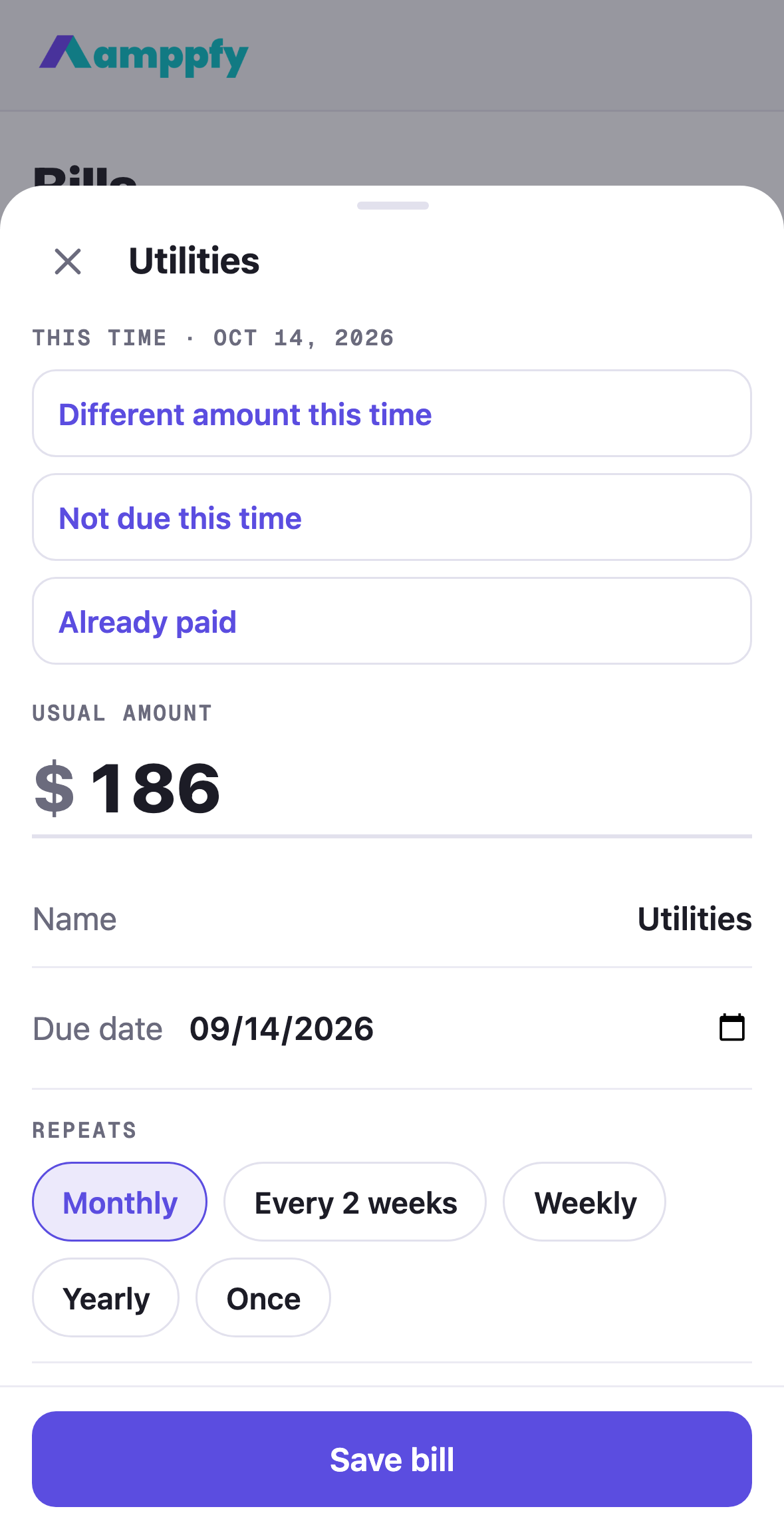
- The sheet opens on the amount. Fill in the rows under it: Name, Due date (a full date from the date picker), Repeats, Paid from, Group, and the rest below.
- Tap Save bill. If it is due before your next payday, your number updates immediately.
Under Repeats, a line shows when the bill lands next, for example Lands Nov 1, 2026, then Dec 1 and Jan 1, so a monthly bill only needs entering once. If you add a bill with the name of one you already have, the sheet says “Rent” is already here with Open it and Add anyway; two bills with the same name are allowed when they really are two.
During setup, the most common household bills are listed as rows, so you fill in amounts rather than starting from a blank page.
You can also add a bill from where you are: + Add a bill to Housing on a Budget group page (the group comes preset), + Add a bill on Tue, Oct 14, 2026 under a day on the Calendar (the date comes preset), and + Add a bill I forgot during the check-in.
The one bill sheet
Section titled “The one bill sheet”The same sheet opens from Bills, the check-in, the calendar, Budget’s group pages, and setup.
| Row | Choices |
|---|---|
| Amount | The usual amount; the first field, with the decimal keypad up on iPhone |
| Name | Typing it fills in the Group (below) |
| Due date | A full date; the anchor the bill repeats from |
| Repeats | Monthly, Every 2 weeks, Weekly, Yearly, or Once |
| Paid from | One of your accounts |
| Group | Housing, Utilities, Phone & internet, Insurance, Debt payments, Transport, Kids & family, Health, or Other |
| If money is tight | Must pay, or Flexible |
| Auto-pay | A switch. Paid on its own, still counted |
| Owner | In a household of two: Shared, or one of you |
| Kind | Bill, or Subscription |
Editing adds Remove bill at the bottom, as an attention button, never next to Save. Opened from a dated row, the sheet also carries the three quick actions for this occurrence only: see Change a bill this time.
The Group field
Section titled “The Group field”Every bill has a Group. The Budget page adds the month’s bills up by group, and each group has its own page there with month-by-month bars.
You rarely have to pick one. As you type the name, the Group fills itself in: “Electric” becomes Utilities, “Rent” becomes Housing, “Car payment” becomes Transport, a card or loan becomes Debt payments. Choose a different group and the suggestion stops; the one you chose stays. Subscriptions keep a group for their icon but are their own slice of the month on Budget.
Must pay or flexible
Section titled “Must pay or flexible”Must pay is the default. Mark a bill Flexible when it could give in a tight month. Both kinds count against the number the same way. Flexible bills show a flexible chip on the Bills list, and the receipt under your number adds a line, $412 of these are flexible, so when the week reads tight you can see at a glance how much could move. The label is also in the bill’s sheet, so you and your partner can see which bills have room.
Set aside for a big bill
Section titled “Set aside for a big bill”A yearly bill (car insurance, property tax, a registration) would otherwise land whole in one payday window and swing your number by the full amount. Turn on Set aside monthly in the bill’s sheet, under Auto-pay, and Amppfy reserves one share a month from your number instead: a $1,200 bill due in March takes $100 a month off Safe-to-Spend™, and the receipt under the number shows Set aside for big bills − $700 with how much is reserved so far. When the bill lands, only the part not yet reserved counts, so the month it is due feels like any other.
A new yearly bill starts with the switch on. A one-time bill more than about six weeks away can be set aside too, spread over the months until it is due. The reserve is worked out from the dates, so both partners see the same figure and nothing has to be moved or recorded. Amppfy does not move money: keep the set-aside in the account the bill is paid from.
Credit card payments
Section titled “Credit card payments”Add each card’s minimum payment as a bill. It gets counted before your number appears, so what is left is genuinely spendable, and the balance stops quietly growing. Amppfy does not build payoff plans; it makes room for the payments you have already committed to.
Editing and deleting
Section titled “Editing and deleting”Tap any row (Edit ›) to change the amount, due date, group, or account; the number recalculates everywhere the moment you save. Remove bill removes it from the math the same way. To change one occurrence without touching the bill, use the quick actions instead.