
Create your account
Amppfy is free. Signing up needs an email address and nothing else. There is no credit card to enter, and Amppfy runs on the balances you type in.
The Welcome screen
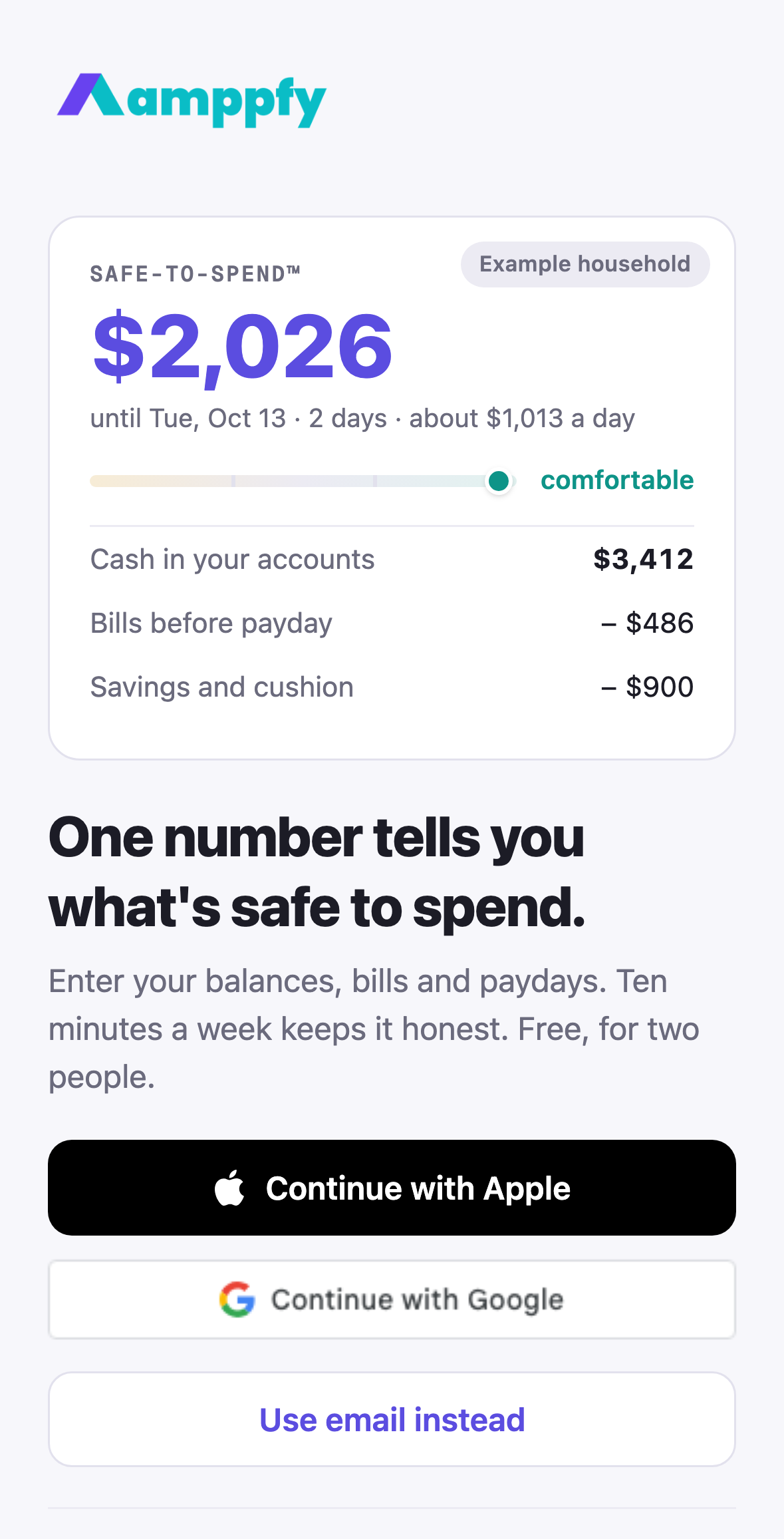
Section titled “The Welcome screen”The first screen shows a real Safe-to-Spend™ card for an example household, so you see what you are signing up for before you enter anything. Under the headline, One number tells you what’s safe to spend, you have three ways in:
- Continue with Apple: one tap with Face ID or Touch ID.
- Continue with Google: one tap with your Google account.
- Use email instead: one address, then a password and a six-digit code.
Already have an account? Sign in at the bottom takes you to the same email screen. Want to look around first? See an example opens the whole app, read-only, on the example household. A thin banner at the top says Example household, and its Create your own button brings you back here.
- Install Amppfy from the App Store on your iPhone and open it.
- Choose Apple, Google, or Use email instead.
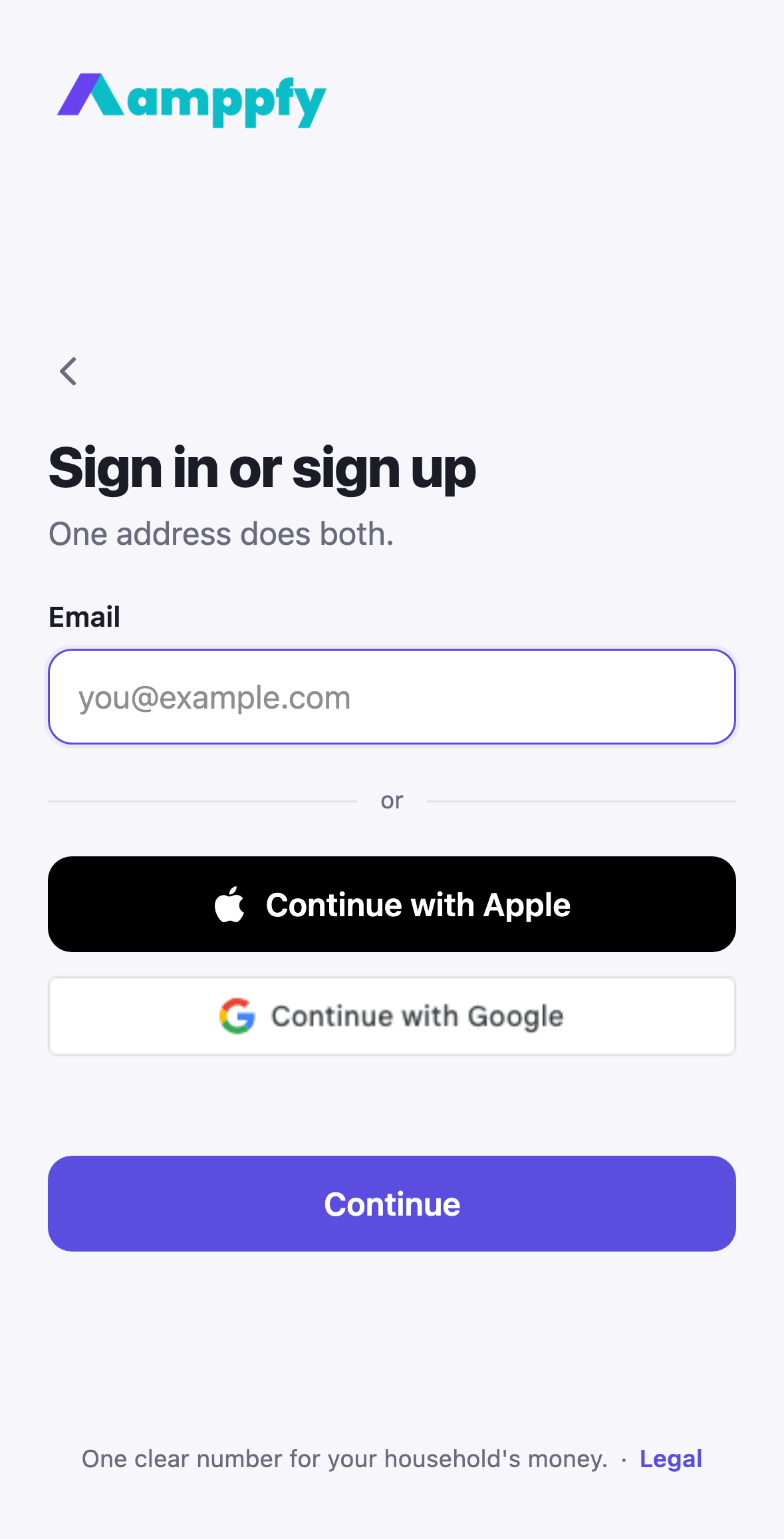
- With email: type your address and tap Continue. Amppfy checks whether the address already has an account.
- New address: enter your name and a password of 12 characters or more (the rule under the field turns teal when you have met it), then tap Continue. We email you a six-digit code. Type it into the six boxes, or let iPhone fill it from Mail, and you are in.
- Existing address: the screen says Welcome back and asks for your password.
- You land in the setup walkthrough next: Set up your household.
More in Get the app and sign in.
- Go to app.amppfy.com/welcome.
- Choose Continue with Apple, Continue with Google, or Use email instead.
- With email: type your address and choose Continue. A new address asks for your name and a password of 12 characters or more, then a six-digit code from your inbox. An existing address asks for your password.
- You land in the setup walkthrough next: Set up your household.
About the code
Section titled “About the code”The email carries a six-digit code and a link; either one finishes the job. Type the code where you signed up, or tap the link on any device. The code screen offers Resend after 30 seconds and Change email if you typed the address wrong. A code that has expired says so; tap Resend for a new one.
If you signed up earlier and never confirmed the address, signing in with your password sends a fresh code and takes you to the same screen.
One account, every screen
Section titled “One account, every screen”Whichever way you sign up, it is the same account on your iPhone and on the web. Use the same sign-in method on each device and your household is simply there. See Use the iPhone app and the web together.
Signing in later
Section titled “Signing in later”Open the app, or go to app.amppfy.com/signin, and use whichever method you signed up with. For email, type your address and Continue; the password screen follows. Forgot the password? Forgot password? under the field emails you a code, and a new password follows the code. See Sign-in options.
What you are asked for, and what you are not
Section titled “What you are asked for, and what you are not”Your email, and a way to sign in. That is it. You are not asked for account numbers or routing numbers: you type balances in yourself, about 30 seconds each. Read more in Account & security.