
Budget
Safe-to-Spend™ answers what you can spend before payday. The Budget page answers the two questions around it: where does this month’s money go, and how much have we saved? It reads the plan you already entered, income, bills, subscriptions and goals, and does the month’s arithmetic for you.
- Bills$3,05746.3%
- Savings$4006.1%
- Subscriptions$731.1%
- Everything else$3,07046.5%
Where to find it
Section titled “Where to find it”- iPhone: the Budget tab, fourth in the tab bar.
- Web: Budget in the sidebar, under Your money picture.
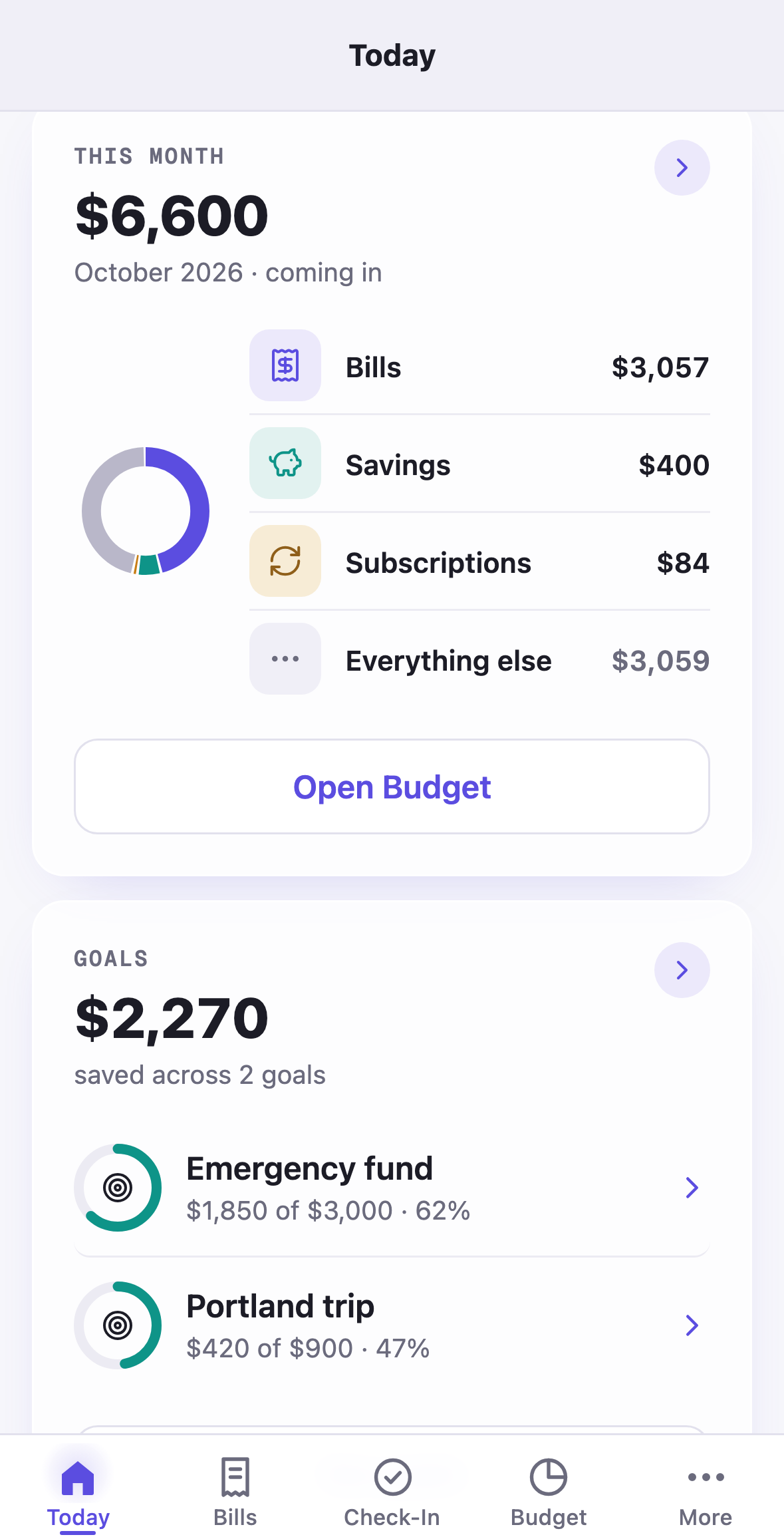
Today also carries a This month card, a small donut with Bills, Savings, Subscriptions and Everything else, and Open Budget under it.
The month pill
Section titled “The month pill”The month sits beside the title as a pill, October 2026. Tap it and a sheet lists the months you can open: next month first, then back one month at a time to the month your household was created, up to twelve months. Three tabs run under it: This month, Savings, Bills by group.
This month
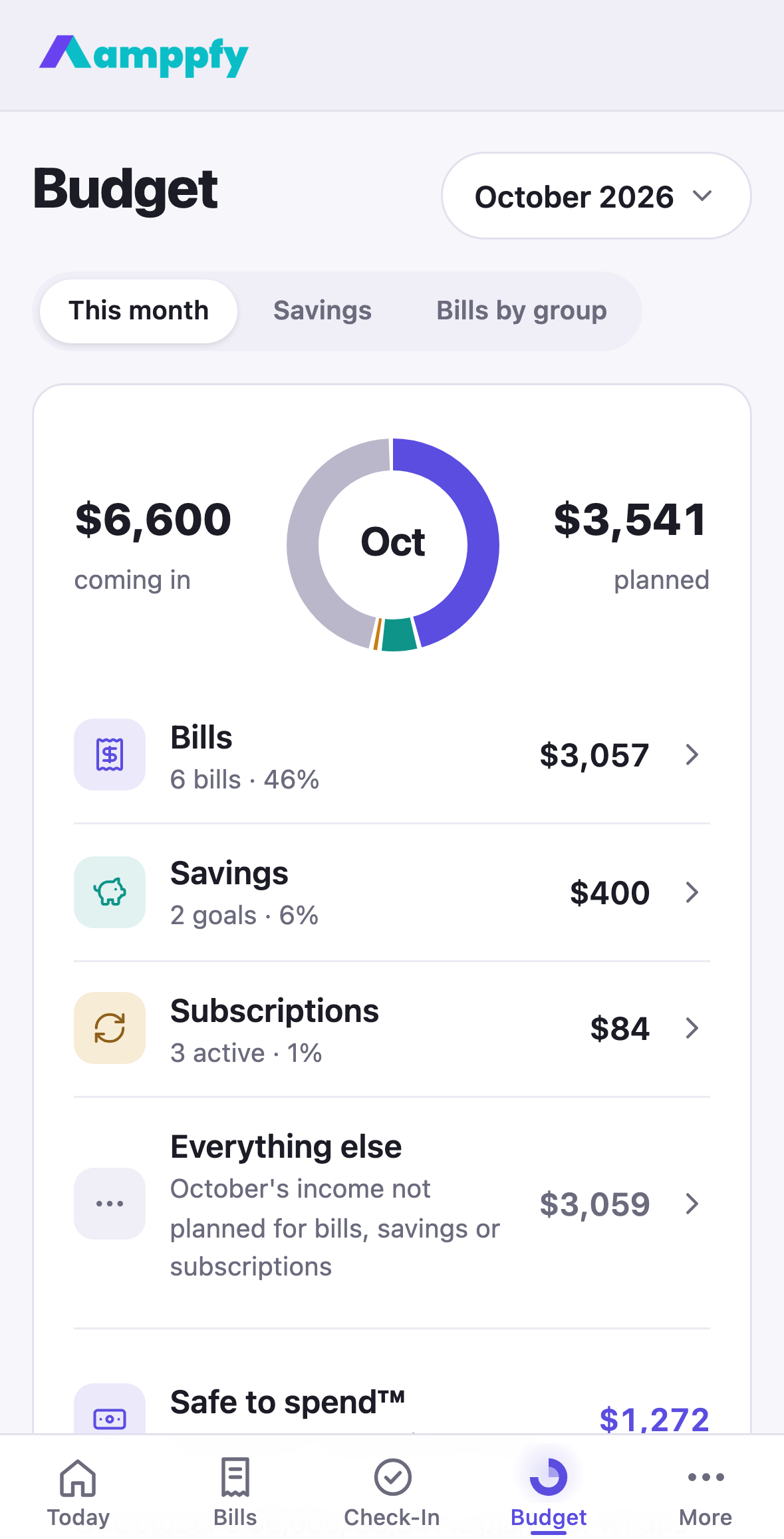
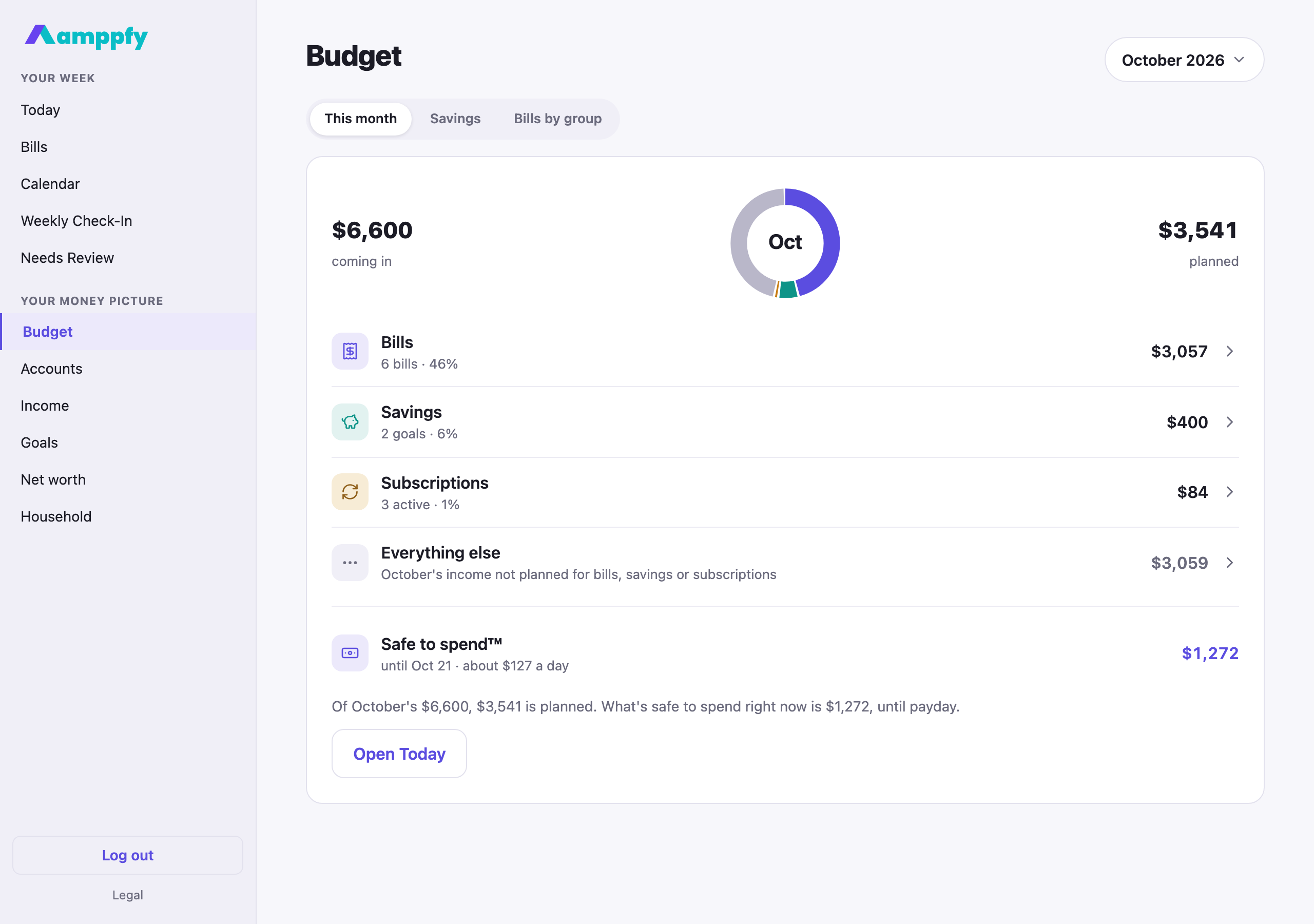
Section titled “This month”The donut sits between two figures: $6,600 coming in on the left and $3,530 planned on the right (bills, savings and subscriptions added up). Under it, four rows with icons:
| Row | What’s in it |
|---|---|
| Bills | Every bill that lands in the month, projected from its due date and recurrence, with the count and the share of income |
| Savings | The monthly amount of each active goal |
| Subscriptions | Every active subscription that lands in the month |
| Everything else | What is left: the month’s income not planned for bills, savings or subscriptions |
Tap a row and it opens in place. Bills open into the bill groups, each a row that opens that group’s page. Savings lists each goal and its monthly amount. Subscriptions lists each one. Everything else explains itself, and once you have answered the check-in’s spending question for a few weeks it adds You’ve been reporting about $420 a week, about $1,820 a month, against $3,070 unplanned.
Everything else is grey on purpose. It is a share of the month’s plan, not a second spendable number. The one spendable row sits under the four: Safe to spend™ · until Oct 21 · about $127 a day, with the number itself, and a closing line:
- When the plan fits: Of October’s $6,600, $3,530 is planned. What’s safe to spend right now is $1,272, until payday. with Open Today.
- When the plan is bigger than the income: This month’s plan is $120 more than the income coming in. Bills and savings come first. with Change the plan, a sheet that lists Bills, Income and Goals, because the plan is edited where it lives.
If any of your income is marked irregular, it is left out of the month. A household with no income entered sees Add your income and the month fills in.
Each expanded line ends with an add row, so you never have to leave Budget to fix a gap: + Add a bill, + Start a goal, + Add a subscription. The sheet opens prefilled for that line.
Earlier months, and next month
Section titled “Earlier months, and next month”Pick an earlier month from the pill and the same views show it read-only. Bills, subscriptions and income are today’s records projected back, so the note reads Based on today’s bills and income. The Savings row is different: it shows what you actually moved to goals that month, and the note adds You moved $300 to goals in Sep. Next month shows the plan from today’s bills, income and goals.
Savings
Section titled “Savings”The first card is Savings this month: what you have moved so far against the plan spread across the month, with a marker where the plan expects you to be by today, what next payday moves to each goal, and Move money now → (or Set up a goal → when there is no goal yet). For an earlier month it lists the moves made that month and whether the plan was met.
The second card, Month by month, is a bar chart of money you moved to goals: the moves the payday nudge records, plus anything you add from a goal’s page. The plan is drawn as a line across the bars; a month at or over it is teal, under it amber. The headline is the total, saved in 2 of the last 3 months, and the best month carries a chip. The chart shows the last six months, back to your first.
Add money to a goal any time
Section titled “Add money to a goal any time”The payday nudge is not the only way to record a move. On the Savings tab, Your goals lists each active goal with Add money beside it and + Start a goal under the list, so a move or a new goal takes one tap from Budget. Every goal’s page has Add money too: enter the amount and the date, save, and the goal’s saved amount rises, the account it is funded from updates, and the bar for that month grows. See Create and fund goals.
Bills by group
Section titled “Bills by group”The third tab adds the month’s bills up by group: $3,057 across 6 bills in Oct, then a row per group with its icon, the count and the total. Tap a group to open its page: the group’s icon and name, this month $1,450 · average $1,420, a Month by month chart of the last six months with this month’s total as the plan line, and Bills in this group as rows (Edit ›) that open the bill sheet.
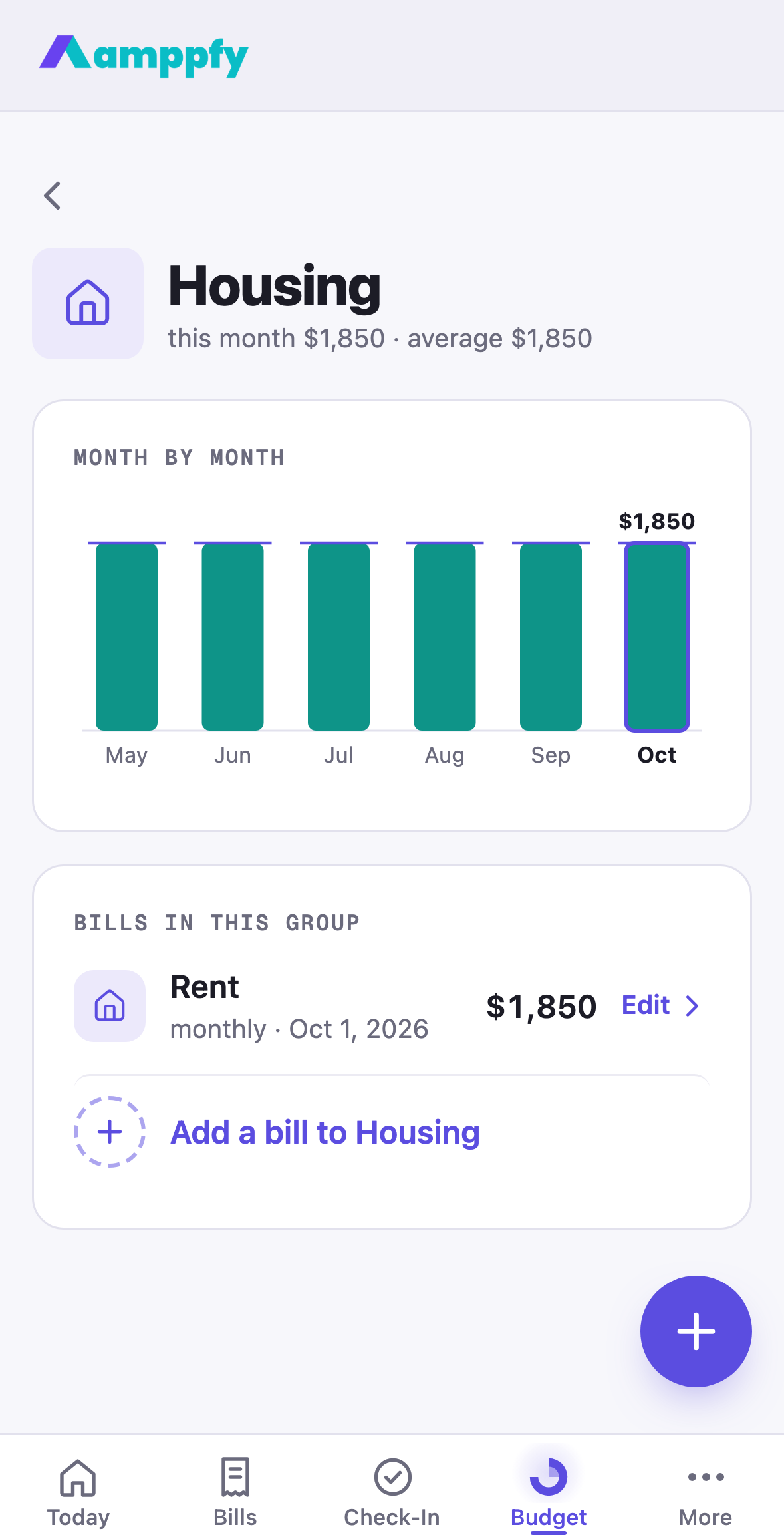
Under the group’s bills, + Add a bill to Housing (or the round +) opens the bill sheet with the group already chosen. Each bill’s group is suggested from its name and can be changed in the bill’s Group field. See Add and manage bills. Subscriptions are their own row of the month and are not grouped here.
Related
Section titled “Related”- Create and fund goals: Add money on every goal’s page
- The payday nudge and streaks
- Add and manage bills: the Group field
- How the number is calculated: why Everything else is not Safe-to-Spend™
- The calendar