
Bills roll forward on their own
Enter a bill’s due date once and Amppfy carries it forward each cycle, so rent keeps landing on the 1st and the phone bill on the 15th without anyone touching them.
The date you enter is the anchor
Section titled “The date you enter is the anchor”When you add a repeating bill, the due date you pick is an anchor, not a one-off. From it, Amppfy projects the next occurrence and the ones after that:
- Weekly and Every 2 weeks step forward by 7 or 14 days.
- Monthly and Yearly keep the same day of the month. A bill anchored on the 31st lands on the last day of shorter months.
- Once happens on the date you gave. After it passes, the bill stays under the All tab as history and is not projected.
Once a due date passes, the bill shows its next date everywhere: the Bills tabs, the check-in, the calendar, and Now to payday on Today. To move a bill to a different day for good, edit its due date; the new date becomes the anchor from then on. To skip or change one occurrence only, use the quick actions in Change a bill this time.
The tabs
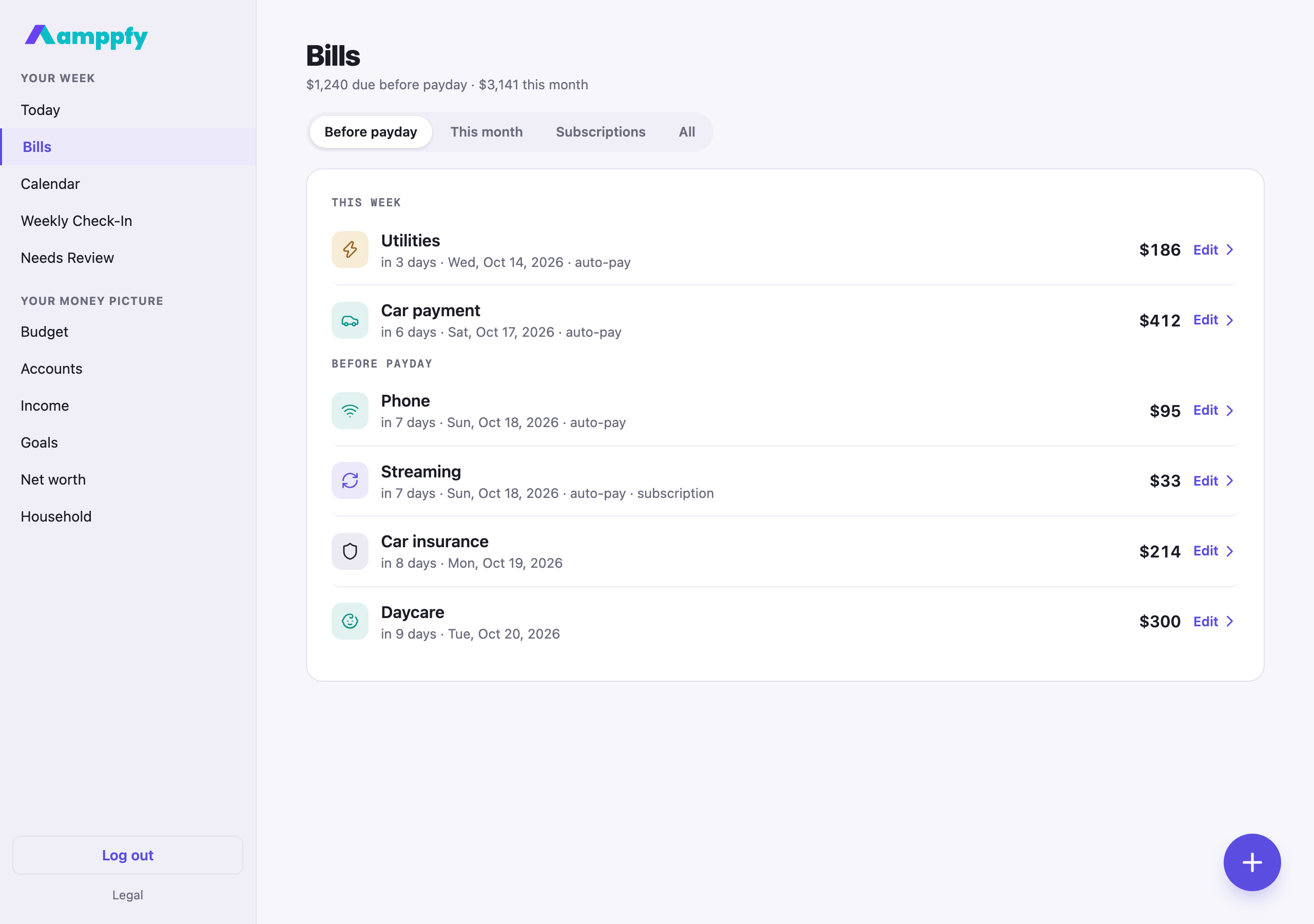
Section titled “The tabs”Bills opens on Before payday, the occurrences that count against your number. This month runs to the end of the month, so a bill whose date has just passed already shows its next one. All lists each bill once by its next date, which is the place to find a bill between occurrences.
What counts against the number
Section titled “What counts against the number”Only occurrences due before your next payday come off your Safe-to-Spend™ number. A weekly bill that lands twice before payday counts twice; a monthly bill due the day after payday does not count until that paycheck arrives. An occurrence you marked paid or not due this time is left out. That is the same rule as always; projecting dates forward just means the rule keeps working month after month. See How the number is calculated.