
Find your way around
Everything on the web is on your phone, arranged for one hand.
The five tabs
Section titled “The five tabs”| Tab | What lives there |
|---|---|
| Home | Your Safe-to-Spend™ number with the math under it, the road to payday, and the This week card that starts your check-in |
| Bills | Every bill with its amount, due date, and status — filter to Before payday to see only what counts against your number |
| Check-In | The ten-minute weekly ritual, step by step |
| Goals | Each goal’s target, progress, monthly amount, and its Pause and Adjust buttons |
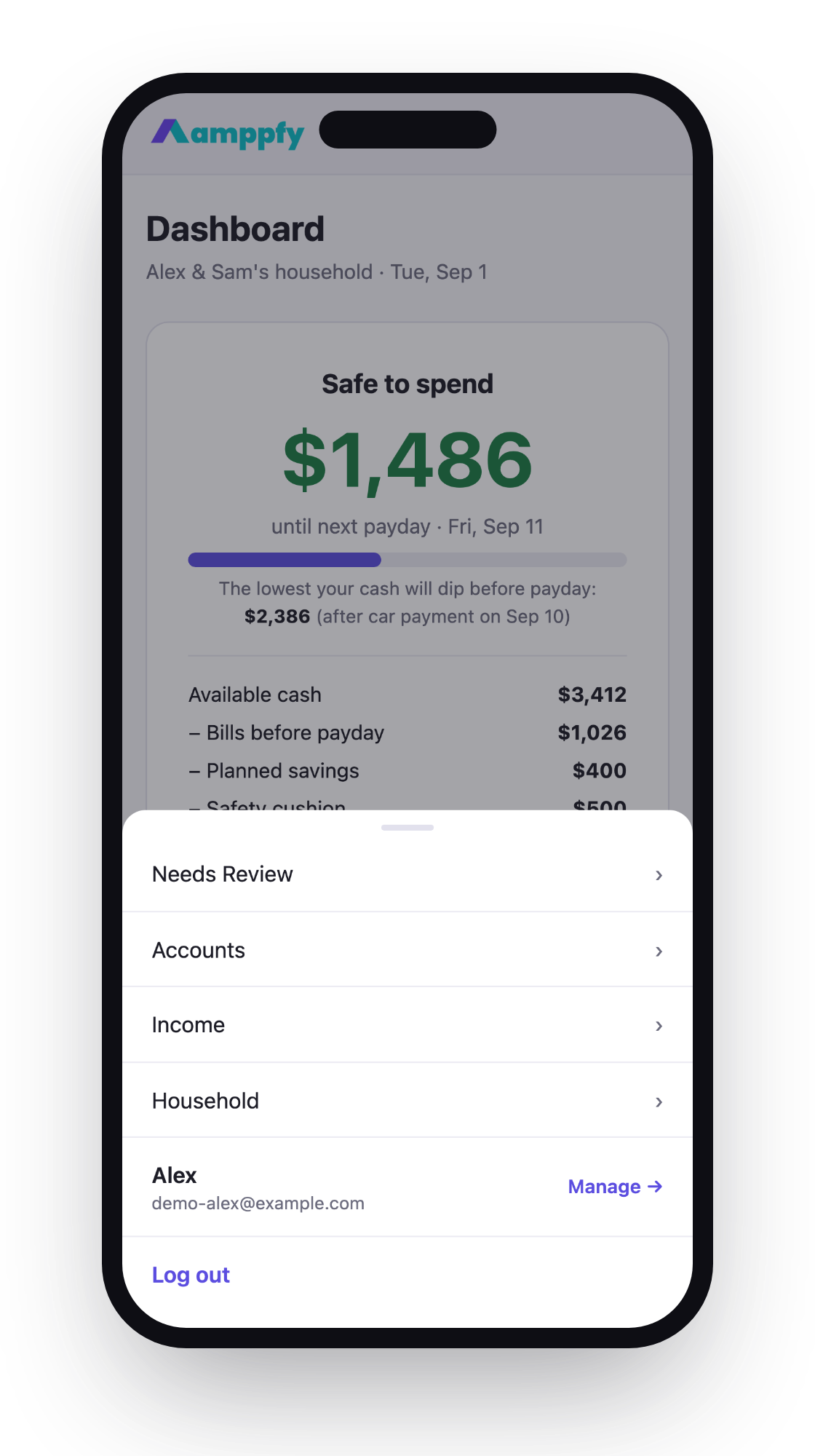
| More | Accounts, income, household and partners, Needs Review, and your account settings |
Reading the dashboard
Section titled “Reading the dashboard”The number at the top is Safe-to-Spend™, and the four lines under it are the math: available cash, minus bills before payday, minus planned savings, minus your safety cushion. Below that, The lowest your cash will dip before payday flags the tightest day between now and your paycheck — days early, while there’s still time to move a due date.
Entering numbers
Section titled “Entering numbers”Tap any amount field and the decimal keypad appears — no hunting for a period. Balances are just numbers: type what your bank app shows and move on. About 30 seconds per account.
Text size and comfort
Section titled “Text size and comfort”The app follows your iPhone’s Text Size setting (Settings → Display & Brightness → Text Size), so if you like larger text everywhere, Amppfy matches. Buttons and edit controls are sized for thumbs, and the app respects Reduce Motion if you’ve turned it on.
Heads-ups, not alarms
Section titled “Heads-ups, not alarms”Amppfy uses amber for things that need a look and green for the good number. A bill that came in higher than usual shows as Needs action — a heads-up, not an alarm — and it lands in Needs Review under More so you and your partner both see it.