
The iPhone app
The iPhone app is Amppfy in your pocket: the same account, the same Safe-to-Spend™ number, and the same math as the web. Anything you change on your phone shows up on your partner’s phone and on the web within a moment, and the other way around.
Same number, same math, in your pocket
Your Safe-to-Spend™ number with the status scale and the receipt under it, exactly what you would see on the web, from the same account.
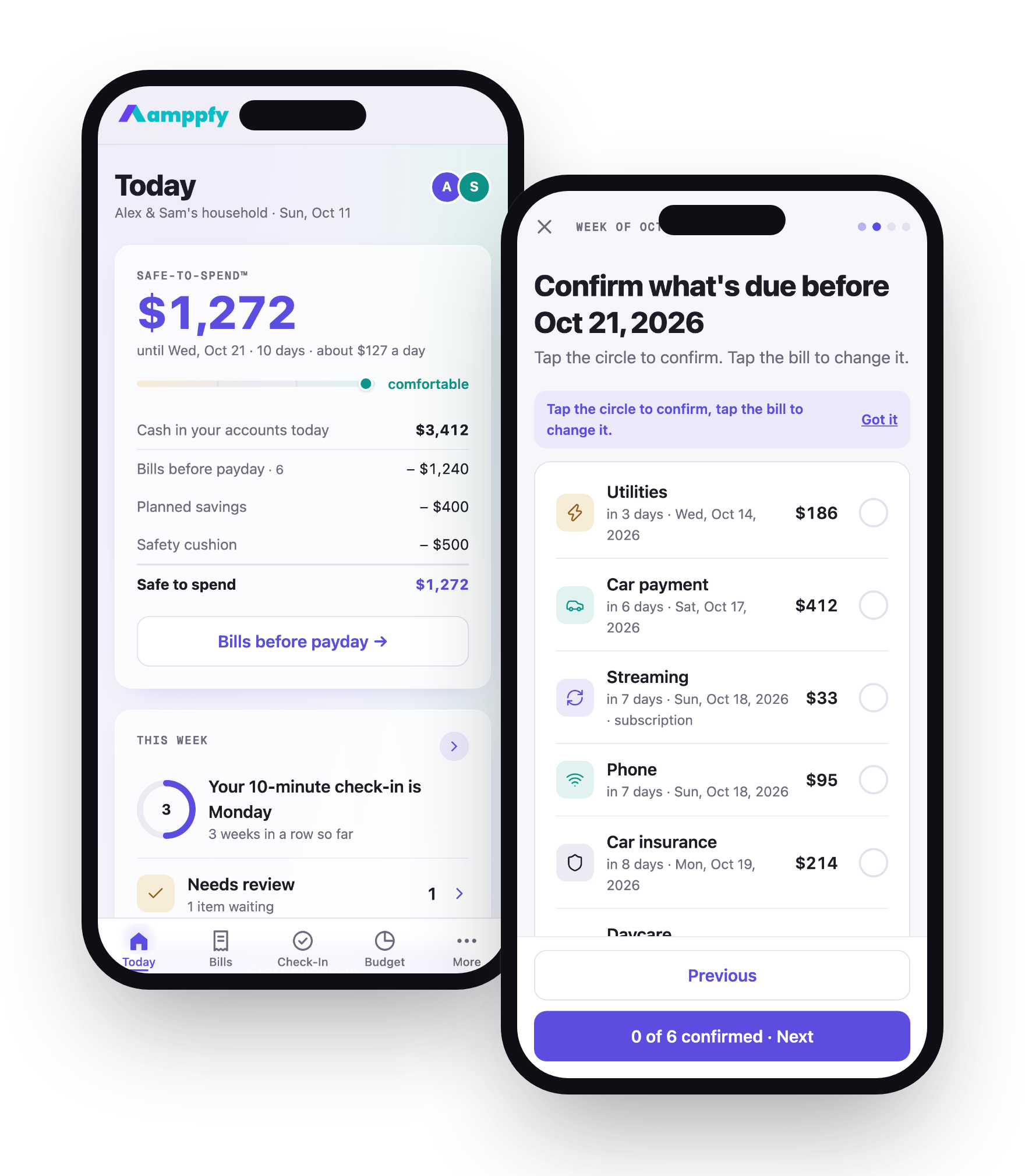
One account, every screen
Same sign-in as the web, and your household is already there.
The iPhone app is ad-free. On the web, clearly labeled ads keep Amppfy free.
The widget
Your number in a ring, the status word, and the days to payday, on your Home Screen and Lock Screen.
Links open in the app
Partner invites and Amppfy links land where they should, signed in.
What’s the same, what’s different
Section titled “What’s the same, what’s different”| iPhone app | Web app | |
|---|---|---|
| Your account and household | Same account: Apple, Google, or email with a code | Same account |
| Safe-to-Spend™, bills, goals, check-in | Everything | Everything |
| Changes sync | Within a moment, both directions | Within a moment, both directions |
| The widget | Home Screen and Lock Screen | None |
| Partner invite links | Open straight in the app | Open in the browser |
| Heads-ups | Push notifications | |
| Text size | Follows your iPhone’s Text Size setting | Browser zoom |
| Appearance | Light, on every screen | Light |
| Ads | None | Clearly labeled ads keep the web app free |
In this section
Install from the App Store, then sign in with Apple, Google, or your email and a six-digit code.
Read02Find your way aroundThe five tabs, the + and the Edit rows, the widget's ring, and light mode.
Read03Use the iPhone app and the web togetherOne account, every screen. How changes travel between your phone, your partner's phone, and the web.
ReadInvites and links on iPhoneInvite links, QR codes, and Amppfy links open right in the app.
ReadHeads-ups (notifications)A heads-up when a bill is due tomorrow, the lowest point dips under the cushion, or it's check-in day. Push on iPhone, email when push is off.
ReadTroubleshootingSigned out unexpectedly, a link that opened Safari, a code that did not arrive, and the fix for each.
ReadDon't have the app yet?
Free on iPhone. Same account as the web: sign in and your household is already there.

 Scan with your iPhone to get the app