
The payday nudge and streaks
Goals fund themselves first in the math. The payday nudge is the moment that turns into a real transfer: a paycheck lands, the dashboard suggests the amount for each goal, and one tap records that you moved it.
When the card appears
Section titled “When the card appears”For about a week after a household payday, a card headed Payday landed sits at the top of the dashboard, above This week, as long as you have at least one active goal with a monthly amount.
It lists each goal with one editable amount. The amount is that goal’s monthly contribution split across the paydays in the month — a $300-a-month goal with two paydays in September proposes $150 — and you can change it before you confirm. Under the amount you’ll see which account the goal is funded from.
Move the money, then confirm
Section titled “Move the money, then confirm”The nudge never moves money itself. Amppfy works from just your balances, so the transfer happens at your bank, the way it always has.
- Make the transfer at your bank or in your banking app.
- Back in Amppfy, adjust any amount if what you moved was different.
- Tap Done, moved it.
Amppfy then records the move, adds the amount to each goal’s progress, and updates the funding account’s balance to match: a checking or cash account goes down by the amount, a savings account goes up. A confirmation line shows exactly what changed (“Emergency fund → $3,550 · Joint Checking −$150”). Your Safe-to-Spend™ math is untouched — planned savings was already set aside — so the number doesn’t jump around.
Not this payday? Not this time hides the card on this device until the next payday. Nothing is recorded, and nothing is held against you.
Streaks
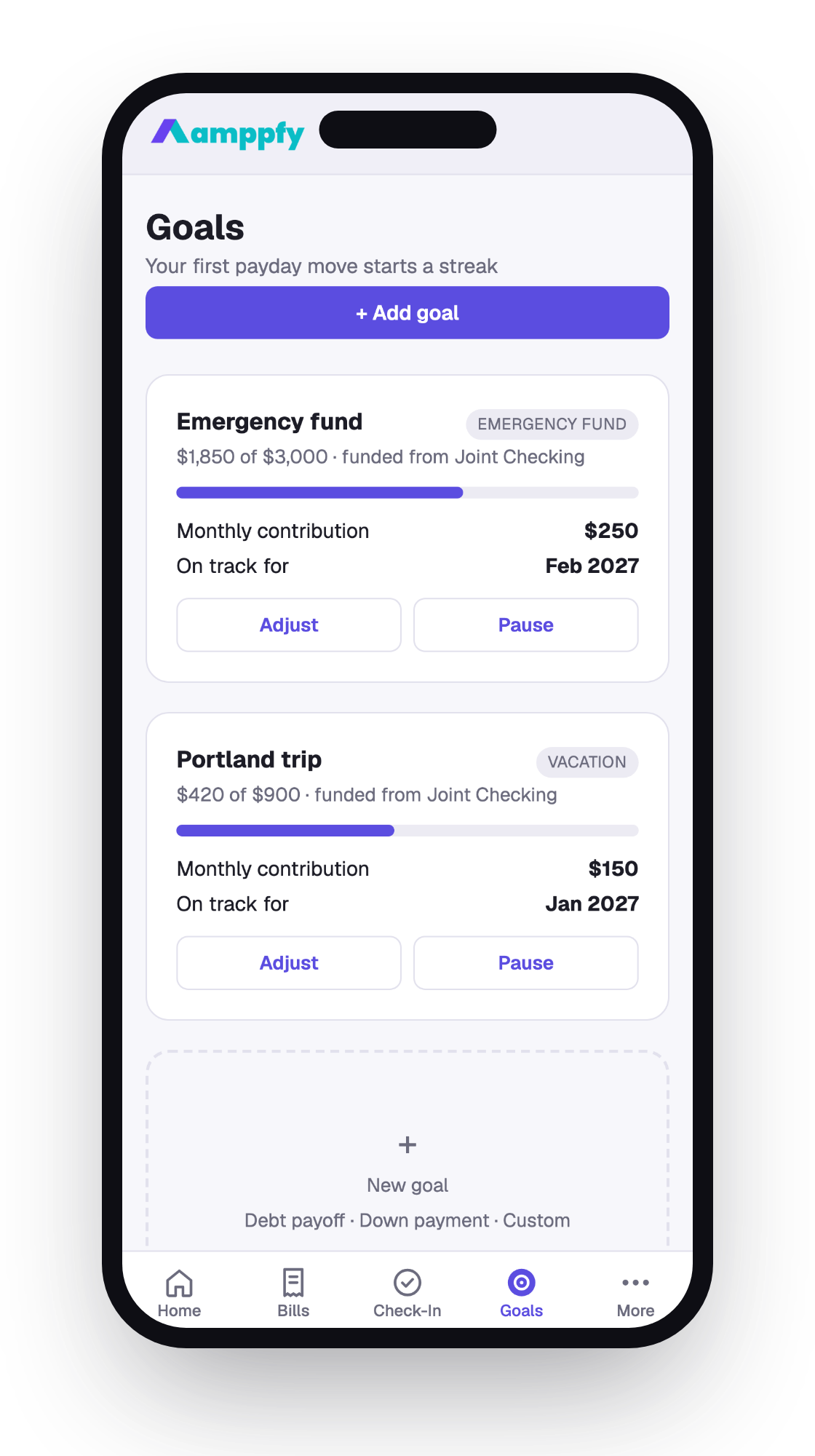
Section titled “Streaks”Each payday where you confirm at least one move extends your streak. It shows on the Goals tab under the title — “4 paydays in a row” — and inside the nudge itself. Before your first move, the line reads “Your first payday move starts a streak”.
Streaks are worked out from the moves you’ve recorded, never stored as a counter, so they’re always honest. Miss a payday and the streak starts over next time — a quiet nudge, not a scoreboard. This is separate from the check-in streak on the dashboard.
Moved on paydays
Section titled “Moved on paydays”Each goal on the Goals tab shows a Moved on paydays line once you’ve confirmed at least one move for it — the running total of everything the nudge has recorded for that goal, alongside its target and monthly contribution.
Related
Section titled “Related”- Create and fund goals
- Paydays and income schedules
- The calendar — each payday shows the share that goes to goals