

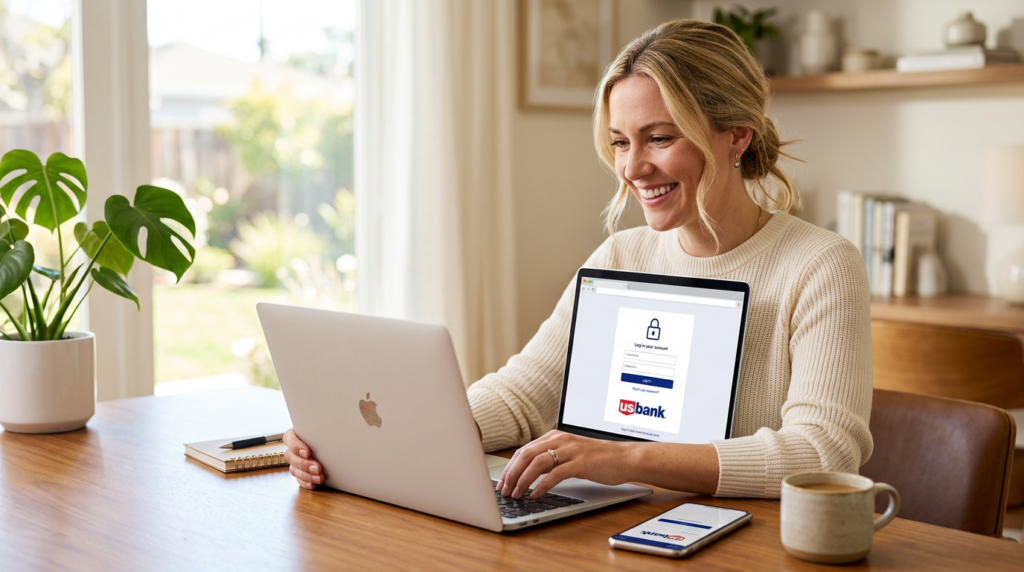
Locking yourself out of your bank account ranks somewhere between "phone dying at 2%" and "forgetting your wallet at a restaurant" on the modern inconvenience scale. The frustration compounds when you're trying to pay a bill, check a suspicious charge, or transfer money before a deadline. I've walked countless people through the process of accessing their US Bank accounts across different devices, and the good news is this: once you understand how the system works, logging in becomes second nature regardless of which platform you're using.
US Bank serves millions of customers through multiple access points, including desktop browsers, mobile apps, and even voice-activated systems. Each platform has its quirks, security requirements, and occasional hiccups. Whether you're a first-time user setting up online banking or someone who just upgraded to a new phone and can't remember their credentials, this guide covers the practical steps for getting into your account without the runaround. The goal here isn't just helping you log in today but equipping you with the knowledge to handle whatever login challenges come your way.
Getting Started with US Bank Online Banking
Before you can access your account from anywhere, you need to complete the initial enrollment process. This one-time setup creates the foundation for all your future logins, so getting it right matters.
First-Time Enrollment Requirements
New users need three pieces of information to enroll: your US Bank debit or credit card number, the PIN associated with that card, and either your Social Security number or Individual Taxpayer Identification Number. You'll also need access to the email address or phone number on file with your account for verification purposes.
The enrollment process takes about five minutes on a good day. Head to usbank.com and click the "Enroll" button near the login fields. The system walks you through identity verification, which typically involves answering security questions based on your credit history or personal records. These questions can feel oddly specific, asking about previous addresses or loan amounts, but they're designed to confirm you're actually you.
During enrollment, you'll create both a username and password. Your username needs to be between 8 and 20 characters and can include letters, numbers, and select special characters. Avoid using your full name, email address, or account number as your username since these are easier for bad actors to guess. The system will reject common patterns and previously compromised credentials.
Locating Your Personal or Business Login Credentials
Personal and business accounts use separate login portals, which trips up some customers. Personal accounts access through the main usbank.com site, while business accounts go through a dedicated business banking portal. Using the wrong portal returns an error even with correct credentials.
If you've already enrolled but can't remember your username, the recovery process is straightforward. Click "Forgot username?" on the login page, then verify your identity using your card number and personal information. The system displays your username on screen after successful verification, though it won't email it for security reasons.
Business account holders have additional complexity. Company administrators control user access levels, so if you're an employee trying to access a business account, your company's designated administrator may need to provision your credentials or reset your access. This centralized control helps businesses maintain security but can slow down the recovery process.
Accessing Your Account via Desktop Browser
Desktop access remains the most feature-rich way to manage your US Bank account. The full website offers tools and options that don't always translate to mobile interfaces.
Step-by-Step Login Instructions
Open your preferred browser and type usbank.com directly into the address bar. Avoid clicking links from emails or search results when possible since phishing sites often mimic the legitimate login page. Look for the padlock icon in your browser's address bar and verify the URL shows "https://www.usbank.com" before entering any credentials.
Enter your username in the first field, then your password. If you've enabled "Remember this device," you might skip some verification steps on subsequent logins. New devices or browsers always trigger additional authentication, typically a one-time code sent via text message, phone call, or the US Bank mobile app.
The login page occasionally displays maintenance notices or security alerts. Pay attention to these since they can explain unexpected behavior. Scheduled maintenance usually happens during overnight hours and affects specific features rather than blocking access entirely.
After successful authentication, the system may prompt you to review and update your security settings. These prompts aren't random annoyances but responses to detected changes, like a new browser or IP address. Taking 30 seconds to confirm your contact information keeps your account secure and ensures you can receive important alerts.
Navigating the Online Dashboard Features
The dashboard displays your account balances immediately after login, with checking, savings, credit cards, and loans organized in separate tiles. Click any tile to see recent transactions, pending items, and available balances. The "pending" distinction matters since these transactions haven't fully processed and might still change.
The top navigation bar provides access to transfers, bill pay, account services, and customer support. Transfers between your own US Bank accounts process instantly during business hours. External transfers to accounts at other banks take one to three business days depending on the method selected.
Bill pay functionality lets you schedule one-time or recurring payments to virtually any company or individual. The system stores payee information after your first payment, making subsequent payments faster. For payees enrolled in electronic billing, you can view statements directly within your US Bank dashboard without logging into separate accounts.
The "Account Services" section houses the administrative functions: ordering checks, disputing transactions, updating contact information, and managing alerts. Setting up balance alerts and large transaction notifications takes two minutes and provides an early warning system for unauthorized activity. Given that the FBI received over 880,000 cybercrime complaints with more than $12.5 billion in losses in 2023, these alerts aren't optional extras but essential protections.
Using the US Bank Mobile App on iOS and Android
Mobile banking has become the primary access method for most customers. The US Bank app delivers most desktop features in a more convenient package, with some mobile-exclusive capabilities.
Downloading and Authenticating Your Device
Search "US Bank" in the Apple App Store or Google Play Store. The official app shows "U.S. Bank" as the developer, and has millions of downloads with a rating typically above four stars. Fake banking apps occasionally appear in app stores, so verify the developer name before downloading.
First-time app users who already have online banking credentials can log in immediately. The app prompts you to register your device, which involves receiving and entering a verification code. This device registration enables future logins without repeated verification codes, though the app may periodically re-verify for security.
Users without existing online banking credentials can enroll directly through the app. The process mirrors desktop enrollment: card number, PIN, and identity verification. Mobile enrollment sometimes offers additional verification options like taking a photo of your ID or using your phone's camera to scan your card.
Push notifications represent a key advantage of mobile banking. The app can alert you to transactions in real-time, upcoming bill due dates, and security events. Mobile push notifications are the most common authentication method, with 68% of use across financial services, largely because they're both secure and convenient.
Biometric Login: Setting Up Face ID and Touch ID
After your initial password login, the app prompts you to enable biometric authentication. On iPhones with Face ID, this means using facial recognition for future logins. Older iPhones and most Android devices use fingerprint recognition instead.
Enabling biometrics doesn't remove password protection but adds a faster alternative. You can still use your password if biometrics fail or if you prefer. The app stores a secure token on your device rather than your actual fingerprint or facial data, meaning a compromised phone doesn't expose your biometric information.
To enable biometrics after initial setup, open the app settings menu (usually a gear icon), select "Security," then toggle on Face ID, Touch ID, or Fingerprint depending on your device. The app walks you through confirming your password one final time before activating the feature.
Biometric login works best when your phone's sensors are clean and unobstructed. Fingerprint sensors struggle with wet or dirty fingers, while Face ID can fail with certain sunglasses or in very low light. These aren't bugs but limitations of the underlying technology. Keep your password handy for situations where biometrics don't cooperate.
Troubleshooting Common Login Issues
Even with correct credentials, various factors can block account access. Understanding the most common issues helps you resolve them faster.
Resetting a Forgotten Username or Password
Password resets happen through the "Forgot password?" link on the login page. After entering your username, the system sends a verification code to your registered phone number or email. Enter the code, create a new password, and you're back in business. New passwords can't match your previous several passwords, and the system enforces complexity requirements.
Username recovery works similarly but requires your card information instead of your username. The system displays your username on screen after verification rather than sending it electronically. If you've forgotten both your username and password, recover the username first, then reset the password.
Repeated failed login attempts trigger a temporary lockout, typically 30 minutes. This security measure prevents brute-force attacks but can frustrate legitimate users who mistype their credentials. If you're locked out, wait the specified time before trying again. Calling customer service can sometimes expedite the unlock, but representatives need to verify your identity first.
Account lockouts lasting longer than a few hours usually indicate a security concern. The bank may have detected suspicious activity or received a fraud report. These situations require a phone call to customer service, where you'll verify your identity and potentially answer questions about recent account activity.
Resolving Multi-Factor Authentication Failures
Multi-factor authentication (MFA) adds security by requiring something you know (password) plus something you have (phone or email access). When MFA fails, the issue usually involves the delivery method rather than the authentication system itself.
Text message codes sometimes arrive delayed, especially during high-traffic periods or when your phone has weak signal. Wait two to three minutes before requesting a new code since multiple simultaneous requests can cause further delays. If texts consistently fail, switch to voice call verification or the mobile app's push notification option.
Email verification codes can land in spam folders, particularly if you use aggressive filtering. Check your spam and promotions folders before requesting a new code. Adding US Bank's sending domains to your safe sender list prevents future filtering issues.
The mobile app offers the most reliable MFA method through push notifications. When you attempt to log in on desktop, the app displays a prompt asking you to approve or deny the login attempt. This method doesn't depend on cellular service or email delivery, making it faster and more reliable. Bank impersonation was the most-reported text message scam, accounting for $330 million in consumer losses in 2022, so using app-based authentication instead of SMS adds meaningful protection.
Security Best Practices for Your US Bank Profile
Logging in securely goes beyond just having the right credentials. Your habits and settings determine how vulnerable your account remains to unauthorized access.
Safe Browsing Habits and Phishing Prevention
Phishing attacks have grown sophisticated enough to fool experienced internet users. Modern phishing emails replicate US Bank's branding perfectly, and fake websites can look identical to the real login page. The FTC reported over 1 million cases of identity theft in 2023, with many originating from phishing schemes.
Never click login links in emails, even if they appear legitimate. Instead, type usbank.com directly into your browser or use a saved bookmark. This simple habit eliminates the risk of landing on a convincing fake site. If you receive an email about account issues, log in through the official site to check rather than clicking the email's links.
Public Wi-Fi networks pose particular risks for banking. Coffee shop and hotel networks can be monitored by malicious actors, potentially capturing your credentials as you type them. If you must access your account on public Wi-Fi, use a VPN to encrypt your connection. Better yet, switch to your phone's cellular data for banking activities.
Password managers solve multiple security problems simultaneously. They generate strong, unique passwords for every site, remember them so you don't have to, and auto-fill only on legitimate websites. Maria-Kristina Hayden, CEO and founder of OUTFOXM, recommends creating strong passwords with a combination of uppercase and lowercase letters, numbers, and special characters, suggesting at least 15 characters for optimal security.
Updating Your Contact Information for Alerts
Outdated contact information creates both security risks and access problems. If you change phone numbers without updating your bank profile, you'll lose the ability to receive verification codes. If you change email addresses, you'll miss important account alerts.
Update your contact information through the Account Services section of online banking or the mobile app's settings. Changes to phone numbers and email addresses typically require verification through your existing contact methods, ensuring that someone who gains temporary access can't redirect your communications.
Enable comprehensive alerts for your account. At minimum, set up notifications for transactions above a certain threshold, new device logins, and password changes. These alerts provide early warning if someone gains unauthorized access, giving you time to respond before significant damage occurs.
Review your registered devices periodically. Both the website and mobile app show which devices have been authorized to access your account. Remove any devices you no longer use or don't recognize. This housekeeping prevents old phones or computers from becoming security liabilities.
Industry estimates indicate 70% of new account onboarding processes will incorporate automated e-KYC solutions in 2025, meaning banks are investing heavily in identity verification technology. Your role is keeping your information current so these systems can protect you effectively.
Frequently Asked Questions
What should I do if my account gets locked after too many failed login attempts?
Wait 30 minutes before trying again since the lockout is temporary and automatic. If you're still locked out after waiting, call US Bank customer service at the number on the back of your debit card. Representatives can verify your identity and unlock your account manually. Avoid continuing to attempt login during the lockout period since this can extend the wait time.
Can I use the same login credentials for both personal and business US Bank accounts?
No, personal and business accounts maintain separate credentials and use different login portals. Even if you're the sole owner of both accounts, you'll need distinct usernames and passwords for each. This separation protects business assets from personal account compromises and vice versa. You can, however, link accounts within each portal to view them on a single dashboard.
How do I log in if I don't have access to my phone for verification codes?
During the verification step, look for alternative options like email verification or voice call to a landline. If none of your registered contact methods are accessible, you'll need to call customer service to verify your identity through other means. This situation highlights why keeping backup contact methods current matters. Consider adding both a mobile number and email address to your profile.
Is it safe to save my login information in my browser?
Browser password saving offers convenience but comes with risks. If someone gains access to your unlocked computer, they can access your saved passwords. A dedicated password manager provides better security than browser storage since it requires its own master password and often includes additional protections like breach monitoring. If you do save passwords in your browser, ensure your computer itself is protected with a strong login password or biometric lock.
Making Login Second Nature
Getting into your US Bank account shouldn't require a troubleshooting guide every time. The key is completing your initial setup correctly, enabling biometric login on your mobile devices, and keeping your contact information current. These three steps eliminate most login friction.
When issues do arise, they usually fall into predictable categories: forgotten credentials, device authentication problems, or security lockouts. Each has a clear resolution path that doesn't require waiting on hold for hours. The self-service recovery options handle the vast majority of situations.
Your banking security ultimately depends on habits more than technology. Using unique passwords, avoiding phishing attempts, and monitoring your accounts regularly protect you far better than any single security feature. Treat your login credentials like your house keys: necessary for access, dangerous if lost, and worth a few seconds of extra care to protect.
